


Your hoverboard overheats while charging mainly due to faulty lithium-ion batteries, a mismatched charger, or charging it for too long. Leaving your device plugged in overnight or using cheap aftermarket parts can lead to dangerous thermal runaway. Always use certified chargers, charge in open areas, and unplug the device once the battery is full.
Key Takeaways
- Use OEM Chargers: Mismatched chargers can supply too much voltage, causing dangerous heat levels.
- Avoid Overcharging: Never leave your hoverboard plugged in overnight or unattended for long periods.
- Watch for Thermal Runaway: Damaged lithium-ion battery cells can heat up rapidly and cause fires.
- Charge on Hard Surfaces: Soft surfaces like carpets trap heat, raising the temperature of your device.
- Let It Cool First: Never plug in your hoverboard immediately after riding when the battery is already warm.
- Look for Certifications: Only buy hoverboards with UL 2272 certification for tested electrical safety.
📑 Table of Contents
Introduction
Imagine this scenario. You just finished a thrilling ride around the neighborhood. You plug your favorite self-balancing scooter into the wall, planning to head back out in a couple of hours. But when you walk past the charging station a little while later, you notice a strange, warm draft. You touch the plastic casing, and it feels alarmingly hot. You might instantly panic and ask yourself: Why Does My Hoverboard Overheat While Charging?
This is a very common worry for riders of all ages. Hoverboards are incredible fun, but they are also complex electronic machines. They pack a massive amount of power into a very small, compact frame. When things go wrong during the power-up phase, excess heat is usually the very first warning sign you will encounter.
In this beginner-friendly guide, we will break down the exact reasons behind this frustrating issue. We will explore how these smart boards handle energy, identify the primary heat-causing culprits, and share simple, actionable safety tips. By the end of this article, you will know exactly how to keep your ride cool, safe, and ready for action.
The Science of Hoverboard Batteries and Heat
To understand why your board gets warm, we need to look at what is happening under the hood. Hoverboards do not use normal alkaline batteries like your TV remote. Instead, they rely on advanced rechargeable systems to keep you moving smoothly.
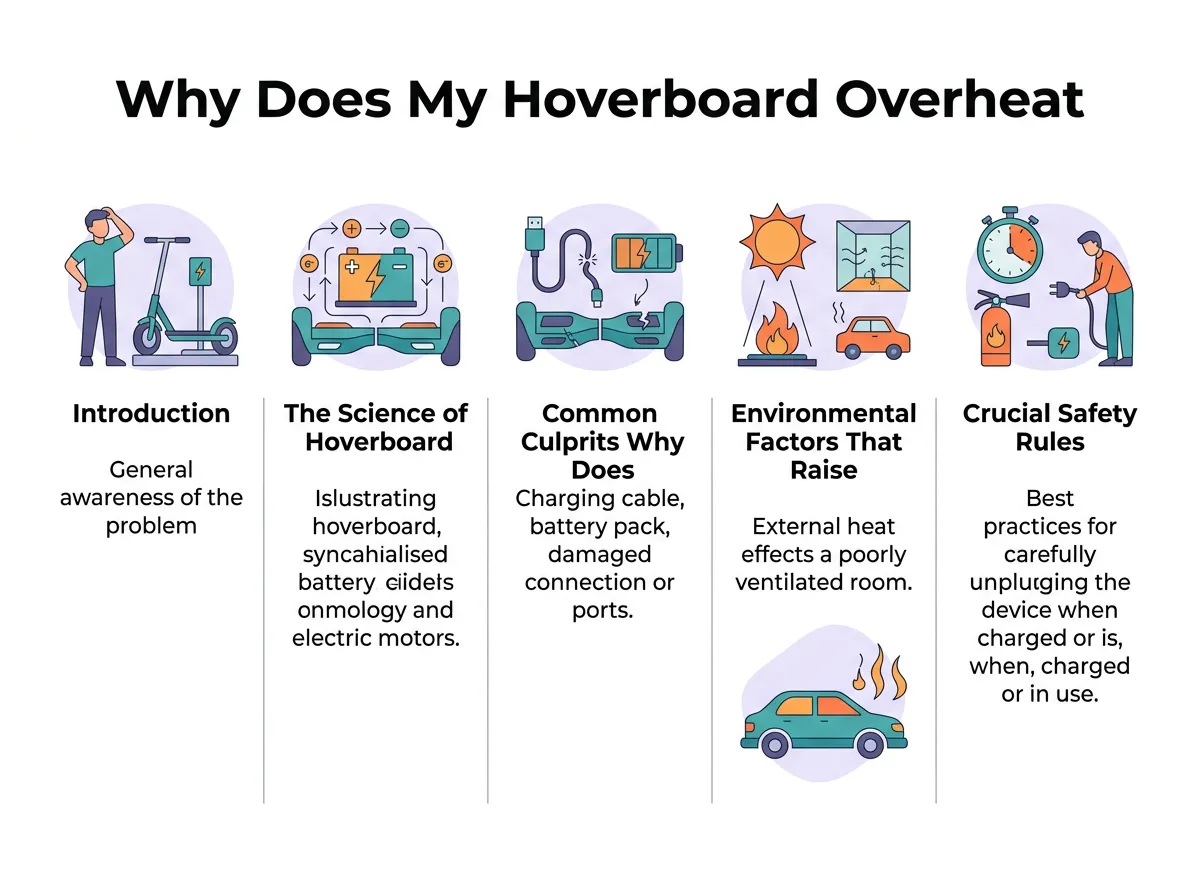
Why Does My Hoverboard Overheat While Charging? — key points at a glance
How Lithium-Ion Batteries Work
Almost every hoverboard on the market runs on a lithium-ion battery pack. These batteries are fantastic because they can store a lot of energy and discharge it quickly. Inside the pack, lithium ions move back and forth between two sides to create electrical current. During charging, this process is reversed. Pushing energy back into the cells naturally creates a small amount of warmth. A slight temperature rise is completely normal, but excessive heat means the system is struggling to balance the incoming energy flow.
The Concept of Thermal Runaway
When a battery gets too hot, it can trigger a dangerous chain reaction called thermal runaway. This happens when the heat inside a cell causes it to release even more energy and heat, creating an unstoppable loop. This is why keeping an eye on temperatures is so critical. To prevent severe accidents and learn more about this dangerous reaction, you can read about why hoverboards catching fire became a major safety concern in the early days of these devices.
Common Culprits: Why Does Your Hoverboard Get So Hot?
Now that we know how the science works, let us look at the actual everyday causes. If you find yourself asking, “Why Does My Hoverboard Overheat While Charging?”, one of these common culprits is usually to blame.
Mismatched or Damaged Chargers
One of the biggest mistakes users make is grabbing any charger that fits into the charging port. Just because a plug fits does not mean it is safe. Every hoverboard battery requires a very specific voltage and current to charge safely. If you use a cheap, unbranded replacement charger, it may pump too much power into your board. This excess power is quickly converted into intense heat. Always stick to the original charger that came in the box.
Overcharging and Leaving it Plugged In
It is incredibly tempting to plug your board in before you go to sleep. However, leaving your board plugged in overnight is one of the quickest ways to ruin the battery. Most standard hoverboards take about two to three hours to reach full capacity. Once the battery is full, continuous exposure to electrical current can degrade the cells and generate major heat. If you want to know more about safe charging durations, you can check out this helpful guide on can you charge a hoverboard overnight safely without damaging your internal cells.
Damaged Battery Cells
Hoverboards take a lot of physical abuse. They bump into curbs, drop off ledges, and sometimes get splashed with water. If your board has suffered a hard impact, the delicate internal structure of the battery pack may be damaged. A punctured or crushed cell can cause a short circuit. Short circuits create a high-speed flow of electricity that generates immediate, intense heat during the charging cycle.
Environmental Factors That Raise the Temperature
Sometimes, the issue is not with the internal hardware at all. The environment where you choose to power up your device plays a massive role in how well it manages heat.
Charging on the Wrong Surfaces
Where do you plug in your board? If you leave it sitting on a thick, fluffy carpet, a cozy rug, or a soft bed, you are trapping heat. These soft materials act like blankets. They block the natural airflow around the plastic shell of your hoverboard, causing the temperature to spike. Always place your board on a hard, flat, and non-flammable surface like tile, concrete, or a wooden table.
Hot Rooms and Direct Sunlight
Charging your board in a hot garage, near a sunny window, or next to a heating vent is a recipe for disaster. If the ambient room temperature is already high, your hoverboard has a much harder time shedding its natural charging warmth. Always choose a cool, well-ventilated room for your charging station.
Crucial Safety Rules for Charging Your Hoverboard
To avoid dangerous situations and extend the overall lifespan of your board, you must build good safety habits. If you are struggling with this issue or encountering other common hoverboard problems and how to fix them, establishing a reliable routine is your best line of defense.
The Golden Rule: Do Not Charge Unattended
You should never plug in your hoverboard and leave the house. If something goes wrong, you need to be nearby to react. Keep the board in a room where you can see or hear it. Check on it every 30 minutes. If the bottom of the board feels uncomfortably hot to the touch, unplug it immediately.
Always Buy UL 2272 Certified Boards
If you are shopping for a new hoverboard, look closely for the UL 2272 safety certification label. This certification means the electrical and battery systems have gone through rigorous safety testing to prevent overheating and combustion. To learn more about official safety recommendations, check out these official fire safety guidelines from local authorities.
What to Do If Your Hoverboard Overheats
If you touch your board while it is plugged in and realize it is dangerously hot, do not panic. Follow these simple steps to safely handle the situation:
Step-by-Step Emergency Actions
- Step 1: Carefully unplug the charger from the wall outlet first, rather than pulling the cord out of the hoverboard itself. This reduces the risk of sparks near the warm battery.
- Step 2: Use heat-resistant gloves or a dry towel to move the hoverboard away from flammable items like curtains, couches, or paper.
- Step 3: If possible, move the hot hoverboard outside onto a concrete surface like a driveway or patio to cool down safely.
- Step 4: Let the board sit undisturbed for at least one to two hours. Do not attempt to ride it, turn it on, or plug it back in until it is completely cold to the touch.
When to Replace the Battery or Charger
If your board consistently overheats every single time you plug it in, something is broken. You should stop using the board immediately. In most cases, you will need to buy a brand-new, manufacturer-approved charger or replace the internal battery pack entirely. Running a damaged battery is highly dangerous and not worth the risk.
Final Thoughts on Hoverboard Safety
So, Why Does My Hoverboard Overheat While Charging? As we have learned, the answer usually comes down to battery damage, poor charging habits, or environmental factors. By using the right equipment, avoiding overnight charging, and keeping your board on cool, hard surfaces, you can easily prevent overheating. Treat your hoverboard with care, respect its battery system, and you will enjoy countless hours of safe, cool, and thrilling rides!
Frequently Asked Questions
Is it normal for my hoverboard charger to get warm?
Yes, it is normal for your hoverboard charger to get slightly warm to the touch while active. However, it should never feel hot enough to burn you or emit a melting plastic smell. If the charger is too hot to hold, unplug it immediately.
How long should I charge my hoverboard battery?
Most hoverboard models require between two and three hours to reach a full charge. Always check your user manual for exact times, and unplug the device as soon as the indicator light turns green.
Can a damaged hoverboard battery be repaired?
No, a damaged lithium-ion battery cannot be safely repaired at home. If your battery is punctured, swollen, or refusing to hold a charge, you must replace the entire battery pack with a certified new unit.
Why does my hoverboard beep when I plug it in?
A beeping sound usually indicates an error or a low battery warning. If your board beeps continuously while charging, check the charging port connection or consult the manual to decode the specific warning pattern.
Can I charge my hoverboard in a cold garage?
You should avoid charging your hoverboard in extreme cold or freezing temperatures. Cold temperatures make lithium-ion batteries charge very slowly and can cause permanent internal damage to the cells.
How can I tell if my hoverboard is UL 2272 certified?
Look for a silver holographic UL promotional label on the bottom of your hoverboard packaging or the device frame itself. This label will clearly state that the system is UL 2272 certified for electrical safety.
