


When your hoverboard emits three sharp beeps, it indicates a communication error between the motherboard and the gyro sensor boards. This common glitch stops the board from working to keep you safe from sudden falls. You can usually fix this issue by performing a quick system recalibration or checking for loose internal wires.
Imagine gliding down the sidewalk on a warm, sunny day. The wind is in your hair, and you feel like you are flying. Then, out of nowhere, your hoverboard stops. It starts to make a loud, repeating noise that ruins your fun. It can be super frustrating when your favorite ride suddenly refuses to move!
One of the most common issues riders face is a specific pattern of three sharp beeps. If you are standing there looking at your blinking toy, you might find yourself asking: What Does It Mean When a Hoverboard Beeps 3 Times? Is your board broken forever, or can you fix it at home?
In this guide, we will break down this warning sound in simple terms. We will look at why it happens and how you can fix it step by step. With a few easy tricks, you can get back to riding in no time!
Key Takeaways
- Communication Failure: The 3-beep code means the main brain (motherboard) cannot talk to the side sensor boards.
- Safety Feature: The hoverboard stops and beeps to prevent you from riding on unbalanced wheels and falling.
- Try Resetting First: A simple, tool-free recalibration can fix minor software glitches instantly.
- Check Internal Wires: Bumps and crashes often shake the small internal plug connectors loose.
- Easy DIY Repair: You can open the plastic casing and press loose plugs back into place with basic tools.
- Know When to Replace: If the wires are secure but the beeping continues, you may need a new motherboard kit.
📑 Table of Contents
- What Does It Mean When a Hoverboard Beeps 3 Times? Let’s Find Out
- Common Causes Behind the Three Beeps
- Step 1: Try a Simple Recalibration First
- Step 2: Checking the Internal Connections
- When to Replace Parts or Seek Professional Help
- Tips to Prevent Your Hoverboard from Beeping in the Future
- Conclusion
What Does It Mean When a Hoverboard Beeps 3 Times? Let’s Find Out
Your hoverboard is like a small, smart computer on wheels. It has many parts that must work together perfectly. Inside the plastic shell, you will find a battery, some motors, and green circuit boards. The main circuit board is the motherboard, which acts as the brain of your ride.
The Secret Language of Your Hoverboard
When something goes wrong inside your board, it cannot speak to you with words. Instead, it uses lights and sound codes to tell you what hurts. A pattern of three beeps is a very specific cry for help. It almost always means there is a communication error between the main brain and the side sensor boards.
To understand this better, you can read more about red flashing lights on your hoverboard to see how lights and sounds work together. When the brain cannot talk to the wheels, the board shuts down for your safety. It stops moving so you do not fall off and get hurt.
Common Causes Behind the Three Beeps
Now that we know the basic meaning, let’s look at why this happens. There are three main reasons your board might start making this sound.
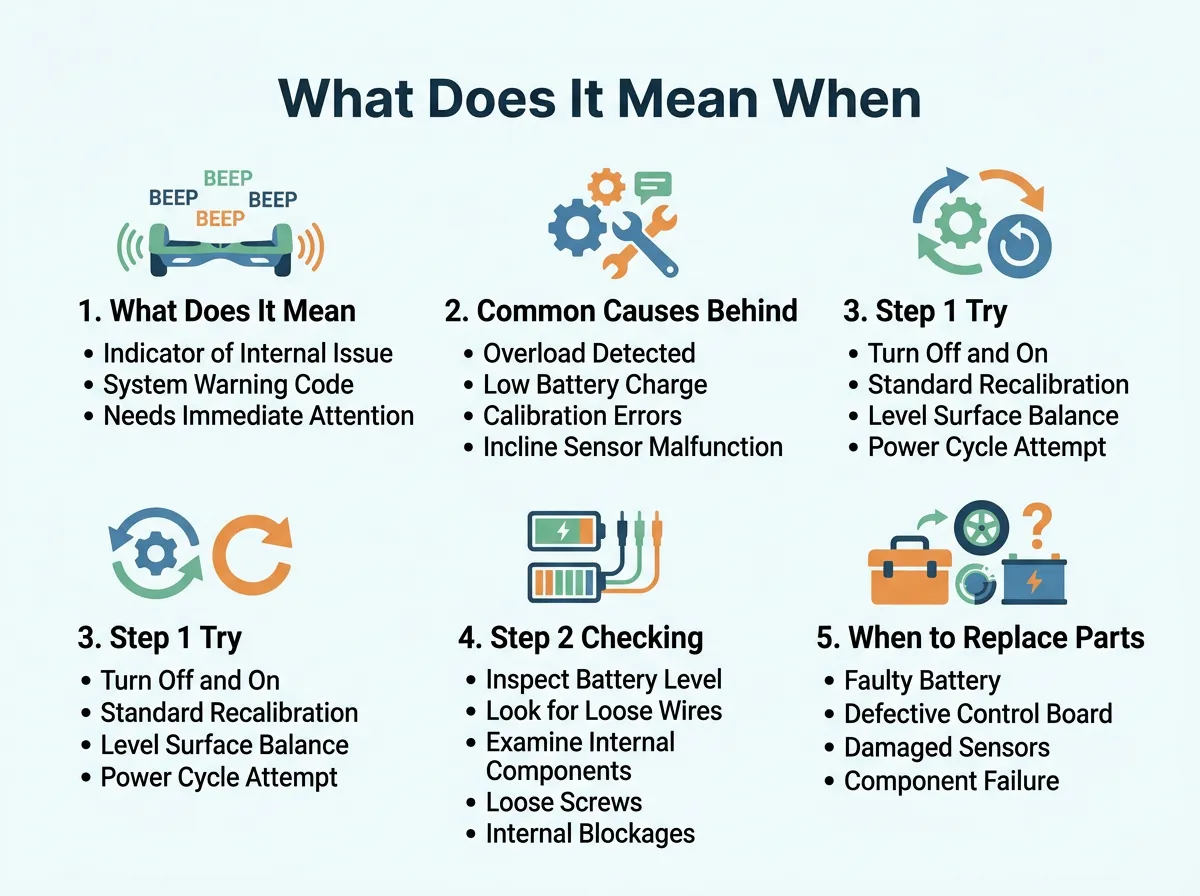
What Does It Mean When a Hoverboard Beeps 3 Times? — key points at a glance
1. Loose Internal Wires
Hoverboards take a lot of bumps. When you ride over cracks, jump off curbs, or crash into walls, the board shakes. Over time, this shaking can pull the tiny wires inside loose. If a wire that connects the brain to the wheel sensor unplugged even a little bit, the connection breaks. This break triggers the three-beep alarm.
2. Faulty Motherboard or Gyroscopes
Sometimes, the parts themselves get tired or damaged. If water gets inside your board, it can ruin the green circuits. If you ride too hard, the chips on the board can crack. In these cases, the board beeps because a part is actually broken and needs to be replaced.
3. Low Voltage or Power Drops
If your battery is very old, it might not send enough power to the brain. When the voltage drops too low, the chips cannot talk to each other. This power drop causes the board to beep. You can learn how to diagnose a hoverboard that keeps beeping to see if your battery is the main suspect.
Step 1: Try a Simple Recalibration First
Before you get any tools, you should try the easiest fix first. This fix is called recalibration. It resets the brain of your board and aligns the sensors.
How to Reset Your Hoverboard in 5 Steps
Follow these simple steps to reset your ride:
- Step 1: Turn off your hoverboard completely. Do not leave it on standby.
- Step 2: Place the board on a flat, even floor. Make sure the footpads are perfectly level with the ground.
- Step 3: Press and hold the power button down for about 10 seconds. Do not let go!
- Step 4: You will see the LED lights flash, and you will hear a beep. Keep holding until the lights blink rhythmically.
- Step 5: Release the power button and turn the board off. Wait 5 seconds, then turn it back on.
If the issue was just a small glitch, this reset will fix it. If the board still beeps three times, you need to look inside.
Step 2: Checking the Internal Connections
If a reset did not work, a wire is likely loose. Do not worry! Opening a hoverboard is very easy if you take your time.
Tools You Will Need
You only need a few simple things to do this:
- A small Philips head screwdriver
- A clean, flat table to work on
- A small bowl to hold the screws
Inspecting the Cables Safely
First, make sure the hoverboard is turned off. Unplug it from the charger. Flip the board over so the bottom faces up. Use your screwdriver to remove the screws on the side that is beeping. Lift the plastic cover off very slowly.
Look at the green boards inside. You will see several bundles of wires with white plastic plugs. Use your fingers to gently press each plug into its socket. If you find a plug that is loose, push it in until it clicks. This simple check fixes most issues! For more detailed help on wiring, you can check out Jetson hoverboard support tips to guide you through the process.
When to Replace Parts or Seek Professional Help
What if you checked all the wires and they are all tight? What if you reset the board, but it still makes that noise? You might be wondering, what does it mean when a hoverboard beeps 3 times even after I tried to fix it?
Replacing a Dead Motherboard
If the wires are fine, the motherboard is likely dead. You can buy a new hoverboard circuit kit online. These kits are cheap and come with a new brain and new sensor boards. Replacing them is as simple as unplugging the old ones and plugging in the new ones.
Safety Warning for DIY Repairs
Always disconnect the yellow battery cable before you touch any green boards. If you do not feel safe doing this, do not risk it! Take your ride to a local repair shop. It is better to pay a professional than to damage your expensive toy or hurt yourself.
Tips to Prevent Your Hoverboard from Beeping in the Future
Once your board is quiet and working, you want to keep it that way. Here are some easy tips to prevent future issues.
Avoid Rough Terrain
Try to ride on smooth concrete or asphalt. Avoid gravel, grass, and big cracks. The smoother your ride, the less the internal wires will shake. This keeps the connections tight and secure.
Proper Charging Habits
Do not leave your board on the charger overnight. Overcharging can heat up the battery and damage the chips. Charge it until the light turns green, then unplug it right away.
Conclusion
Hearing your hoverboard beep can be a real drag. But now you know that three beeps simply mean the brain and the wheels are having trouble talking. In most cases, a quick reset or a gentle push on a loose wire will fix the problem. Take care of your board, ride on smooth paths, and you will enjoy hours of silent, smooth fun!
Frequently Asked Questions
What does it mean when a hoverboard beeps 3 times?
It means there is a communication error between the motherboard and the gyro sensor boards. The brain of the board cannot talk to the wheel sensors, so it stops for safety.
Can I still ride my hoverboard if it is beeping 3 times?
No, you should not ride it because the self-balancing system is disabled. Riding while it is beeping can cause the board to stop suddenly and make you fall.
How do I stop my hoverboard from beeping 3 times?
You can try to stop it by performing a full system recalibration first. If that does not work, you will need to open the casing and check for loose wires inside.
Does a flashing red light always accompany the 3 beeps?
Yes, you will usually see the red status light blink three times in a row along with the sound. This matching code confirms the communication error.
How much does it cost to fix the 3-beep error?
If the error is caused by a loose wire, the fix is completely free to do at home. If you need to buy a new motherboard replacement kit, it will usually cost between twenty and forty dollars.
Will water damage cause my hoverboard to beep 3 times?
Yes, water can short out the delicate circuits on the motherboard and cut off communications. Always keep your hoverboard away from puddles, rain, and wet grass.
