


If your hoverboard is jerking or shaking, the most common solution is a simple system calibration to reset its internal gyroscopes. You can also fix this issue by adjusting your foot placement to cover the pressure sensors fully or checking that the rider meets the minimum weight requirement. For persistent issues, inspecting the interior for loose wire connections or replacing a faulty gyroscope board will restore a smooth ride.
Imagine this: It is a beautiful, sunny afternoon. You step onto your hoverboard, ready for a smooth, effortless glide down the sidewalk. But instead of a clean roll, your board starts vibrating wildly. It jerks back and forth, shaking your legs and making you feel like you are riding a wild bull. You hop off quickly before you lose your balance and take a nasty spill. It is frustrating, scary, and can ruin a perfectly good day.
If you are dealing with this bumpy ride, you are not alone. Many riders experience this exact issue, and it is one of the most common complaints for both cheap and expensive boards. If you want to know how to fix a hoverboard that jerks while riding, you have come to the right place. This guide will show you exactly what causes these annoying stutters and walk you through easy, step-by-step solutions to make your board ride like new again.
Before you think about throwing your board away or spending a fortune on a repair shop, take a deep breath. Most of these issues can be solved at home in less than ten minutes with zero special tools. Let us dive into why your hoverboard is acting up and how you can fix it today.
Key Takeaways
- Try calibration first: Recalibrating the gyroscopes fixes about 90% of all hoverboard shaking and jerking issues.
- Check your posture: Place your feet wide and flat against the outer edges to engage the sensors properly.
- Mind the weight limits: Riders under 44 pounds may not trigger the internal pressure pads consistently.
- Keep the battery charged: Low battery power causes motor stuttering, which feels like jerking.
- Inspect internal wires: Rough riding can loosen the plugs that connect the gyroscopes to the motherboard.
- Replace broken parts: A cheap replacement gyroscope board can save an otherwise broken hoverboard.
📑 Table of Contents
Why Is Your Hoverboard Jerking and Shaking?
Before we grab our tools, we need to understand what makes a hoverboard shake. At its core, a hoverboard is a smart balance machine. It uses computer chips, gyroscopes, and motors to keep you upright. When everything works together, the ride feels like magic. But when one part gets confused, the board starts to stutter.
The Role of Gyroscopes and Sensors
Inside each side of your hoverboard sits a gyroscope. These little devices measure how much you lean forward or backward. They send this information to the main motherboard, which tells the wheels how fast to spin. If the gyroscopes lose their balance point, they will send mixed signals to the motor. This causes the motors to spin fast, slow down, and spin fast again in milliseconds, which creates that annoying jerking motion.
External Factors That Trigger Shaking
Sometimes, the board itself is perfectly fine, but external factors cause it to act up. For example, if you do not weigh enough, the board might not register your presence properly. You can learn more about what causes a hoverboard to shake on forums where riders share their experiences. Often, simple things like cold weather, low battery life, or riding on rough terrain can also trigger these jerky movements.
The Easiest Solution: Calibrate Your Board
If your hoverboard is acting crazy, do not panic. Nine times out of ten, you do not need to buy any new parts. The most common fix is a simple system recalibration. Think of this as a factory reset for your board’s balance sensors. It tells the gyroscopes exactly what “flat and level” feels like.
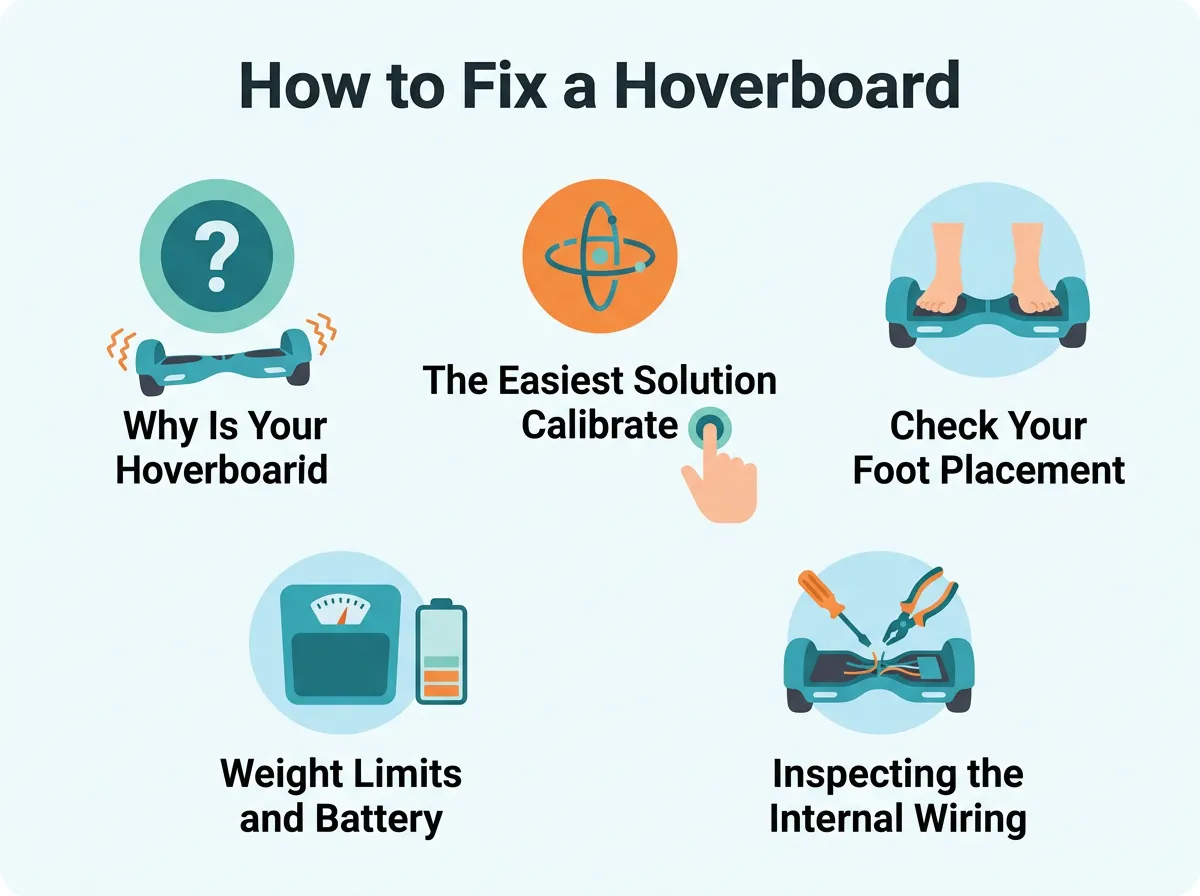
How to Fix a Hoverboard That Jerks While Riding? — key points at a glance
How to Calibrate Your Hoverboard in 5 Steps
Follow these easy steps to reset your board’s balance:
- Step 1: Turn it off. Make sure your hoverboard is completely powered down. Do not try to calibrate it while the board is turned on.
- Step 2: Level the board. Place your hoverboard on a completely flat, hard floor. Do not do this on carpet. Make sure both footpads are perfectly level with each other and parallel to the ground. You can use a bubble level app on your smartphone to be absolutely sure.
- Step 3: Press and hold the power button. Press the power button and hold it down for about 5 to 10 seconds. Do not let go when you hear the first beep.
- Step 4: Watch the lights. Keep holding the button until the LED lights on the front or top of the board start flashing. Once they flash, you can release the power button. The board is now in calibration mode. Let it sit still for about 30 seconds.
- Step 5: Power off and restart. Turn the hoverboard off to save the new calibration. Now, turn it back on. Step on it carefully and see if the jerking has stopped.
For a deeper dive into this process, you can read the Gyroor guide on hoverboard shaking and fixes, which explains how calibration resets the internal sensors.
Check Your Foot Placement and Stance
If calibration did not fix the issue, the problem might be how you are standing on the board. Hoverboards rely on pressure pads beneath the rubber foot grips to know when you are riding.
How Hoverboard Balance Sensors Work
Under the rubber footpads, there are small plastic switches called plunger sensors. When you step on the board, your weight pushes these plungers down, breaking an infrared light beam inside. This tells the board to move. If you want to understand this mechanism better, check out this guide on how a hoverboard balance sensor works to detect your feet.
Tips for the Perfect Riding Stance
If you stand too close to the middle of the board, or too far out on the edges, you might only trigger one sensor or trigger them on and off. This causes the hoverboard to jerk as it tries to guess if you are still there.
To fix this, place your feet wide apart. Your feet should be flush with the outer edges of the hoverboard, right against the wheel fenders. This ensures you put even pressure on the sensors. Also, try to keep your knees slightly bent. Stiff legs pass every micro-movement down to the board, which can cause an endless loop of shaking.
Weight Limits and Battery Levels
Sometimes, a hoverboard jerks because it is struggling to carry the load or lacks the electrical juice to run smoothly.
The Problem with Low Weight
Most standard hoverboards have a minimum weight limit of around 44 pounds (20 kg). If a young child who is too light tries to ride, their feet will not apply enough pressure to keep the sensors down. The board will turn on and off rapidly, causing a violent jerking motion. If this is happening, the rider might need a smaller hoverboard made specifically for younger kids, or they must wait until they grow a bit heavier.
Low Battery Stutter
When your battery runs low, it cannot supply a steady stream of power to the motors. When you lean forward, the motors try to draw power, but the weak battery fails to deliver. This causes the motor to stutter and jerk. Always charge your hoverboard fully before a ride. If your battery is old, it might hold a charge but fail under load. In this case, replacing the battery pack is the best solution.
Inspecting the Internal Wiring
If you have tried calibrating and adjusted your stance, but the board still jerks, it is time to look inside. Do not worry; this is easier than it sounds.
Safety First
Before opening your hoverboard, make sure it is turned off and unplugged from the charger. Work on a clean, flat table and keep a small cup nearby to hold your screws.
Checking for Loose Wires
Use a screwdriver to remove the screws from the bottom plastic shell. Gently lift the cover. You will see a lot of wires and a few circuit boards. Look closely at the connections. Since hoverboards vibrate a lot during normal use, the wires connecting the gyroscopes to the motherboard can wiggle loose over time.
Gently wiggle the wire plugs to see if any are loose. If you find a loose plug, press it firmly back into its socket until it clicks. If you want a visual aid on what to look for, you can check out this resource on hoverboard shaking repairs to identify the correct wires and sensors.
When to Replace Parts
Sometimes, a wire is not just loose; a part is actually broken. If your hoverboard took a hard crash or got wet, the internal sensors might be permanently damaged.
Replacing the Gyroscope Board
If only one side of your hoverboard is shaking or jerking, that side’s gyroscope board is likely bad. You can buy replacement gyroscopes online for a very low cost. Replacing them is simple: unplug the old board, unscrew it, screw the new one in, and plug the wires back in.
Replacing the Motherboard
If the entire board behaves wildly, ignores calibration, and flashes red error lights, the main motherboard might be fried. You can buy a complete replacement kit that includes a new motherboard and two new gyroscopes. This will make your hoverboard feel brand new again.
Conclusion
A jerking hoverboard can be annoying, but it is usually a simple fix. Most of the time, a quick five-minute calibration or a change in your riding stance will solve the problem. If you need to open up the board, just take your time, keep track of your screws, and check for loose wires. By following these steps, you can save money on professional repairs and get back to enjoying your smooth, fun rides. Keep your board charged, stand wide, and happy riding!
Frequently Asked Questions
Why does my hoverboard start shaking when I step off?
This happens because the pressure sensors under the footpads do not release at the exact same time. The board thinks you are still standing on one side and tries to balance itself, causing a rapid shaking motion. Stepping off quickly and cleanly with both feet will prevent this issue.
How do I know if my hoverboard gyroscope is broken?
If only one side of your hoverboard jerks, shakes, or fails to respond to your foot tilt, that specific gyroscope is likely damaged. You may also see a flashing red warning light in the center of the board. If a calibration does not fix it, the gyroscope board needs to be replaced.
Can a low battery cause a hoverboard to jerk?
Yes, a low battery cannot deliver consistent power to the motors when you lean forward. This lack of steady power causes the motors to stutter and jerk as they struggle to keep you balanced. Always ensure your hoverboard is fully charged before you go out for a ride.
Why does my hoverboard shake when my child rides it?
Your child might be below the minimum weight limit required to activate the pressure sensors. Most hoverboards require the rider to weigh at least 44 pounds (20 kg) to keep the internal switches pressed down. If they are too light, the board will rapidly turn on and off, creating a jerking motion.
How often should I calibrate my hoverboard?
You only need to calibrate your hoverboard when it starts acting up, drifting to one side, or jerking. However, if you ride over rough terrain, drop the board, or crash into obstacles frequently, you may need to calibrate it more often to keep the sensors aligned.
Is it safe to ride a hoverboard that is jerking?
No, it is not safe to ride a jerking hoverboard. The sudden, unpredictable movements can easily throw you off balance and cause a serious fall. You should step off the board immediately and calibrate it before attempting to ride again.
