


A clicking sound from your hoverboard is usually caused by a loose wheel axle nut, dirt trapped inside the wheel assembly, or a worn-out ball bearing. In some cases, a cracked plastic shell rubbing against the frame can also create a rhythmic clicking noise. Luckily, you can easily fix most of these issues at home with simple tools like a screwdriver or wrench.
Do you love riding your hoverboard? Most people do. It feels like gliding on air. But what happens when you hear a strange noise? A sudden click can quickly ruin your fun. It makes you worry. Is the board safe? Will it break? You want answers fast so you can get back to riding.
When your board makes an odd noise, it can feel frustrating. These toys are supposed to be smooth and silent. A new sound can make you feel like your board is about to fall apart. You might ask yourself, why is my hoverboard making a clicking sound, and how can I fix it?
In this guide, we will look at the most common reasons for this noise. We will explain how the wheels work. We will also give you simple, step-by-step ways to fix the problem. You do not need to be a professional mechanic to do this. Most fixes are quick, easy, and can be done right at home.
Key Takeaways
- Check the Axle Nut: A loose wheel axle nut is the most common cause of clicking and is very easy to tighten.
- Clear Out Debris: Dirt, sand, and tiny pebbles can get trapped in the wheels and cause clicking as they spin.
- Inspect the Bearings: Worn or dry wheel bearings can fail, leading to metallic clicking or grinding noises.
- Look for Shell Rubbing: A cracked or loose plastic body shell can rub against the frame and make a clicking sound.
- Secure Internal Parts: Loose battery mounts or loose cables inside the board can rattle and knock while you ride.
- Simple Home Repairs: You do not need to be an expert to fix these issues; basic tools are usually all you need.
📑 Table of Contents
Understanding the Clicking Sound: What Is Happening?
To answer the question, why is my hoverboard making a clicking sound, we must first look at how the wheels are made. Your hoverboard has two wheels. Inside each wheel is an electric motor. These are called hub motors. They spin to move you forward and backward.
Because the motor is inside the wheel, many moving parts sit close together. If anything gets loose or dirty, it can touch other parts. This creates a repetitive sound. If you hear a click every time the wheel turns, the issue is likely tied to the wheel’s rotation. If the clicking only happens when you turn or lean, it might be a frame or shell issue.
The Main Culprit: Loose Wheel Axle Nuts
The most common cause of a clicking noise is a loose wheel axle nut. The axle connects the wheel to the hoverboard frame. It must be held tight so the wheel does not wobble. Over time, the vibrations from riding can make the axle nut back off and get loose.
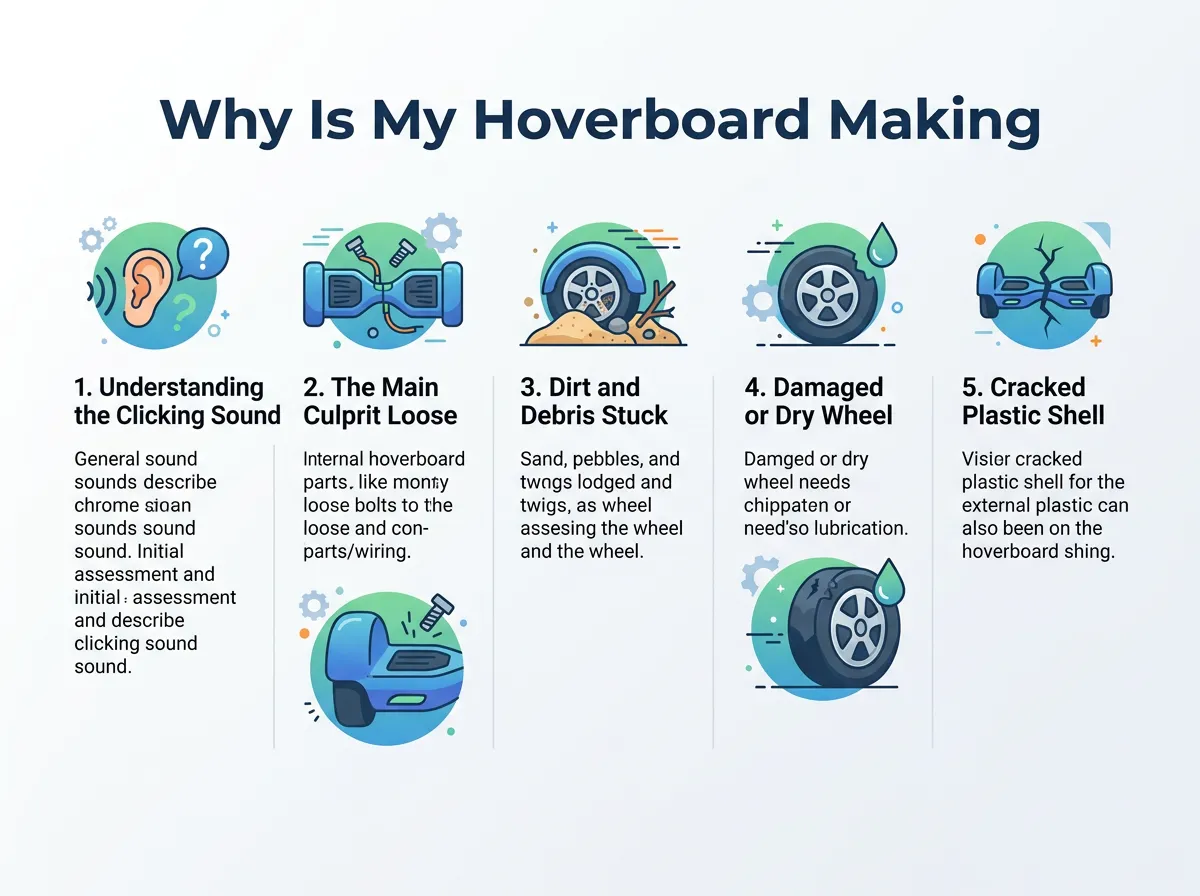
Why Is My Hoverboard Making a Clicking Sound? — key points at a glance
According to the Gyroor guide on hoverboard clicking noises, a loose axle is often the very first thing you should check. When the nut is loose, the metal axle taps against the frame. This happens with every turn of the wheel. It sounds like a steady, metallic click.
How to Check for a Loose Wheel
First, turn off your hoverboard. Place it on a flat table. Grasp the wheel with your hand and try to wiggle it side to side. It should not move at all. If the wheel moves or wobbles, the axle nut is loose.
How to Tighten the Axle Nut
To fix this, you will need to open the plastic shell of the hoverboard. Use a screwdriver to remove the screws on the bottom. Lift the shell off carefully. Locate the large nut that holds the wheel axle to the metal frame. Use a wrench to tighten this nut. Make sure it is very snug, but do not over-tighten it, as you could strip the threads.
Dirt and Debris Stuck in the Wheel Assembly
Hoverboards go everywhere. You might ride on paved roads, dirt paths, or through the park. While riding, your wheels kick up dirt, sand, and tiny pebbles. This debris can get inside the wheel gaps.
Many riders on the iFixit troubleshooting community for hoverboard wheel issues suggest spinning the wheel manually while the power is off to feel for any grit. If a small stone gets stuck between the spinning wheel and the static frame, it will click on every turn.
Where Dirt Hides in Your Hoverboard
The most common spot for dirt to hide is the tiny gap between the wheel and the plastic body. Another spot is inside the wheel rim. Because these areas are small, even a tiny piece of gravel can cause a loud clicking sound.
Cleaning Out the Wheel Gaps
Turn off the board. Use a flashlight to look into the gap between the wheel and the body. If you see dirt or a small rock, you can use a toothpick or a small brush to clean it out. You can also use a can of compressed air. Spray the air into the gaps to blow out any hidden dust and sand.
Damaged or Dry Wheel Bearings
If you are still wondering, why is my hoverboard making a clicking sound, you may want to inspect the bearings next. Inside each wheel, there are small metal balls called bearings. They help the wheel spin smoothly and quietly. If water or dirt gets inside these bearings, they can wear out.
If the noise persists, it might be a bearing issue, which is also discussed in StreetSaw’s breakdown of squeaking and clicking wheels. When bearings lose their grease, the metal balls rub together. This creates a clicking, ticking, or grinding sound.
Signs of Bad Bearings
Turn off the hoverboard. Spin the wheel slowly with your hand. Do you feel a rough or bumpy sensation? Does the wheel stop spinning quickly? If so, the bearings are likely dry or damaged. They will need to be lubricated or replaced.
How to Lubricate Bearings
You can use a specialized bearing oil or lubricant. Do not use WD-40, as it can dry out the bearings over time. Apply a few drops of lubricant directly to the bearing shield. Spin the wheel to let the oil spread. If the bearing is broken or rusted, you will need to replace the wheel assembly.
Cracked Plastic Shell and Loose Internal Parts
Sometimes, the clicking noise does not come from the wheels at all. It can come from the body of the hoverboard. The plastic shell is made of two main halves. If you crash or drop the board, the plastic can crack or shift out of place.
If the plastic casing has shifted, it can create a rubbing sound that mimics a mechanical click, a point highlighted in the Wis-Tek guide on hoverboard noise issues. When you stand on the board, your weight flexes the frame. This flex causes the cracked plastic parts to rub and click.
The Shell Rubbing Issue
Look closely at the plastic cover near the wheels. Is there a crack? Are the gaps even on both sides? If the plastic is bent, it might tap against the wheel as it spins. You can trim the plastic slightly or loosen the shell screws and adjust the fit.
Securing Loose Cables and Parts
Inside the hoverboard, there are batteries, wires, and motherboards. These parts are held down by screws or glue. If a wire clip or a battery strap comes loose, it can bounce around. When you ride over bumps, this loose part will hit the plastic shell and make a clicking noise. Open the cover and make sure all wires and parts are taped or screwed down tight.
Step-by-Step Guide to Diagnosing Your Hoverboard
When you want to know why is my hoverboard making a clicking sound, a step-by-step check is the best way to find out. Follow these simple steps to find the source of the noise:
- Step 1: Turn off the power. Never work on your hoverboard while it is turned on. This keeps you safe from moving parts.
- Step 2: Spin the wheels by hand. Listen closely. Does the click happen when you spin the wheel manually? If yes, the issue is in the wheel or the bearing.
- Step 3: Check for debris. Look in the gaps. Clean out any dirt or small stones using compressed air or a brush.
- Step 4: Wiggle the wheels. Feel for any play or wobble. If the wheel moves, you must tighten the axle nut.
- Step 5: Inspect the shell. Look for cracks or areas where the plastic touches the wheels. Tighten all body screws.
Conclusion
A clicking hoverboard can be annoying, but it is usually a simple fix. Most of the time, the sound is just a loose nut, a trapped pebble, or dry bearings. By taking a few minutes to inspect your board, you can find the issue and fix it easily. Regular maintenance will keep your hoverboard running smoothly and quietly for a very long time. Keep your board clean, tighten loose screws, and enjoy a safe, silent ride!
Frequently Asked Questions
Is it safe to ride my hoverboard if it is making a clicking sound?
It depends on the cause of the noise. If the click is just from a tiny pebble or a loose plastic shell, it is usually safe to ride. However, if the noise is caused by a loose wheel axle nut or a broken bearing, you should stop riding and fix it immediately to avoid a sudden fall.
How do I know if my hoverboard wheel bearing is bad?
To check the bearing, turn off the board and spin the wheel with your hand. If the wheel feels rough, makes a grinding noise, or stops spinning quickly, the bearings are likely worn or dirty. You will need to clean, lubricate, or replace them.
Can water cause my hoverboard to make a clicking noise?
Yes, water can get inside the wheel bearings and wash away the protective grease. This leads to rust and friction, which causes the bearings to click or squeak. Always avoid riding through puddles or wet grass to protect your board.
Do I need special tools to fix a clicking hoverboard?
No, you do not need fancy tools for most common fixes. A standard Phillips screwdriver is all you need to open the outer shell. A basic wrench or socket set is sufficient to tighten a loose wheel axle nut.
How often should I clean my hoverboard wheels?
It is a good idea to inspect and clean your wheels once every few weeks. If you ride on dirty, dusty, or sandy paths, you should wipe down the wheels and blow out the gaps with compressed air after every ride.
What should I do if the clicking sound does not stop after cleaning?
If you have cleaned the gaps and the noise continues, the issue is likely internal. Open the plastic shell to check if the wheel axle nut is tight and ensure no wires are loose. If you still cannot find the problem, you may need to contact a professional repair shop.
