


If your hoverboard is running slower than usual, the issue is often related to a low battery, incorrect speed settings, or sensor misalignment. You can usually fix this by charging the battery fully, switching modes via the app, or performing a quick system recalibration. In some cases, internal hardware wear or riding on rough terrain might also be the main cause.
Imagine stepping onto your favorite board, ready to glide down the sidewalk. You press your feet forward, expecting that familiar, exciting rush of wind. Instead, you barely crawl along. It feels sluggish and heavy. You look down, thoroughly confused, and ask: Why Is My Hoverboard Slower Than Usual? This unexpected drop in performance can easily put a damper on your outdoor adventures. But do not worry, you are not alone in facing this issue.
Many riders experience this sudden loss of speed. Hoverboards are smart machines with complex software and delicate physical parts. When one small thing goes out of balance, the entire ride suffers. If you keep asking yourself, Why Is My Hoverboard Slower Than Usual? write down your observations so you can troubleshoot step-by-step.
This guide will walk you through the most common reasons your board is lagging. We will cover simple software settings, physical blockages, battery health, and electronic calibration. By the end of this article, you will have all the knowledge you need to get your board back to its top speed safely.
Key Takeaways
- Check the Mode: Your hoverboard might be stuck in beginner or training mode, which caps your top speed.
- Battery Status: Low battery voltage automatically triggers a safety slow-down mode to prevent sudden shutdowns.
- Sensor Alignment: Over time, bumps can throw gyroscopes off balance, requiring a quick system reset.
- Physical Blockages: Hair, dirt, and carpet fibers wrapped around the wheel axle can create friction and slow you down.
- Terrain and Weight: Riding on rough surfaces or carrying too much weight strains the motors.
- Hardware Wear: Older batteries naturally lose power over time and may need a certified replacement.
📑 Table of Contents
1. You Are in Beginner or Training Mode
If you find yourself asking, Why Is My Hoverboard Slower Than Usual? the first suspect is your speed setting. Most modern boards come with built-in safety modes that limit how fast you can go. This is a common feature designed to protect new riders from falling.
How to Check Your Speed Mode
Many hoverboards feature three distinct speed modes: beginner, intermediate, and advanced. The beginner mode usually caps your speed at around five miles per hour. If a friend borrowed your board, they might have toggled this setting without you knowing. Many riders search online for Why Is My Hoverboard Slower Than Usual? only to find a simple setting was changed.
To fix this, check your hoverboard’s mobile application on your smartphone. Look for a gear icon or speed slider inside the app. If your board does not have an app, you can often change the mode using the power button. Try turning the board on and quickly double-pressing the power button. You should hear a beep, indicating the speed mode has successfully changed. Switching back to sport or advanced mode will instantly restore your speed.
2. The Battery Is Running Low on Juice
Another common reason you might ask, Why Is My Hoverboard Slower Than Usual? is a low battery. Your board relies on a steady flow of electricity to keep you moving fast. Without a strong charge, the motor simply cannot perform at its best.
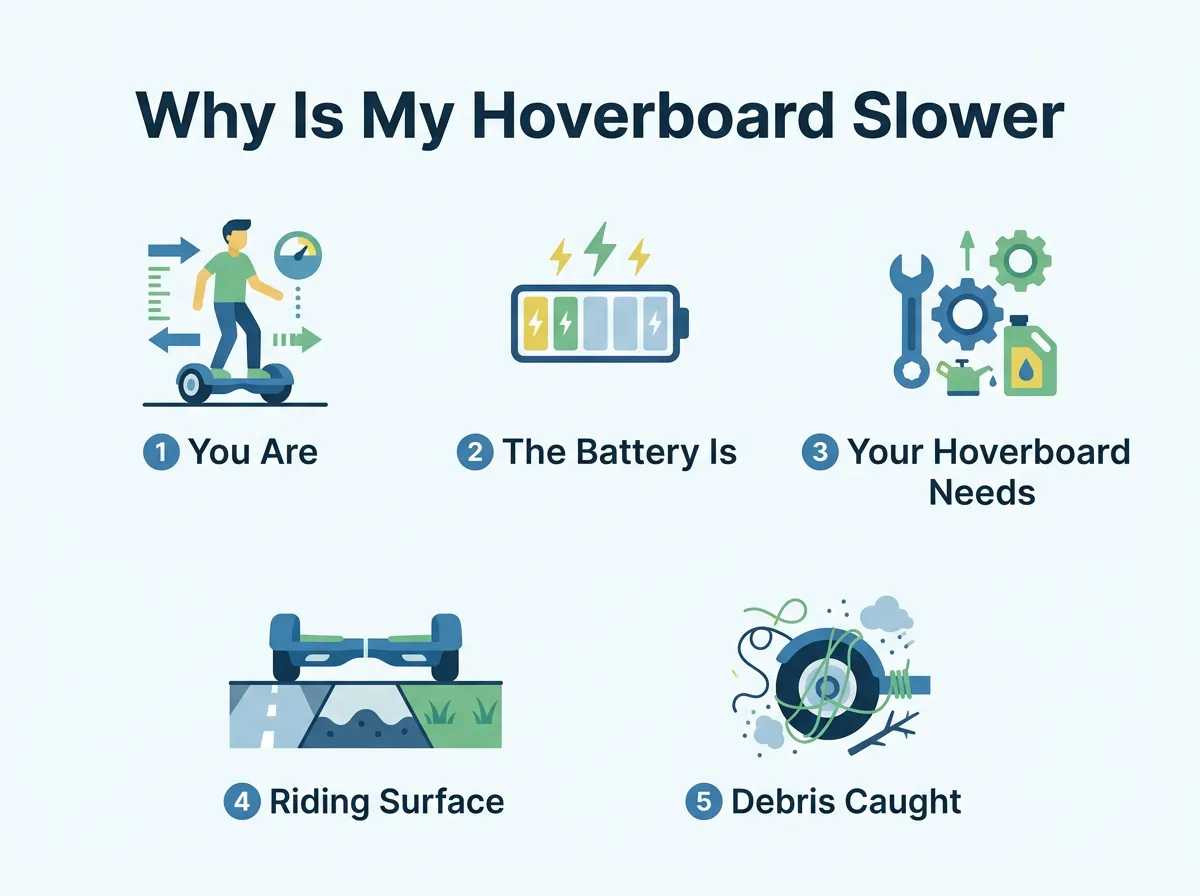
Why Is My Hoverboard Slower Than Usual? — key points at a glance
The Voltage Drop Phenomenon
When a lithium-ion battery is fully charged, it delivers high voltage to the electric motors. As you ride, the battery drains, and the voltage drops. This drop cuts the power to your wheels, making the board feel slow. Whenever a beginner asks, Why Is My Hoverboard Slower Than Usual? we always suggest checking their charging habits first.
Some smart hoverboards have built-in safety features that automatically limit your speed when the battery drops below twenty percent. This clever safety feature prevents the board from shutting off suddenly while you are riding, which could cause a nasty fall. Always charge your device fully before going out to avoid this automatic speed cap.
3. Your Hoverboard Needs a Simple Recalibration
Sometimes, the internal computer of your board simply gets confused. If you wonder, Why Is My Hoverboard Slower Than Usual? it might just need a fresh start. A quick system reset can align all the internal sensors.
Why Sensors Lose Their Alignment
Hoverboards use tiny sensors called gyroscopes to detect your balance. These sensors tell the motor how fast to spin based on how much you lean. Over time, bumps, drops, and rough riding can throw these gyroscopes out of alignment. When they are misaligned, they might not register your forward lean completely, preventing the board from accelerating.
To fix this, you can learn how to recalibrate your hoverboard easily in just a few minutes. Alternatively, you can follow detailed instructions to calibrate and reset a hoverboard to get the sensors back to factory perfection. Once you reset the system, the board will respond accurately to your movements again.
4. Riding Surface and Weight Limits
The terrain you choose can easily answer the question, Why Is My Hoverboard Slower Than Usual? These boards work best on smooth, flat roads. If you take them off the beaten path, you will notice a drop in speed.
The Impact of Friction and Gravity
If you ride on thick carpet, grass, gravel, or steep hills, your motors must work twice as hard. This extra physical resistance slows you down significantly. Weight is also a massive factor that affects your overall speed. Every board has a maximum weight limit, usually between 160 and 220 pounds. If the rider is close to or over this limit, the motors will struggle to reach top speeds. Keep your rides on flat pavement to maintain maximum velocity and protect your motors from overheating.
5. Debris Caught in the Wheels
Physical blockages can make you wonder, Why Is My Hoverboard Slower Than Usual? Dust, hair, and string are your hoverboard’s worst enemies. They can easily get trapped in the wheel hubs.
Checking the Wheel Assembly
Because hoverboard wheels are close to the ground, they easily collect debris. Hair and long carpet fibers can wrap around the wheel axle over time. This creates intense friction, slowing the rotation of the wheels and draining the battery much faster than normal.
To inspect this, turn your board off and spin each wheel by hand. If a wheel feels stiff or makes a grinding sound, you likely have debris trapped inside. Carefully clean out any hair or string with tweezers. Keeping the axles clean will allow your wheels to spin freely and efficiently.
6. Internal Hardware and Battery Degradation
If you have tried everything and still ask, Why Is My Hoverboard Slower Than Usual? the problem might be internal wear. Like all electronic devices, hoverboards do not last forever.
When to Replace the Battery or Motors
Lithium-ion batteries naturally degrade after a few hundred charge cycles. If you have owned your board for years, the battery may no longer hold enough charge to power the motors fully. Internal motor wear or motherboard glitches can also cause sluggishness. It is highly beneficial to troubleshoot common hoverboard problems and how to fix them to see if your motherboard needs a replacement. If the battery is the issue, buying a certified replacement pack will breathe new life into your ride.
Conclusion
Do not let the question, Why Is My Hoverboard Slower Than Usual? ruin your weekend fun. A slow hoverboard does not mean your riding days are over. By systematically checking your speed modes, charging your battery, and cleaning the wheel axles, you can resolve most issues at home. Do not forget to perform a quick sensor reset if the board still feels sluggish. With a little care and regular maintenance, you will be back to cruising at top speed in no time. Keep riding safely, look after your board, and enjoy the wind in your hair!
Frequently Asked Questions
How do I turn off training mode on my hoverboard?
You can turn off training mode by using the hoverboard’s official mobile app on your phone. If your board does not have an app, try double-pressing the power button quickly while the board is turned on. You will hear a beep to confirm the speed mode has successfully changed.
Can a heavy rider make a hoverboard run slower?
Yes, carrying too much weight puts extra strain on the electric motors. If the rider’s weight is close to or over the board’s official limit, the top speed will decrease. Riding on flat surfaces can help minimize this speed loss.
Why does my hoverboard slow down when the battery is low?
As the battery drains, its voltage drops, which reduces the amount of power sent to the motors. Many hoverboards also have a safety feature that limits speed when the battery falls below 20% to prevent sudden shutdowns. Charging your board fully before each ride will solve this problem.
How often should I recalibrate my hoverboard?
You should recalibrate your hoverboard whenever it feels sluggish, leans to one side, or fails to balance properly. For most regular riders, performing a quick sensor reset every few months keeps the board running smoothly. It only takes a couple of minutes and corrects sensor misalignment.
Why are my hoverboard wheels stiff and hard to turn?
Stiff wheels are usually caused by dirt, hair, or carpet fibers wrapped around the wheel axle. This debris creates friction, which slows down the motors and drains the battery. You can turn off the board and use tweezers to carefully clear out any trapped debris.
How do I know if my hoverboard battery needs to be replaced?
If your board loses speed quickly, fails to hold a charge, or shuts off unexpectedly, the battery is likely degrading. Lithium-ion batteries typically last for one to two years of regular use. Replacing the old battery with a certified new pack will restore your original speed.
