


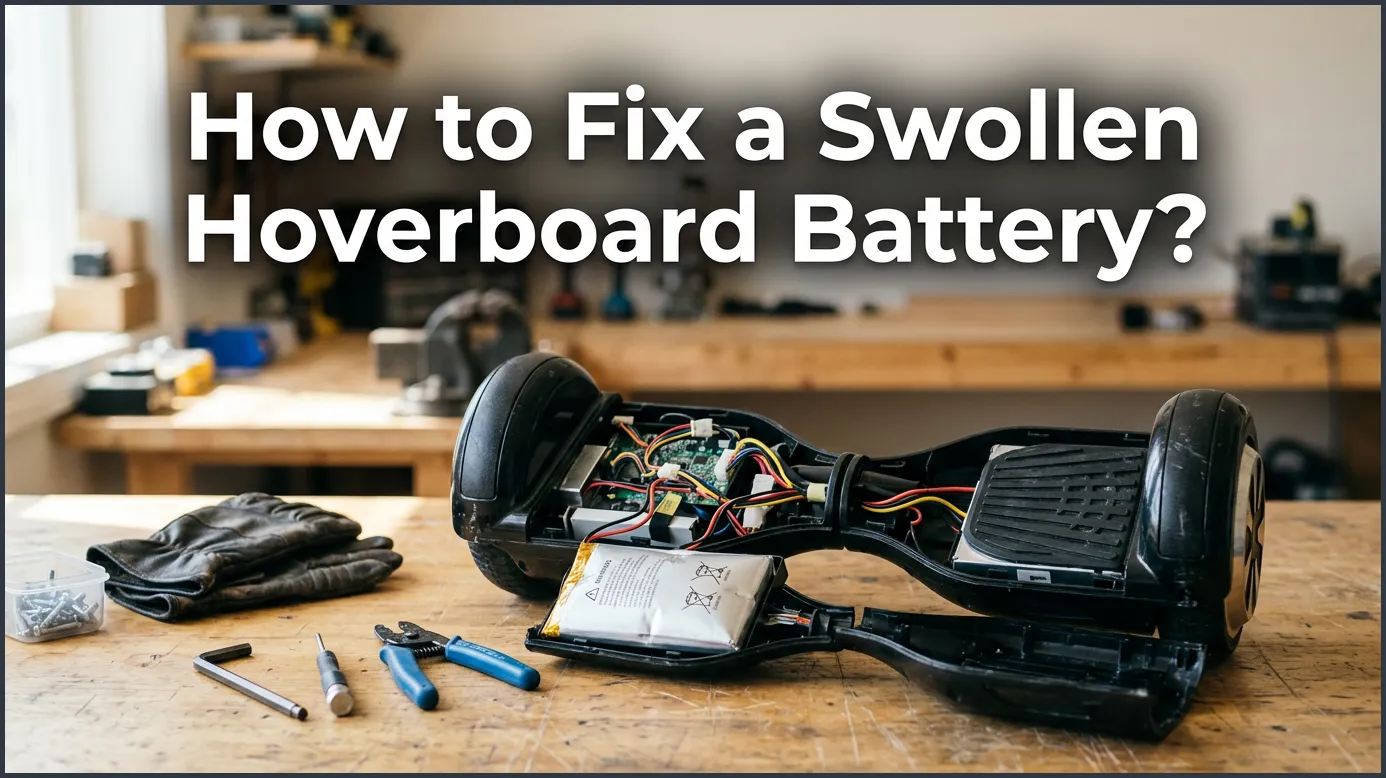
A swollen hoverboard battery cannot be repaired and must be replaced immediately. Charging or using a bloated lithium-ion battery poses a severe fire hazard. Safely remove the battery, dispose of it at a local recycling center, and install a certified replacement.
You decide it is a beautiful day for a ride. You grab your hoverboard from the closet, but something looks wrong. The plastic body of your board looks warped. Or maybe you notice the battery cover is bulging. When you open the board up, you see a scary sight. The battery pack looks like a puffy, bloated pillow. It is swollen, and your heart sinks. You might feel a bit of panic, and that is totally normal.
A bloated battery is a common issue for many electronic devices. It happens to phones, laptops, and yes, hoverboards. You probably have a lot of questions. Is it dangerous? Can you still ride the board? Most importantly, how do you handle it? In this beginner guide, we will walk you through everything you need to know to handle this issue safely.
We will look at why batteries swell up in the first place. We will also give you step-by-step instructions to remove the old battery. Finally, we will show you how to find a safe replacement and keep your board running for a long time. Let’s dive in and get your hoverboard back in top shape.
Key Takeaways
- No Quick Fixes: You cannot repair or deflate a swollen hoverboard battery; you must replace it.
- High Risk: Bloated lithium-ion batteries are unstable and can cause a fire if punctured or charged.
- Safety First: Wear protective gear and work in a well-ventilated area when removing the damaged battery.
- Proper Disposal: Never throw a swollen battery in the regular trash; use a designated recycling facility.
- Look for UL 2272: Always buy certified replacement batteries to prevent future safety issues.
- Prevention is Key: Avoid overcharging and store your hoverboard in a cool, dry place to protect the battery.
📑 Table of Contents
What Causes a Swollen Hoverboard Battery?
To solve the problem, we first need to understand why it happened. Hoverboards use lithium-ion batteries. These batteries are great because they hold a lot of power. They are also very lightweight. However, they rely on complex chemical reactions to work. When these reactions go wrong, gas can build up inside the battery. This gas is what causes the outer shell to swell up like a balloon.
Overcharging and Poor Charging Habits
One of the main reasons a battery swells is overcharging. If you leave your hoverboard plugged in for days at a time, the battery gets stressed. The charger keeps pushing power into a battery that is already full. This extra energy turns into heat. Over time, the heat breaks down the liquid inside the battery. This breakdown creates the gas that causes the swelling.
Heat and Extreme Temperatures
Lithium-ion batteries hate extreme heat. If you store your hoverboard in a hot garage, a sunny shed, or the trunk of your car, you are asking for trouble. High temperatures speed up the chemical breakdown inside the battery cells. This can lead to bloating very quickly, even if you are not using or charging the board.
Physical Impact and Damage
Hoverboards take a lot of abuse. You ride them over bumps, jump off curbs, and sometimes crash into walls. Every time your board takes a hard hit, the battery inside can get damaged. If the internal layers of the battery get punctured or crushed, a short circuit can occur. This creates a hot spot inside the battery, leading to gas build-up and swelling.
Can You Actually Fix a Swollen Battery?
Now we must address the big question. Can you fix a swollen battery? The short and simple answer is no. You cannot fix it, and you should never try to. You might see videos online of people poking a battery with a needle to let the gas out. This is extremely dangerous. Puncturing a lithium-ion battery can cause an instant, violent fire that is very hard to put out.
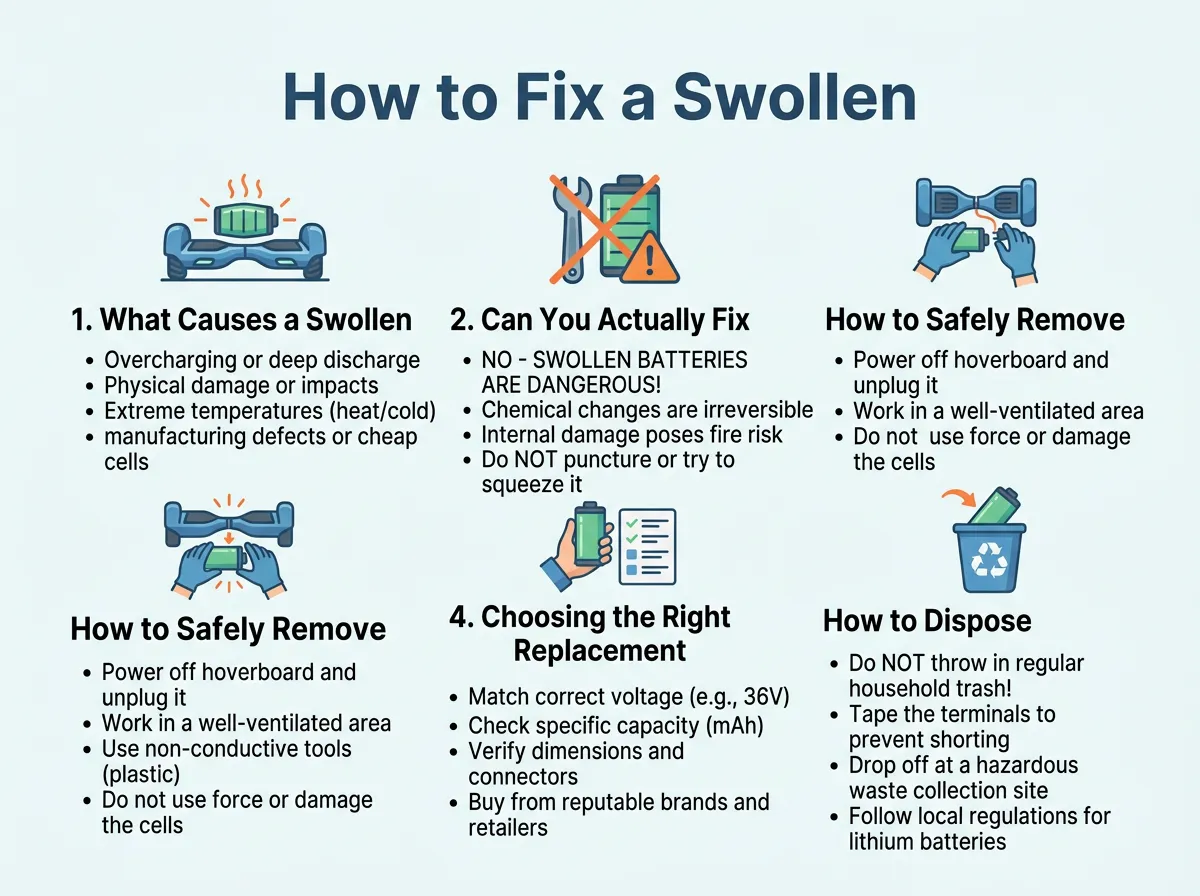
How to Fix a Swollen Hoverboard Battery? — key points at a glance
Once a battery has swollen, its internal structure is ruined. The chemical balance is gone, and the battery is no longer safe to use. Even if it still holds a charge, it is a ticking time bomb. For more safety details, you can read this helpful guide on a swollen hoverboard battery. The only real solution is to remove the bad battery and replace it with a new one.
How to Safely Remove the Swollen Battery
Removing a swollen battery can feel scary, but you can do it safely if you are careful. You just need to follow a few simple rules. First, work in a well-ventilated area. If possible, work outside on a concrete patio or in an open garage. This ensures that if any fumes escape, they will blow away safely. Second, keep a bucket of sand or a fire extinguisher nearby just in case.
Gather Your Tools
Before you start, make sure you have the right tools ready. You do not need anything fancy. Here is a short list of what you will need:
- A Phillips-head screwdriver
- Safety glasses to protect your eyes
- Thick work gloves or heat-resistant gloves
- A clean, flat workspace
Step-by-Step Removal Process
Now, let us walk through the steps to get that bad battery out of your hoverboard.
Step 1: Turn off the hoverboard. Make sure the board is completely powered down. Unplug the charger from the wall and from the hoverboard. Never work on a board that is plugged in.
Step 2: Open the casing. Flip the hoverboard upside down. Use your screwdriver to remove the screws on the bottom shell. Keep the screws in a small bowl so you do not lose them. Lift the plastic cover off gently. You will see wires and the battery pack inside.
Step 3: Locate and unplug the battery. The battery is usually a large plastic-wrapped block. It is held in place by a plastic bracket or metal frame. Locate the main power wire coming from the battery. It usually has a yellow or black connector. Carefully unplug this connector. Do not pull on the wires directly; pull on the plastic connector heads.
Step 4: Remove the battery bracket. Unscrew the bracket that holds the battery in place. Once the bracket is free, gently lift the swollen battery out of the frame. Place the battery into a safe container, like a metal bucket or a cardboard box. Do not place it near anything that can catch fire.
If you feel nervous about doing this, remember that you are not alone. Many riders choose to replace a hoverboard battery yourself to save money, and it is a very common DIY task. Just take your time and stay calm.
Choosing the Right Replacement Battery
Once the old battery is out, you need to buy a new one. Do not just buy the cheapest battery you can find online. Cheap, unbranded batteries are more likely to swell or catch fire. Your safety is worth a few extra dollars.
Look for UL 2272 Certification
This is the most important safety rule. Only buy a battery that is UL 2272 certified. This certification means the battery and the hoverboard system have passed strict safety tests. These tests ensure the battery will not easily overheat, short-circuit, or catch fire. If a battery does not have a UL label, do not buy it.
Match the Voltage and Connectors
Make sure the new battery matches the specs of your old one. Most hoverboard batteries are 36 volts (36V). They also usually use a specific plug, often called an XT60 connector. Check your old battery label to confirm the voltage and plug type. If you are unsure, you can read more about when to replace your hoverboard battery to make sure you get the right match.
How to Dispose of a Bloated Battery Safely
Now you have a swollen battery sitting in a bucket. What do you do with it? You must never throw any lithium-ion battery into your household trash can. If the garbage truck crushes the battery, it can explode and start a massive fire. This happens more often than you think, and it is highly dangerous for sanitation workers.
You must take the swollen battery to a proper recycling center. Many local hardware stores, electronics shops, and recycling depots accept old lithium batteries for free. You can search online for “battery recycling near me” to find a drop-off spot. Before you transport the battery, put some electrical tape over the metal connector pins. This prevents any accidental short circuits during your drive.
Tips to Prevent Battery Swelling in the Future
Once you install your new battery, you want to make sure it lasts as long as possible. You can prevent swelling by changing a few daily habits. A little care goes a long way in keeping your ride safe and fun.
Use the Original Charger
Always use the charger that came with your hoverboard. If you lose it, buy an official replacement from the manufacturer. Cheap aftermarket chargers often do not have the right voltage limits. They can easily pump too much power into your board, causing the new battery to swell.
Avoid Overcharging
Do not leave your hoverboard plugged in overnight. Most hoverboards take about two to three hours to fully charge. Once the charger light turns green, unplug it. If you suspect your charger or battery is failing, keep an eye out for signs that your hoverboard battery won’t retain charge properly, as this is a sign of wear.
Let It Cool Down
After a long, fun ride, your hoverboard will be warm. Do not plug it into the charger right away. Let the board sit and cool down for about 30 minutes before you plug it in. Charging a hot battery is a major cause of early battery failure and swelling.
Conclusion
A swollen hoverboard battery is a serious issue, but it is one you can easily handle. Remember, never try to use or charge a bloated battery. It cannot be fixed, and trying to do so is a major fire hazard. The safest option is to remove the battery carefully, dispose of it at a recycling center, and install a high-quality, UL-certified replacement.
By practicing good charging habits and storing your board in a cool place, you can keep your new battery healthy for years to come. Stay safe, take care of your gear, and enjoy your next ride!
Frequently Asked Questions
Can I still ride my hoverboard if the battery is only slightly swollen?
No, you should never ride a hoverboard with a swollen battery. Even a small amount of swelling means the battery is unstable and damaged inside. Continued use can cause the battery to catch fire or explode while you are riding.
Is a swollen hoverboard battery dangerous?
Yes, a swollen battery is highly dangerous because it contains trapped flammable gases under pressure. If the battery is punctured, overheated, or charged, it can burst into a chemical fire that is very hard to extinguish.
Can I pop a swollen battery to release the gas?
Absolutely not! Puncturing the outer shell of a lithium-ion battery will cause a violent short circuit. This usually results in immediate sparks, intense heat, and a dangerous fire that can destroy your home.
How long do hoverboard batteries usually last?
Most high-quality hoverboard batteries last between 1 to 2 years with regular use, or about 500 charge cycles. Proper care, like avoiding overcharging and extreme heat, can help extend their overall lifespan.
Where can I buy a safe replacement battery?
You should purchase a replacement battery directly from your hoverboard’s manufacturer or a trusted electronics retailer. Make sure the new battery has a UL 2272 safety certification to guarantee it has been tested for safety.
Can I use any charger for my hoverboard?
No, you should only use the charger that came with your hoverboard or an official replacement from the manufacturer. Using an incorrect charger can deliver too much voltage, which destroys the battery and causes it to swell.
