


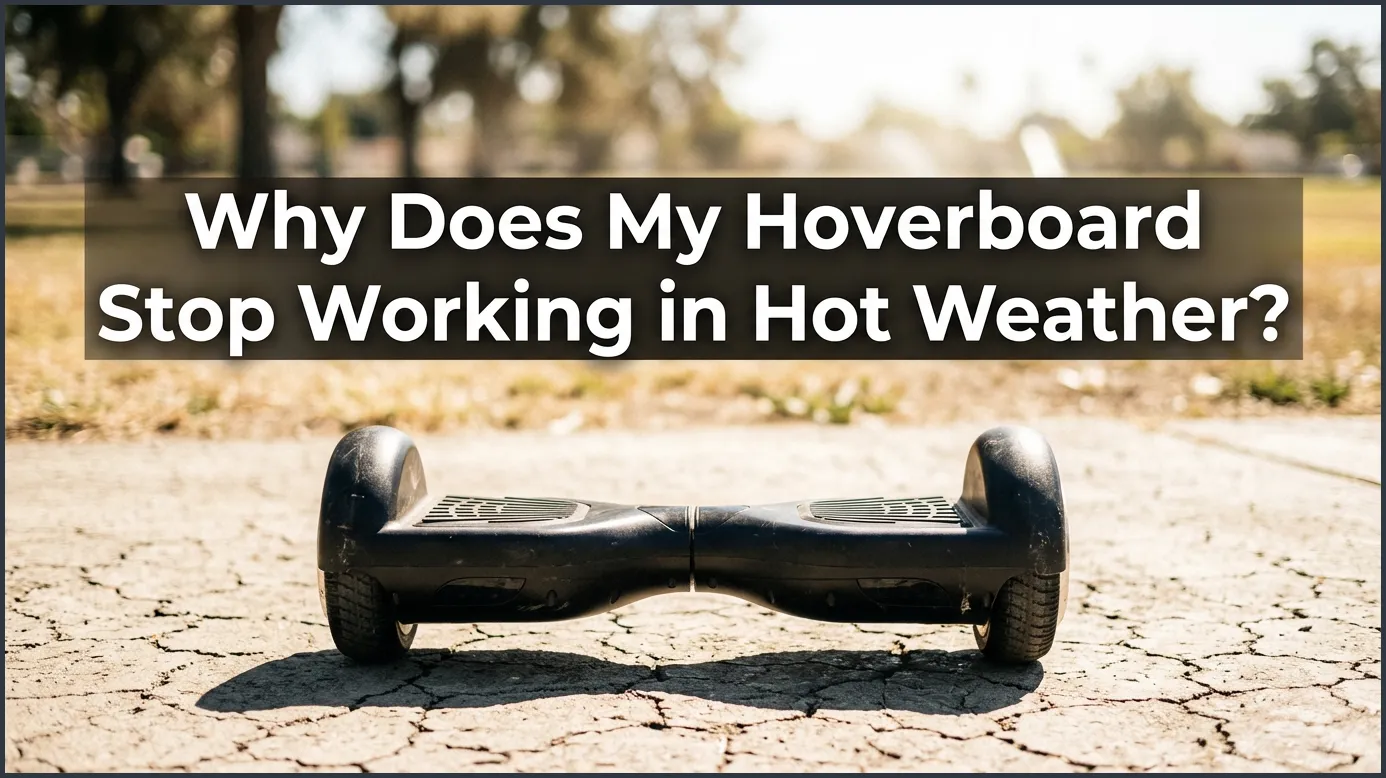
Hoverboards often stop working in hot weather because their lithium-ion batteries and motherboards overheat under direct sunlight. To prevent permanent damage or safety hazards, the built-in thermal sensors trigger an automatic shutdown. Moving your board to a cool, shaded indoor space is the best way to get it running safely again.
Picture this: It is a beautiful, sunny Saturday afternoon. The sky is blue, the sun is shining, and you decide to take your hoverboard out for a spin down the local boardwalk. You are cruising smoothly, enjoying the warm breeze, when suddenly your board lets out a series of sharp beeps and grinds to a halt. You try to turn it back on, but the power button does nothing. You might find yourself scratching your head and asking, “Why Does My Hoverboard Stop Working in Hot Weather?”
It can be highly frustrating when your favorite outdoor toy decides to take an unscheduled nap right in the middle of a perfect day. While these self-balancing scooters are built for outdoor fun, they are also sensitive electronic devices. High temperatures can throw a serious wrench into their internal systems, causing them to shut down to protect themselves from damage.
In this guide, we will dive deep into the science behind this common summer issue. We will explore how extreme heat impacts your battery, why hot pavement makes your motors work twice as hard, and what those flashing warning lights really mean. Plus, we will share simple, actionable tips to keep your board running cool and safe all summer long.
Key Takeaways
- Overheating Safety: Hoverboards feature built-in sensors that shut down the system when internal parts get too hot.
- Battery Vulnerability: Lithium-ion batteries degrade quickly and lose power when exposed to direct summer sunlight.
- Pavement Radiation: Hot asphalt radiates extreme heat directly into the low-lying motors of your hoverboard.
- Avoid Direct Charging: Never plug in a hot hoverboard; always let it cool down for 30 to 45 minutes first.
- Indoor Storage: Avoid storing your hoverboard in hot car trunks, sheds, or unventilated garages.
📑 Table of Contents
The Science of Heat and Hoverboard Batteries
Lithium-Ion Batteries and Thermal Limits
Hoverboards rely on powerful lithium-ion batteries to keep you moving. These are the same kind of rechargeable batteries found in your smartphone, tablet, or laptop. They are lightweight, they hold a lot of energy, and they are great for quick acceleration. However, they have one major weakness: they absolutely hate extreme heat.
Lithium-ion batteries operate best within a temperature range of 50°F to 86°F. When the thermometer climbs past 90°F, the chemical reactions inside the battery begin to speed up. This extra speed creates internal resistance, which generates even more heat. This quickly becomes a loop that can damage the battery cells.
Why Summer Sun is a Double Threat
When you ride under a blazing sun, your hoverboard experiences a double dose of heat. First, there is the ambient air temperature. Second, there is direct solar radiation. The plastic or metal casing of your hoverboard acts like a tiny greenhouse. It absorbs the sun’s rays and traps the heat inside, raising the temperature of the battery far beyond the actual weather temperature. If you want to dive deeper into how these components function together, check out this hoverboard troubleshooting guide for a clear breakdown of motor and battery relationships.
How Hot Pavement Affects Your Ride
Ground Heat Radiation
Have you ever walked barefoot on dark asphalt in July? If so, you know how incredibly hot the ground can get. Black pavement absorbs solar energy all day long, often reaching temperatures of 130°F or higher. Because hoverboards sit just a few inches off the ground, they are constantly exposed to this rising thermal energy.
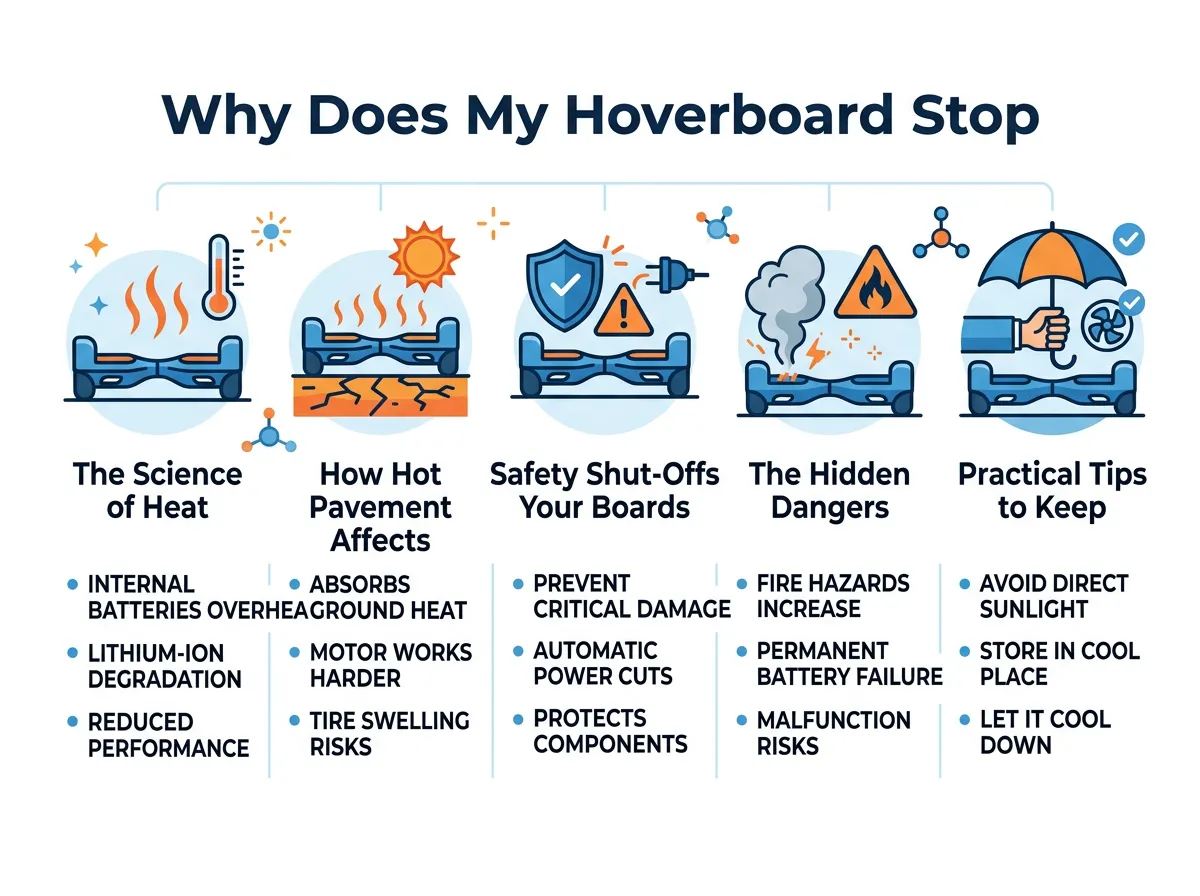
Why Does My Hoverboard Stop Working in Hot Weather? — key points at a glance
This radiant heat bakes the underside of your hoverboard. The wheels, wheel wells, and lower chassis absorb this heat directly. It does not take long for this warmth to travel upward into the delicate electronic sensors housed inside the frame.
Motor Strain in High Temperatures
Your hoverboard’s brushless electric motors are located inside the wheels. When you ride, these motors naturally generate heat as they spin to propel you forward. On a cool day, the surrounding air helps cool them down. But on a hot day, there is no cool air to help. When the motors run hot, they become less efficient, which means they have to draw more electric current from the battery to maintain your speed, putting even more strain on the system.
Safety Shut-Offs: Your Board’s Self-Defense System
The Role of the Motherboard and Sensors
You might wonder, “Why Does My Hoverboard Stop Working in Hot Weather if it is built to be a tough outdoor toy?” The short answer is self-preservation. Inside every quality hoverboard is a main logic board, often called the motherboard. This brain is equipped with tiny thermal sensors called thermistors.
These sensors constantly monitor the temperature of the battery pack and the motors. If the temperature crosses a safe threshold—usually around 140°F internally—the motherboard steps in. It immediately cuts off power to the wheels to prevent permanent physical damage. It is a safety feature, not a defect. You can read more about why hoverboards suddenly stop working to help you identify specific electronic issues.
Deciphering the Beeps and Red Warning Lights
When a thermal shutdown happens, your hoverboard will usually let you know. It might beep repeatedly, lose its balancing ability, or show a flashing red status light. If your board suddenly stops and blinks red, do not try to force it to run. Pushing it to ride during a thermal shutdown can fry the motherboard or ruin the battery cells.
The Hidden Dangers of Charging in the Heat
Never Charge a Hot Hoverboard
Imagine you just got home from a hot ride, and your hoverboard died because the battery ran out of juice. Your first instinct might be to plug it into the charger right away. Stop! This is one of the most dangerous things you can do to your device.
Charging a battery always generates heat. If you plug in a battery that is already boiling hot from the summer sun, you risk pushing it into a dangerous state. Always let your hoverboard sit in a cool, indoor area for at least 30 to 45 minutes before plugging it into the wall. If you suspect your charging setup has issues, you can learn more about how to spot a broken hoverboard charger.
Thermal Runaway Risks
In extreme cases, overheating a lithium-ion battery can lead to a dangerous phenomenon called thermal runaway. This is when the battery cells reach a temperature that triggers an uncontrollable, self-heating chemical reaction. This can lead to smoke, swelling, and even fire. For a reminder of why these safety measures are so important, you can read about how hoverboard battery issues have caused severe fires in the past when safety protocols were ignored.
Practical Tips to Keep Your Hoverboard Cool
Smart Riding Habits
You do not have to keep your hoverboard locked away all summer. You just need to change how and when you ride. Here are some smart habits to adopt:
- Ride in the shade: Stick to tree-lined paths, covered parks, or indoor areas whenever possible.
- Avoid the midday sun: Ride during the cooler parts of the day, like early morning or late evening.
- Take frequent breaks: Give your hoverboard a 10-minute rest in the shade for every 20 minutes of continuous riding.
- Avoid heavy terrain: Climbing steep hills or riding on thick grass makes the motors work harder, which generates more internal heat.
Proper Storage Solutions
Where you keep your hoverboard when you are not riding is just as important as how you ride it. Keep these storage tips in mind:
- Keep it out of the car: Never leave your hoverboard in the trunk of a car on a hot day. Car trunks can easily reach temperatures over 140°F, which can ruin the battery in hours.
- Store in climate-controlled spaces: Keep your board indoors, away from sunny windows, humid garages, or hot sheds.
- Unplug once fully charged: Do not leave your board on the charger overnight, especially in warm rooms, as overcharging adds extra thermal stress.
What to Do When Your Hoverboard Shuts Down
Step-by-Step Recovery Guide
If you are out riding and find yourself asking, “Why Does My Hoverboard Stop Working in Hot Weather?” because it has just shut off, do not panic. Follow these simple steps to safely cool it down:
- Turn it off: Turn the power button off immediately.
- Move to the shade: Get the board out of direct sunlight. If you can, take it indoors to an air-conditioned room.
- Let it rest: Leave the hoverboard completely alone for at least an hour. Do not try to turn it back on to check if it works every five minutes. Let it cool down fully.
- Inspect the board: Check the plastic casing. If it feels extremely hot to the touch, or if you smell plastic burning, do not turn it on. Keep it in a safe area away from flammable materials.
- Test ride: Once the board feels cool to the touch, turn it back on. If it works normally and the battery light is green, you are good to go!
When to Seek Professional Repair
If your hoverboard has cooled down completely but still refuses to turn on, or if the red warning light keeps flashing, the heat may have caused permanent damage. The motherboard might be fried, or the battery pack may have lost its ability to hold a charge. In these cases, it is best to contact the manufacturer or a certified repair technician rather than trying to open the battery pack yourself.
Conclusion
Hoverboards are an absolute blast to ride, but they require a little extra love and care during the sweltering summer months. Understanding “Why Does My Hoverboard Stop Working in Hot Weather?” is the first step toward protecting your investment and staying safe. By recognizing the signs of overheating, giving your board plenty of breaks, and avoiding charging when hot, you can enjoy a full season of smooth, worry-free riding. Stay cool, ride smart, and keep rolling!
Frequently Asked Questions
Can I ride my hoverboard on grass on a hot day?
It is best to avoid grass when the weather is very hot. Riding on grass makes the motors work much harder, which generates extra internal heat and can trigger a sudden thermal shutdown.
How long does it take for a hoverboard to cool down?
It usually takes about 30 to 60 minutes for a hoverboard to cool down completely. Keep it in a shaded, indoor space with air conditioning to speed up the process safely.
Will hot weather permanently ruin my hoverboard battery?
Regular exposure to extreme heat can permanently degrade your battery and shorten its overall lifespan. However, a single safety shutdown due to heat rarely causes permanent damage if you let it cool down immediately.
Why is my hoverboard blinking red and beeping in the summer sun?
This is usually a warning that the internal temperature has reached a dangerous limit. The board is alerting you that it needs to shut down to prevent the battery or motherboard from melting.
Is it safe to store my hoverboard in the garage during summer?
Storing your hoverboard in a humid, non-climate-controlled garage is not recommended. Extreme heat and moisture can slowly damage the battery and corrode the internal circuit boards.
Can I use ice packs to cool down my hoverboard quickly?
No, never use ice packs or water to cool down your hoverboard. This can cause condensation to build up inside the shell, which can short-circuit the electronic parts and ruin your board.
