


Hoverboards often fail in cold weather because low temperatures slow down the chemical reactions inside their lithium-ion batteries. This causes sudden power losses, sensor lag, and balance issues. Keeping your hoverboard warm and avoiding wet snow will help prevent these winter performance problems.
Imagine stepping outside on a beautiful, crisp winter morning. The air is fresh, and you are ready for a fun ride. You step onto your hoverboard, but something feels off. The board shakes, the lights blink, and it suddenly shuts down. You might ask yourself: Why Does My Hoverboard Malfunction in Cold Weather? This is a very common issue for riders during the chilly winter months.
It can be very frustrating when your favorite ride stops working. You might worry that your board is broken forever. The good news is that most cold-weather issues are easy to understand. Once you know how the cold affects your board, you can protect it. In this guide, we will look at why the cold makes your hoverboard act up and how you can fix it.
From battery science to tire pressure, cold air changes how electronics behave. Let us dive into the details so you can keep your hoverboard running smoothly all year long.
Key Takeaways
- Battery Drain: Cold weather slows down battery chemistry, leading to fast power drops and sudden shutdowns.
- Sensor Lag: Gyroscopes can become sluggish in the cold, making the board feel unstable or shaky.
- Condensation Risks: Moving your board from cold air to a warm room can create internal moisture, which damages circuits.
- Tire Pressure Loss: Low temperatures cause air pressure in tires to drop, making the motor work much harder.
- Safe Charging: Never charge a freezing hoverboard; always let it warm up to room temperature first to avoid permanent battery damage.
📑 Table of Contents
The Science of Cold Batteries
The main reason your hoverboard acts strange in winter is the battery. Almost all hoverboards use lithium-ion batteries. These batteries are great because they hold a lot of power. However, they are very sensitive to the temperature around them. They work best in warm weather, ideally between 60 and 80 degrees Fahrenheit.
How the Cold Slows Things Down
Inside your battery, chemicals react to create electricity. Liquid inside the battery helps electrical charges move back and forth. When the temperature drops, this liquid gets thick. It behaves a bit like cold syrup. Because the liquid is thick, the electrical charges move very slowly. This means the battery cannot release power fast enough to run the motor.
Sudden Power Loss
When you ride in the cold, your battery has to work twice as hard. This extra work drains the power quickly. You might start your ride with a full battery, but see it drop to empty in just a few minutes. In some cases, the board will turn off without warning. This can cause you to fall. If you wonder about the limits of cold riding, you can read about whether you can ride a hoverboard outside in 40 degrees Fahrenheit to learn more about safe riding limits.
Why Cold Weather Messes with Your Sensors
Your hoverboard relies on smart sensors to keep you upright. These sensors are called gyroscopes. They detect how you shift your weight. They tell the motor to move forward, backward, or to stop. When it gets cold, these delicate parts can get confused.
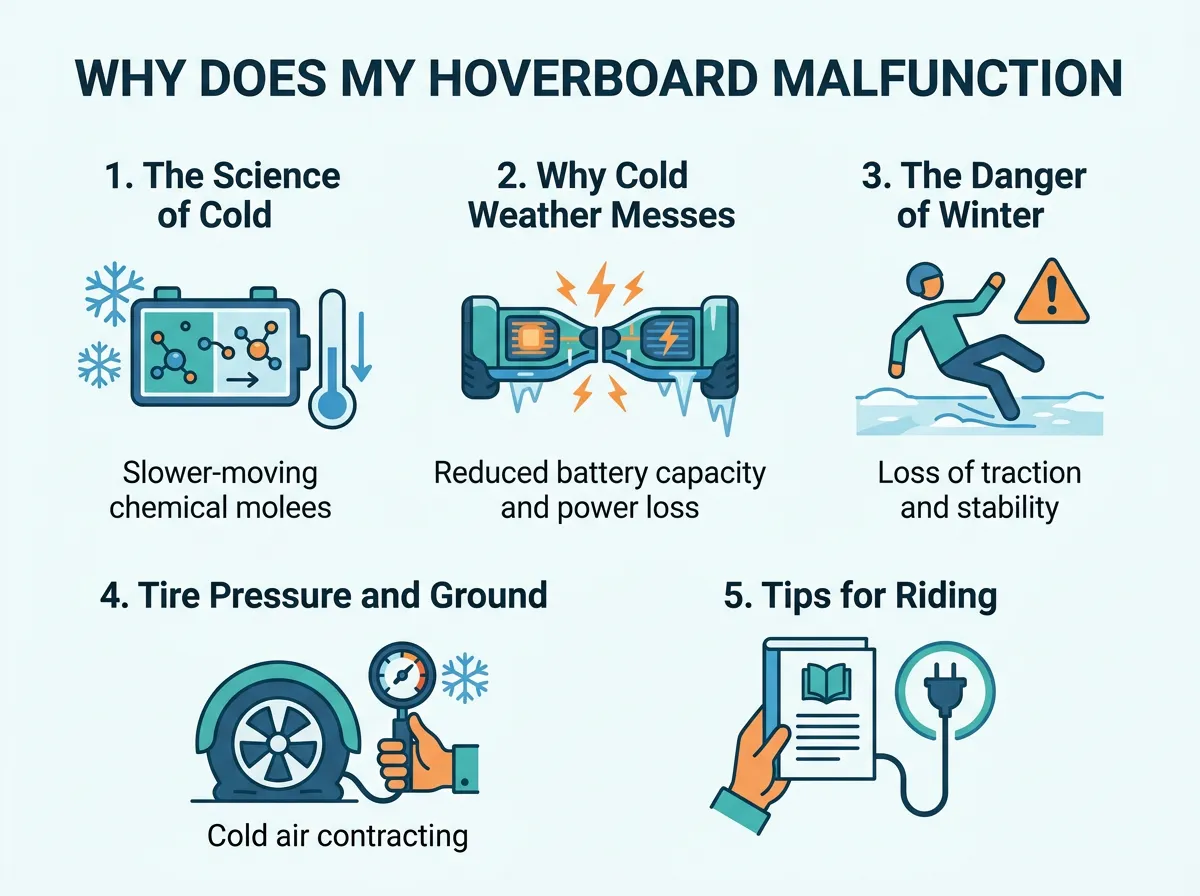
Why Does My Hoverboard Malfunction in Cold Weather? — key points at a glance
Gyroscope Lag
The sensors inside your hoverboard need a steady flow of electricity to work fast. Since the cold battery struggles to give steady power, the sensors may lag. This means the board will not react to your feet quickly. You might lean forward, but the board takes a second to move. This delay can make you feel unstable and ruin your balance.
The Need for Recalibration
Sometimes, the cold temperature shifts the internal parts just a tiny bit. This small shift can make the board think it is tilted when it is flat. If your board keeps beeping or tilting on its own, it may need a reset. Learning how to recalibrate my hoverboard is a simple skill that can fix many winter sensor errors in just a few minutes.
The Danger of Winter Moisture and Condensation
Water is the ultimate enemy of any electronic device. In the winter, moisture can sneak into your hoverboard in ways you might not expect. It is not just about avoiding puddles or falling snow.
The Threat of Condensation
Think about what happens when you wear glasses and walk into a warm room from the cold. Your glasses fog up instantly. The same thing happens inside your hoverboard. When you bring a freezing hoverboard inside a warm house, tiny water drops form on the metal parts inside. This is called condensation.
This moisture can land on the motherboard. It can cause a short circuit. If that happens, your hoverboard might stop working permanently. To prevent this, always let your hoverboard sit in a dry, cool room first. Let it warm up slowly before you turn it on.
Snow and Ice Damage
Snow is just frozen water. When you ride over snow, the heat from the motor melts it. This water can easily seep into the cracks of your board. Most hoverboards are not waterproof. To keep your board safe, you should read about how hoverboards handle rain and wet weather before you take a spin in wet winter conditions.
Tire Pressure and Ground Traction in the Cold
It is not just the electronics that suffer in the cold. The physical parts of your hoverboard change too. Your tires and the ground you ride on can create big challenges.
Shrinking Air in Tires
If your hoverboard has air-filled tires, you need to watch them closely in winter. Cold air contracts, which means it takes up less space. This causes your tire pressure to drop. Soft tires have more grip, but they also create drag. This drag makes the motor work harder, which drains your battery even faster. Check your tires and pump them up if they look flat.
Slippery Roads
Cold pavement has much less grip than warm pavement. Ice, frost, and wet leaves make the ground very slick. Your hoverboard tires can easily lose traction. If your wheels slip, the computer inside might get confused and shut down the motor to protect itself. Always ride slowly and avoid sharp turns on cold surfaces.
Tips for Riding and Storing Your Hoverboard in Winter
You do not have to hide your hoverboard away all winter. You just need to take a few extra steps to care for it. Here is how you can keep your board happy during the cold months.
Never Charge a Cold Battery
This is the most important rule of winter hoverboard care. Never plug your board into the charger if it is freezing cold. Charging a cold lithium-ion battery can cause permanent damage. It can even make the battery unsafe. Always let your board warm up to room temperature for at least two hours before you plug it in.
Store Your Board Indoors
Do not leave your hoverboard in a cold garage, shed, or car trunk. The freezing temperatures will slowly ruin the battery life. Keep your board inside your living space where the temperature is steady and warm. This keeps the battery healthy and ready for your next ride.
Wipe It Down After Riding
If you ride outside, always wipe your board dry with a clean towel as soon as you come back inside. Remove any dirt, salt, or dampness from the outer shell. This stops rust and keeps water from getting inside the housing.
Troubleshooting Cold Weather Problems
What should you do if your board starts acting up in the cold? Do not panic. There are a few easy checks you can perform to see what is wrong.
Look at the Blinking Lights
Most hoverboards use a system of blinking red lights to tell you what is wrong. If the red light blinks a certain number of times, it is a code. Usually, in the winter, a red light means the battery voltage is too low. If you get stuck, you can refer to a handy hoverboard troubleshooting guide to find out exactly what those blinking lights mean.
Let It Warm Up and Reset
If your board is acting glitchy, bring it inside. Let it sit in a warm, dry room for a few hours. Once it is warm, turn it on and try to reset it. A simple calibration often fixes the sensor lag caused by the cold. If the board still does not work, the battery may need a full charge at room temperature.
Conclusion
So, Why Does My Hoverboard Malfunction in Cold Weather? As we have learned, the cold slows down your battery, makes sensors lag, and creates dangerous moisture. Cold air also drops your tire pressure and makes the ground slippery.
By keeping your hoverboard warm, storing it indoors, and letting it warm up before charging, you can avoid these issues. Take care of your board, and it will reward you with fun rides all year long!
Frequently Asked Questions
Can I ride my hoverboard in the snow?
No, it is not safe to ride your hoverboard in the snow. Snow can melt and get inside the board, which will ruin the electronics. Snow also makes the ground very slippery, which can cause you to fall.
Why does my hoverboard battery die so fast in the winter?
The cold weather slows down the chemical reactions inside the lithium-ion battery. This makes it hard for the battery to hold and deliver power. As a result, the battery drains much faster than it does in warm weather.
Is it safe to store my hoverboard in the garage during winter?
No, you should not store your hoverboard in a cold garage. Freezing temperatures can permanently damage the battery and cause the sensors to malfunction. It is best to store your board inside your warm home.
How long should I wait to charge my hoverboard after being in the cold?
You should wait at least two hours before charging your hoverboard. This gives the battery enough time to warm up to room temperature. Charging a freezing cold battery can cause permanent damage and is a safety hazard.
Why is my hoverboard beeping constantly when it is cold outside?
The cold weather can cause the battery voltage to drop quickly or make the gyroscope sensors lag. When the board detects these issues, it beeps to warn you that it is not safe to ride. Bringing the board inside to warm up usually fixes this.
Can cold weather ruin my hoverboard permanently?
Yes, if you charge the battery while it is freezing, or if condensation forms inside the motherboard, it can ruin your board. However, if you store it indoors and let it warm up before charging, you can easily prevent permanent damage.
