


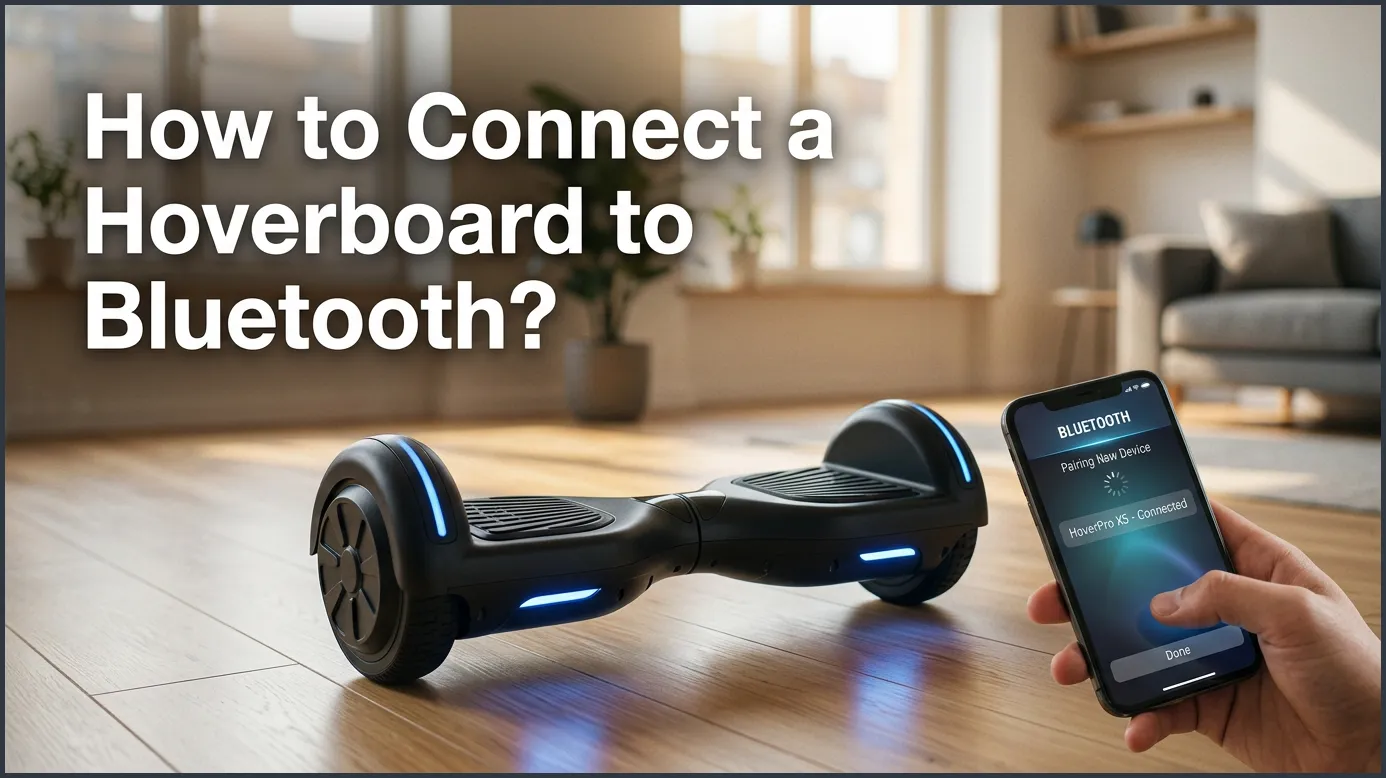
To connect your hoverboard to Bluetooth, start by turning on your hoverboard to activate its pairing mode, which usually triggers a voice prompt or beep. Next, open the Bluetooth settings on your smartphone or tablet, locate your hoverboard from the list of available devices, and select it to pair. Once connected, your favorite music will play directly through the hoverboard’s built-in speakers as you ride.
Imagine this. You step onto your shiny self-balancing board. You find your balance. You lean forward and begin to glide down the sidewalk. The sun is shining, and the breeze feels amazing. It is a great feeling. But something is missing. You need your favorite songs to make this ride perfect.
Many modern hoverboards come with high-quality built-in speakers. These speakers can turn a simple ride into a rolling party. Getting your music to play through your board is much easier than you might think. This guide will show you how to set everything up in just a few minutes. Let us get your music playing!
Key Takeaways
- Turn on the board: The Bluetooth pairing mode starts automatically when you power on your hoverboard.
- Enable phone Bluetooth: Make sure your mobile device has Bluetooth turned on and is searching for new devices.
- Find the correct name: Look for common names like “Bluetooth” or “Wheel-Music” in your device list.
- Keep devices close: Keep your phone within 30 feet of your hoverboard to ensure a stable connection.
- Troubleshoot easily: If connection fails, restart both your phone and the hoverboard, or check for other connected devices.
- Ride safely: Keep the music volume at a level that allows you to hear surrounding traffic and pedestrians.
📑 Table of Contents
Why Connect Your Hoverboard to Bluetooth?
Connecting your mobile device to your board changes how you ride. It is not just about making noise. It is about creating an experience that fits your style. Here are a few reasons why you should set up this feature today.
The Joy of Riding with Music
Music makes every activity better. When you ride with music, you feel more energetic. You can play fast songs to match your speed. You can also play calm tunes for a relaxing evening cruise. Built-in speakers are also much safer than wearing headphones. Headphones block out the sounds of the world. Speakers let you enjoy your music while keeping your ears open to the environment around you.
Extra Features and App Controls
Some advanced hoverboards do more than just play music. They also connect to special apps on your phone. These apps let you do really cool things. You can change the color of the LED lights on your wheels. You can check how much battery life you have left. You can even adjust the top speed of your board. Connecting to Bluetooth is the first step to unlocking all of these neat features.
Before You Begin: Pre-Connection Checklist
Before you try to link your phone, you should make sure everything is ready. Taking a few seconds to check these things will save you from frustration later.
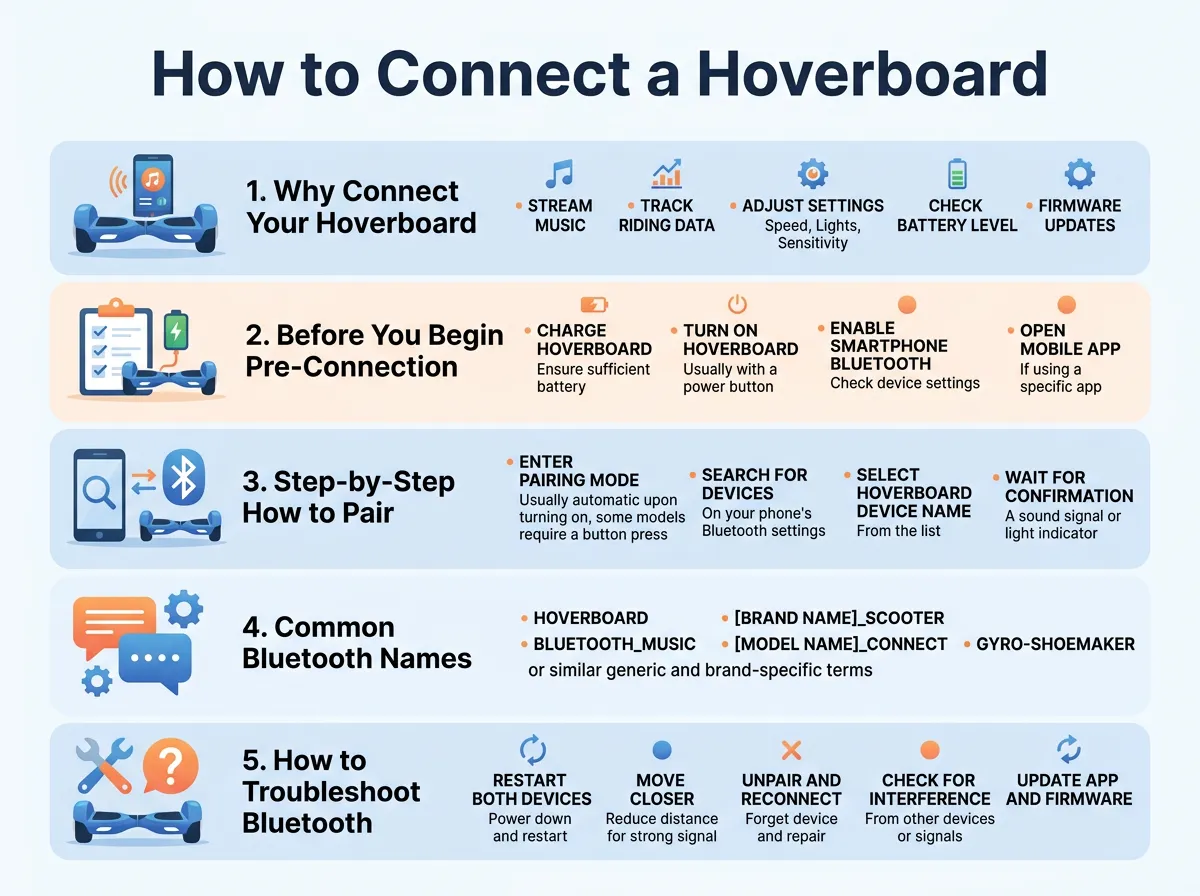
How to Connect a Hoverboard to Bluetooth? — key points at a glance
Check Your Battery Level
Make sure your hoverboard has a good charge. When the battery is low, the board may turn off its Bluetooth chip to save power. A low battery can also cause the connection to drop. It is best to charge your board fully before your first music session.
Keep Your Devices Close
Bluetooth works best when devices are close together. During the first pairing process, keep your phone within three feet of your hoverboard. Once they are paired, you can move further away. But for the setup, closer is always better.
Step-by-Step: How to Pair Your Hoverboard
Now, let us get to the fun part. Follow these simple steps to link your phone or tablet to your hoverboard. This process works for both Apple iPhones and Android devices.
Step 1: Turn on Your Hoverboard
Press the power button on your hoverboard. You will hear a startup sound. Most boards will also play a specific sound for Bluetooth. This might be a short beep, a chime, or a friendly voice saying “Bluetooth device is ready to pair.” This sound tells you that the board is actively sending out a wireless signal.
Step 2: Open Bluetooth Settings on Your Phone
Take out your phone or tablet. Go to your settings menu and tap on the Bluetooth option. Make sure the Bluetooth switch is flipped to the “On” position. Your phone will now begin to scan the air for nearby wireless devices.
Step 3: Scan and Select Your Board
Look at the list of available devices on your phone screen. You should see a new name appear on the list. If you need specific brand instructions, you can read this helpful guide on how to pair hoverboard bluetooth devices. Tap on the name of your hoverboard when you see it.
Step 4: Confirm the Connection
Once you tap the name, your phone will try to connect. After a second or two, you should hear another sound from your hoverboard speakers. The voice may say “Bluetooth connected successfully” or “Paired.” Your phone screen will also show that the device is now connected. For more details on setting up British or European models, check out this guide on how to connect Bluetooth to hoverboard models safely.
Common Bluetooth Names for Hoverboards
Sometimes, the hardest part of the process is knowing which device to tap. Hoverboards do not always show up with the word “hoverboard” in their name.
What Name Should You Look For?
When you scan for devices, look for names like these:
- Bluetooth
- Music
- Wheel-Music
- HY-A02
- Smart-Balance
If you see a name that looks like a bunch of random letters and numbers, do not worry. That is normal. If you are not sure which one is your board, try turning the hoverboard off. See which name disappears from your phone list. Turn the board back on, and watch which name comes back. That is your hoverboard!
How to Troubleshoot Bluetooth Issues
Technology is great, but sometimes it can be tricky. If you run into problems while trying to connect, do not panic. Most issues are very easy to fix. For troubleshooting stubborn pairing issues, this resource on how do I connect Bluetooth to my hoverboard offers great solutions.
My Phone Cannot Find the Hoverboard
If your phone cannot find the board, another device might be connected to it already. Hoverboards can usually only connect to one phone at a time. If your sibling or friend connected to the board earlier, their phone might still be holding the connection. Turn off Bluetooth on other nearby phones and try again. You can also try turning your hoverboard off and on again to reset the search.
The Sound Is Cutting Out
If your music is choppy, you might be too far away from the board. Bluetooth has a limit of about 30 feet. If you put your phone in your back pocket, your body might also block the signal. Try putting your phone in your front pocket or holding it in your hand while you ride.
The Connection Keeps Dropping
A weak battery is the number one cause of dropping signals. If your board is low on juice, plug it in. Let it charge for a couple of hours. A fresh charge usually fixes connection drops instantly.
Essential Safety Tips for Riding with Music
Riding with music is a blast, but safety must always come first. You want to have fun without putting yourself or others in danger.
Keep Your Volume at a Safe Level
It is tempting to blast your favorite songs at full volume. However, you need to be aware of what is happening around you. Keep the volume at a level where you can still hear car horns, bicycle bells, and people talking. This is especially important if you are riding near roads or busy sidewalks.
Stay Aware of Your Surroundings
Do not look down at your phone to change songs while you are moving. If you want to skip a track, stop your hoverboard completely first. Keep your eyes on the path ahead. Look out for cracks in the pavement, small rocks, or puddles that could cause you to lose your balance.
Conclusion
Learning how to connect a hoverboard to Bluetooth is a simple skill that makes riding twice as fun. By following our easy guide, you can sync your devices in under a minute. Just turn on the board, find it in your phone settings, and tap to connect. Always remember to charge your battery, keep your devices close, and ride safely. Now that your soundtrack is ready, it is time to step onto your board and enjoy the ride!
Frequently Asked Questions
Why is my hoverboard Bluetooth not showing up?
Your hoverboard might already be connected to another device nearby. Try turning off Bluetooth on other phones or tablets in your house. You can also restart your hoverboard to restart the pairing signal.
Do all hoverboards have Bluetooth speakers?
No, not all hoverboards have Bluetooth speakers. This is a special feature found on specific models, so you should check your user manual or look for speaker grilles on the bottom of your board.
What is the passcode for hoverboard Bluetooth?
Most hoverboards do not require a passcode to connect. If your phone does ask for a code, try typing “0000” or “1234” as these are the most common default codes.
Can I connect two phones to one hoverboard at the same time?
No, hoverboard Bluetooth modules can only connect to one device at a time. If you want to let a friend play music, you must disconnect your phone first.
Will playing music drain my hoverboard battery faster?
Yes, using the built-in speakers will use a little bit of extra battery power. However, the speakers use very little energy compared to the motors, so you will barely notice the difference.
Can I use an app to control my hoverboard music?
Yes, you can use any music app on your phone, like Spotify or Apple Music, to control the songs and volume. Some brands also have custom apps that let you control both the music and the board lights.
