


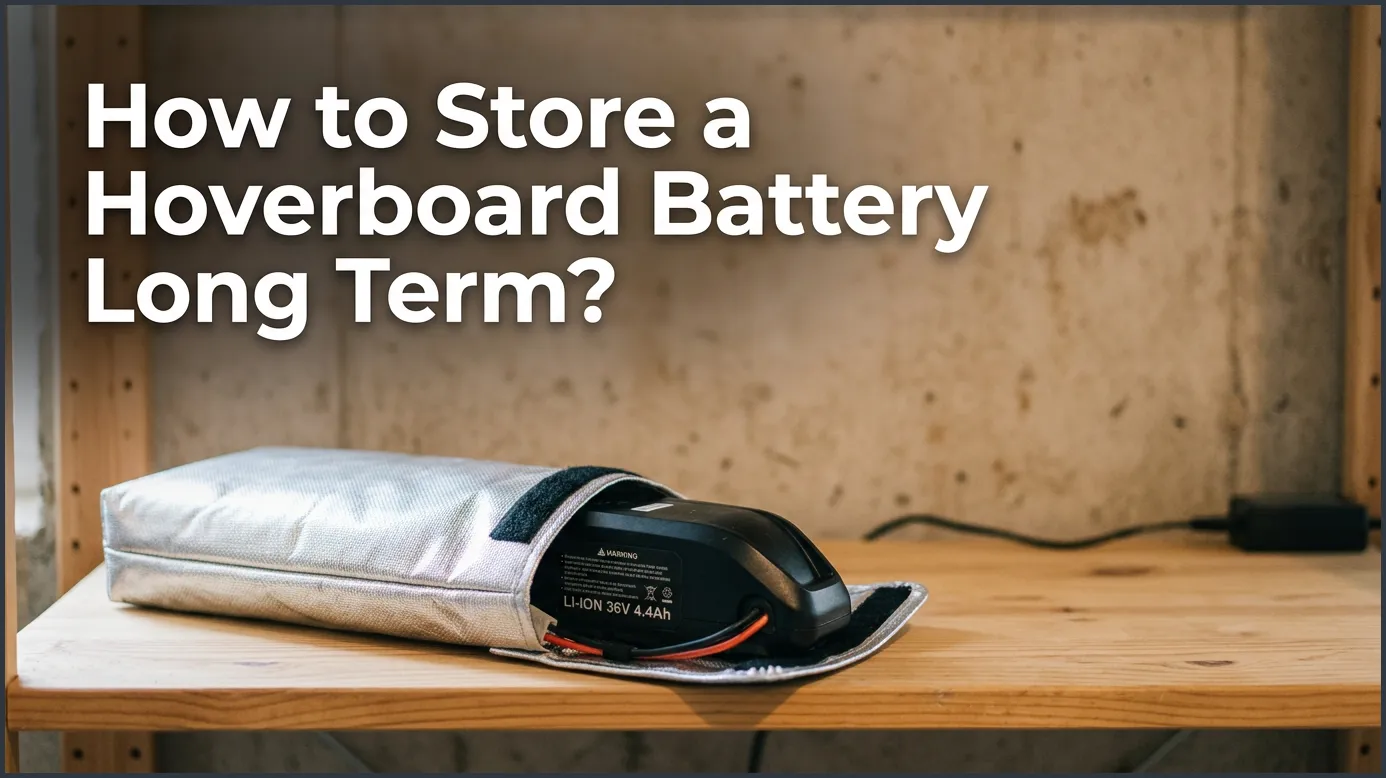
To store a hoverboard battery long term, charge it to about 50% to 60% capacity before putting it away. Keep the battery in a cool, dry place with temperatures between 50°F and 70°F, and check its charge level every few months. Never store a completely empty or fully charged battery, as this can permanently damage its lifespan.
Imagine the sun is shining. It is the first warm day of spring. You run to your closet. You grab your hoverboard, ready to zoom down the sidewalk. You press the power switch. Nothing happens. You plug it in, but the charger light stays green. Your battery is dead.
This is a sad story, but it happens to many riders. Hoverboard batteries are amazing. They hold a lot of energy. But they are also delicate. If you leave them alone for too long without care, they lose their power. They might even stop working forever.
In this guide, we will show you how to avoid this issue. You will learn the best tricks for keeping your hoverboard safe during the winter or any long break. Let’s look at how to store a hoverboard battery long term? so you can ride with joy when the weather gets warm.
Key Takeaways
- Partial Charge is Key: Store your battery at 50% to 60% charge, never fully empty or fully full.
- Cool and Dry Climate: Keep the battery in a room-temperature area, avoiding extreme cold and hot areas.
- Disconnect the Battery: If possible, disconnect the battery from the hoverboard to prevent slow power drain.
- Check Every 2-3 Months: Recharge the battery back to its mid-point periodically during storage.
- Safety First: Store the battery on a flat, non-flammable surface away from direct sunlight.
- Inspect Before Reuse: Look for physical damage, leaks, or swelling before putting the battery back to work.
📑 Table of Contents
Why Proper Storage Matters for Lithium-Ion Batteries
Most hoverboards use lithium-ion batteries. These are the same batteries found in your phone or laptop. They are light, fast, and hold power well. But they do not like to sit empty or full for a long time.
Inside the battery, chemicals move back and forth to create electricity. When the battery sits still, these chemicals can break down. If you do not store it right, you can ruin the battery. This means you will have to buy a costly replacement. Understanding hoverboard battery life is key to making your board last for many years of fun.
A bad battery is also a safety hazard. Damaged batteries can overheat, swell, or even catch fire. By learning how to store your board correctly, you keep your home and family safe. It is an easy way to save money and avoid stress.
The Golden Rule of Charge Levels
When you store a toy, you might think you should charge it to 100% first. Or, you might think it is best to leave it totally empty. Both of these ideas are wrong for lithium-ion batteries.
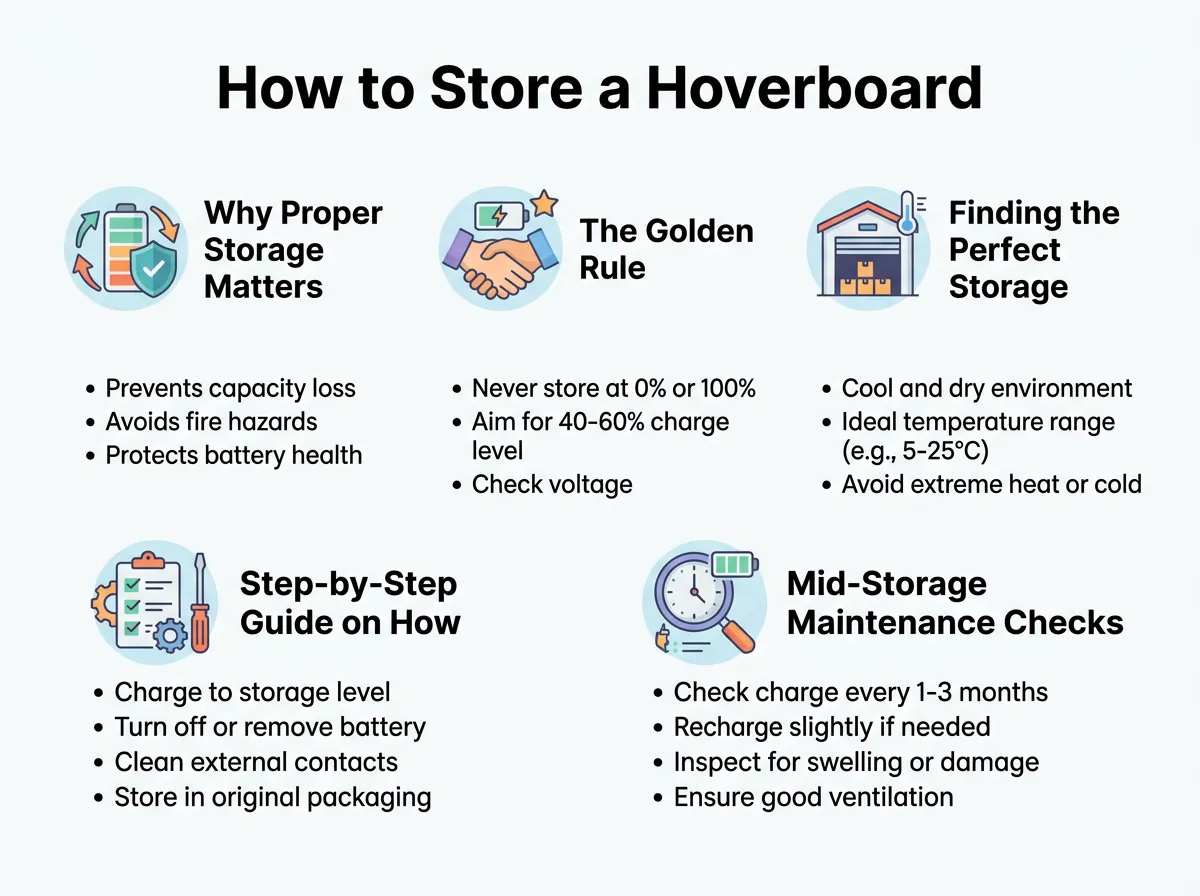
How to Store a Hoverboard Battery Long Term? — key points at a glance
The perfect charge level for storage is between 50% and 60%. At this level, the battery is stable. The internal parts are not under too much stress.
The Danger of a Dead Battery
If you store a battery at 0%, it can fall into a “deep discharge” state. Lithium batteries have a safety switch inside. If the power drops too low, this switch trips. Once that happens, the battery can no longer take a charge. It becomes useless. You will have to buy a new one.
The Problem with a Full Charge
Storing your battery at 100% is also bad. A full charge puts high stress on the battery cells. Over months of storage, this stress weakens the battery. When you take it out, you will find it drains much faster than before. Keep it right in the middle for best results.
Finding the Perfect Storage Environment
Where you keep your hoverboard matters just as much as how much you charge it. Batteries are very sensitive to the world around them. They hate extreme cold and high heat.
The best place to store your battery is in a cool, dry room. Keep the temperature between 50°F and 70°F (10°C to 21°C).
Avoid the Garage and Attic
Do not leave your hoverboard in an unheated garage during the winter. Cold temperatures can freeze the liquids inside the battery. This ruins its ability to hold a charge. Likewise, do not put it in a hot attic in the summer. High heat speeds up battery aging. It can also make the battery unsafe.
Keep It Dry
Humidity is another enemy. Wet air can rust the metal parts of your board. It can also cause a short circuit in the battery pack. Choose a closet, a pantry, or a climate-controlled room. For general tips on keeping batteries safe, you can read more about battery storage for long-term use to protect your electric gear.
Step-by-Step Guide on How to Store a Hoverboard Battery Long Term?
Now you know the rules. Let’s go through the actual steps. Follow this list before you put your board away for more than a month.
Step 1: Clean Your Hoverboard
Before you do anything else, clean your board. Wipe away dirt, mud, and dust with a damp cloth. Do not use wet sponges. You do not want water getting near the plugs. Cleaning keeps dirt from clogging up the buttons.
Step 2: Check the Battery Level
Turn on your board and check the power. If it is high, ride it around for a bit to drain it. If it is low, plug it in. Try to get the battery indicator to the middle point. If your board has an app, check the exact percentage. Aim for about 50%.
Step 3: Turn Off the Power
Make sure the hoverboard is completely off. Do not leave it in sleep mode. Sleep mode still uses small amounts of power. Over a few weeks, this small drain will empty your battery completely.
Step 4: Unplug Everything
Never store your hoverboard with the charger plugged in. This can overcharge the battery and create a fire hazard. Remove all cables from the charging port and store them nearby.
Step 5: Store It in a Safe Bag
If you have a hoverboard bag, use it. A bag keeps dust out of the wheels and motors. It also protects the plastic shell from scratches. Following simple tips for maintaining hoverboard battery life like these will save you a lot of money in the future.
Mid-Storage Maintenance Checks
You cannot just store your hoverboard and forget about it. Batteries slowly lose their charge on their own. This is called self-discharge.
Even if the board is turned off, the battery will lose about 5% of its power each month. If you leave it for six months, it might drop to a dangerous level.
To prevent this, set a reminder on your phone. Every two to three months, take the hoverboard out of storage. Check the battery level. If it has dropped below 30%, plug it in for a short time. Bring it back up to 50% or 60%. Then, put it back in its safe spot. This little step keeps the battery healthy and active.
Bringing Your Hoverboard Back to Life Safely
When warm weather returns, you will want to ride. But do not rush. Take these steps to wake up your hoverboard safely:
Look It Over
Inspect the board first. Check for any damage. Look at the plastic case near the battery. Is it bulging? Do you smell anything strange? If you see swelling or leaks, do not charge the board. The battery may be damaged. You should contact a professional.
Charge It Up
If everything looks great, plug in the charger. Let it charge all the way to 100%. Watch the charger light. It should turn from red to green. Do not leave it unattended while charging after a long break.
Let It Cool
After charging, let the board sit for 15 minutes. Charging warms up the battery. Riding it while it is warm can stress the cells. Let it cool down, and then go enjoy your ride!
Conclusion
Taking care of your hoverboard battery is not hard. It just takes a little bit of planning. By keeping it at a half charge, choosing a cool spot, and checking on it every few months, you protect your investment.
Now you know how to store a hoverboard battery long term? with ease. Your hoverboard will be ready to roll whenever you are. Have fun, stay safe, and enjoy your rides!
Frequently Asked Questions
Can I leave my hoverboard plugged in all winter?
No, you should never leave your hoverboard plugged in for a long time. Overcharging can ruin the battery capacity and create a fire hazard. Always unplug the charger once the battery reaches the proper level.
What is the best temperature to store a hoverboard battery?
The ideal temperature range is between 50°F and 70°F (10°C to 21°C). Avoid keeping your hoverboard in places that get too cold or too hot, like attics, garages, or cars.
How often should I charge my hoverboard while in storage?
You should check your hoverboard battery every two to three months. If the charge has dropped below 30%, plug it in until it reaches about 50% again.
What happens if my hoverboard battery drains to 0% in storage?
If a lithium battery drops to 0% and sits there, it can enter a deep discharge state. This causes a safety switch to shut down the battery forever, meaning it will no longer charge.
Can I store my hoverboard in a garage?
It is best not to store your hoverboard in a garage unless it is climate-controlled. Extreme winter cold and high summer humidity can damage the battery and rust the electronics.
Should I remove the battery from the hoverboard for storage?
If your hoverboard has an easily removable battery, taking it out is a great idea. This completely stops any slow power drain from the board’s internal circuits while it is put away.
