


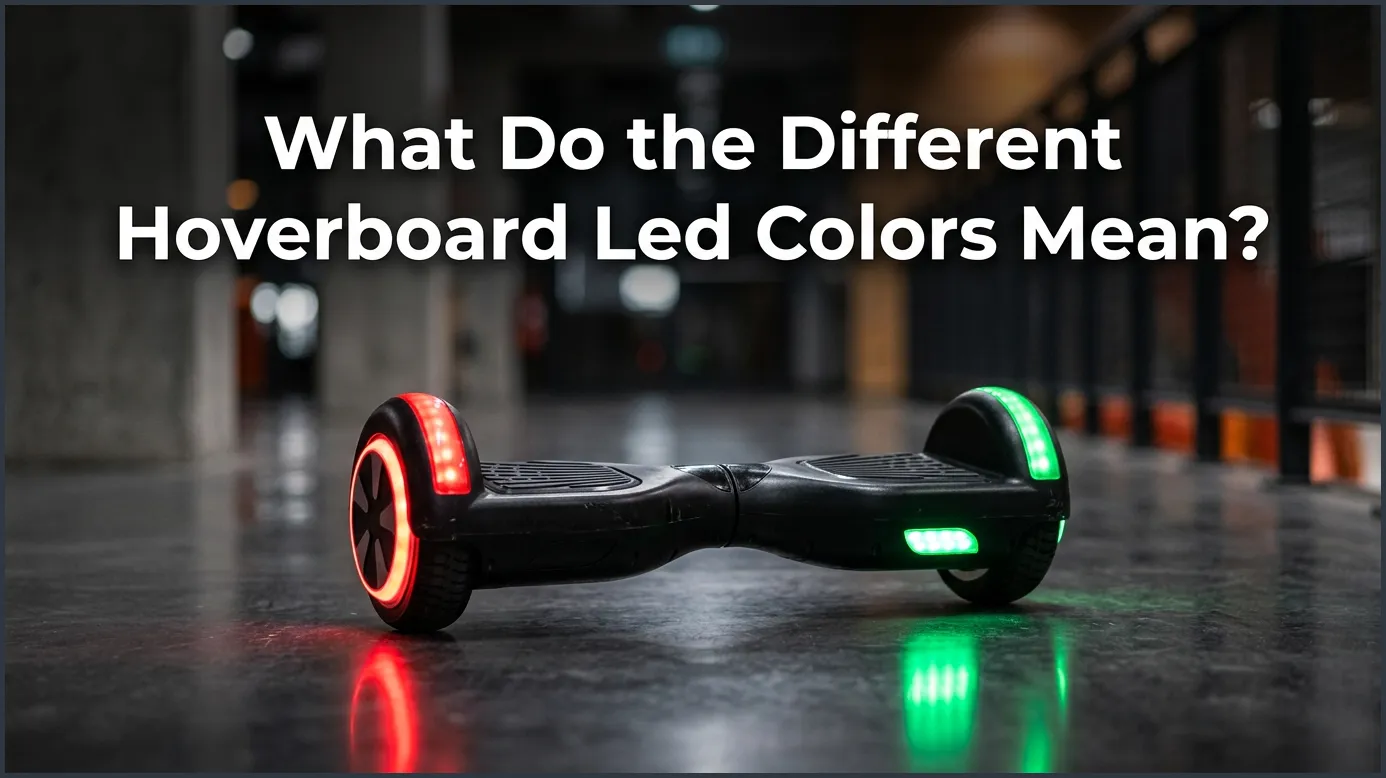
Hoverboard LED lights communicate your board’s health and operational status. A solid green light indicates a fully charged battery, while a blinking green light means the battery is getting low. Red lights typically signal a critical issue, warning of low battery (under 20%) or an internal system error that requires recalibration. Blue and orange lights indicate rider detection, system balancing, or active Bluetooth connections.
Imagine this: you grab your hoverboard, step outside on a sunny afternoon, and press the power button. You are ready to glide down the street. But instead of the usual smooth start, a bright light begins to flash on the center console. Is it a warning? Is the battery dying? Or is your board just saying hello?
Hoverboards are smart machines, but they do not have screens to tell us what is wrong. Instead, they use a system of colorful LED lights to talk to us. Understanding these lights is key to staying safe and keeping your board in top shape. If you have ever stared at a blinking dashboard in confusion, you are not alone. In this beginner guide, we will answer the big question: What Do the Different Hoverboard LED Colors Mean? We will break down every color, explain the flashing patterns, and show you how to fix common issues.
Key Takeaways
- Green means go: A solid green light shows the battery is charged, while a flashing green light warns that your battery level is dropping.
- Red means warning: A flashing or solid red light points to a very low battery (below 10-20%) or a system error that needs fixing.
- Blue signifies action: Blue LEDs usually show that the pressure pads detect your feet or that Bluetooth pairing is successful.
- Orange indicates balance: Some boards display orange when adjusting, calibrating, or charging the battery.
- Calibrating fixes most errors: Many blinking red light errors can be resolved by simply resetting and calibrating your hoverboard.
- Refer to the pattern: The number of times a red light blinks corresponds to a specific hardware issue you can look up.
📑 Table of Contents
The Green Light: Smooth Sailing and Full Power
For most riders, the green light is the best sight in the world. It is the hoverboard’s way of giving you the thumbs up. When everything is working perfectly, the green light keeps you moving without a care in the world.
Solid Green vs. Flashing Green
When you turn on your hoverboard and see a solid green light, it means your battery is healthy and fully charged. You have plenty of power to cruise around. You can explore the neighborhood, practice tricks, or head to the park. For more details on these basic indicators, you can read about understanding the indicator lights on my hoverboard to see how different brands display charge levels.
However, if that green light starts flashing, the board is telling you that the battery level is dropping. It usually means your battery is under 50% capacity. You do not need to panic or stop riding immediately, but you should start heading back toward a power outlet. It is a friendly reminder that your fun session will need a pause soon for a quick recharge.
The Red Light: Warnings and Error Codes
A red light can be scary. It catches your eye quickly, and for a good reason. When your hoverboard flashes red, it means something needs your attention right away. Riding with a red light is not safe and can cause the board to stop suddenly.
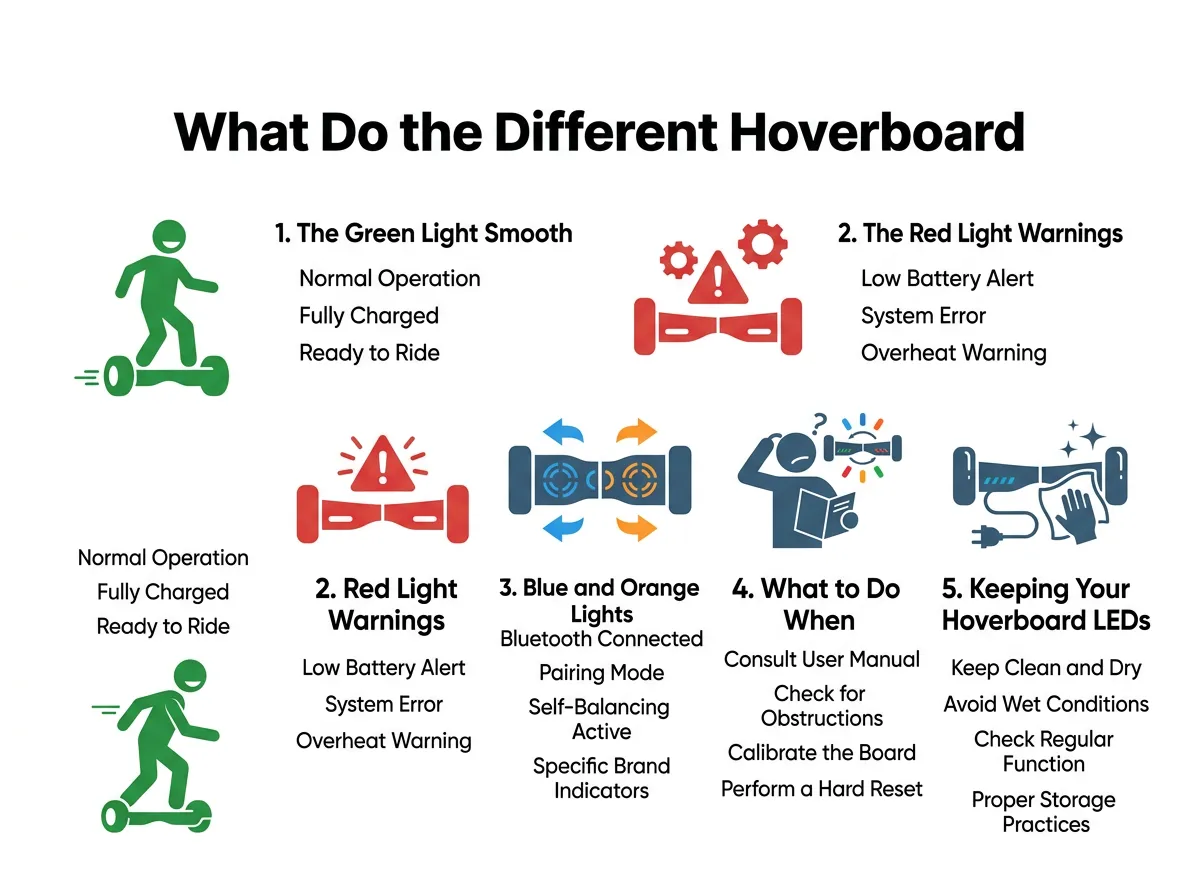
What Do the Different Hoverboard LED Colors Mean? — key points at a glance
Low Battery Warnings
The most common reason for a red light is a critically low battery. When your battery level drops below 10% or 20%, the green light will turn off, and a solid or blinking red light will take its place. Often, this light is accompanied by a loud, repeating beeping sound. This is your board’s way of saying, “Put me on the charger now!” If you keep riding, the board might shut off completely to protect the battery, which can cause you to fall.
System Faults and Blinking Patterns
What if your hoverboard is fully charged, but it still flashes red? This means your board has detected an internal system error. Your hoverboard has a smart brain called a gyroscope that keeps you balanced. If something goes wrong with the gyroscope, the motors, or the motherboard, the red light will flash. If you encounter this, you can find detailed help with a hoverboard red light flashing guide to match the blink counts to specific hardware parts.
The number of times the red light blinks in a row is actually a secret code. For example, a light that blinks one time and pauses usually means a motherboard issue. If it blinks five or six times, there might be an issue with the motor on one side. Paying attention to these patterns will help you or a repair tech figure out exactly what needs fixing.
Blue and Orange Lights: Status and Connectivity
Not all lights are about battery life. Many hoverboards feature blue or orange LEDs on the front, back, or center console. These lights tell you about the board’s sensors and its connection to other devices.
Pressure Sensors and Rider Detection
Have you noticed a bright blue light turn on when you step onto your hoverboard? These blue lights are connected to the footpads. Inside the footpads are pressure sensors. When you place your feet on the pads, the sensors tell the hoverboard that a rider is on board. The blue light turns on to confirm that the board is active and ready to balance. If only one blue light turns on, or if they do not light up at all, you might not be standing in the correct spot, or the pressure sensors might be stuck.
Bluetooth and Pairing Indicators
Many modern hoverboards come with built-in Bluetooth speakers. These allow you to play your favorite music while you ride. To help you connect your phone, some boards use a blinking blue light near the power button. This light will flash rapidly while the board is searching for your phone. Once your phone pairs successfully, the blue light will stay solid, often followed by a short chime or beep from the speakers.
On some brands, you might see an orange light instead of blue. This orange light often acts as a middle ground. It can show that the board is calibrating its balance system or that it is currently plugged in and receiving a charge from the wall outlet.
What to Do When Lights Flash: Easy Troubleshooting
When your hoverboard lights up in unexpected ways, there is no need to worry. Most issues are very easy to solve right at home. Before you think about buying a replacement, there are a few simple troubleshooting steps you should try.
How to Calibrate Your Hoverboard
Over time, your hoverboard’s internal balance sensors can get confused. This happens if you ride over bumps, jump off the board quickly, or store it on its side. When the sensors get confused, the board might shake, pull to one side, or flash a red warning light. The best fix for this is a simple calibration. You can learn more about this by checking out common troubleshooting techniques for hoverboard owners.
To calibrate your board, follow these easy steps:
- Turn off your hoverboard completely.
- Place the hoverboard on a completely flat, level surface. Ensure both footpads are perfectly level with the ground.
- Press and hold the power button down for about 5 to 10 seconds.
- Keep holding the button until the LED lights start flashing rapidly and you hear a beeping sound.
- Release the power button and let the board sit quiet for another 5 seconds.
- Turn the hoverboard off, then turn it back on. Your board is now calibrated and ready to ride!
Keeping Your Hoverboard LEDs Healthy
Your hoverboard’s LED lights do more than just look cool at night. They are your primary way of communicating with your ride. Keeping them working properly is important for your safety. To ensure your lights stay bright and functional, you should take a few simple precautions.
Avoiding Water and Heavy Impacts
Hoverboards are tough, but they are not waterproof. Water can easily seep inside the shell and ruin the delicate circuit boards that control the LED lights. Avoid riding through puddles, wet grass, or in the rain. Additionally, try to avoid slamming your hoverboard into curbs or dropping it from high places. Heavy impacts can crack the plastic light covers or loose the internal wire connectors, causing your lights to stop working entirely.
Conclusion
Learning the language of your hoverboard is the best way to enjoy a safe and fun ride. So, what do the different hoverboard LED colors mean? In short, green means you are ready to go, red tells you to stop and charge or fix an error, and blue shows that your sensors and Bluetooth are working. By keeping these simple colors in mind and knowing how to calibrate your board, you can ride with confidence and keep your hoverboard running smoothly for years to come.
Frequently Asked Questions
Why is my hoverboard blinking red and beeping?
This usually means your hoverboard’s battery is extremely low and needs to be charged immediately. If the battery is full, the blinking and beeping indicate a calibration error or an internal system fault.
Can I still ride my hoverboard if the light is orange?
Yes, you can usually still ride. An orange light typically means the board is in the middle of balancing itself, or it is signaling a medium battery level that will soon need a charge.
Why do the blue lights on my hoverboard flash?
Flashing blue lights usually mean your hoverboard is in pairing mode and looking for a Bluetooth connection. They can also flash when the footpad pressure sensors detect your feet.
How do I know if my hoverboard is fully charged?
When your hoverboard is plugged into the wall, the charger brick itself will usually turn green. On the hoverboard, the battery indicator light will show a solid green color with no flashing.
Why is my hoverboard light flashing red 5 times?
A red light that flashes 5 times in a row usually points to an issue with the motor on the side of the battery. Calibrating the board might fix this, but if it persists, the motor wire might be loose.
Is it dangerous to ride a hoverboard with flashing red lights?
Yes, it can be dangerous to ride when the red lights are flashing. The board could lose balance or power suddenly, which might cause you to fall and injure yourself.
