


If your hoverboard companion app keeps dropping its connection, the issue is usually caused by weak Bluetooth signals, low battery power, or outdated software on your phone. To resolve this frustrating issue, try resetting your board, clearing your phone’s app cache, and keeping both devices close together while riding.
Imagine zooming down the street on a sunny afternoon. You feel the wind in your face and the smooth glide of your self-balancing board. Suddenly, your favorite music cuts out, or your speed tracker stops updating on your screen. You look down at your phone and realize the connection is gone yet again. It is incredibly frustrating when you just want a smooth, fun, and musical ride. You are likely asking yourself, “Why Does My Hoverboard App Keep Disconnecting?” and searching for a fast, simple fix to get back on track.
This guide will walk you through the most common reasons for this issue. We will explore how Bluetooth signals interact with your board. We will also look at why your smart device might be breaking the link. By the end of this article, you will have a clear, step-by-step plan to get your board and app talking to each other without any annoying drops. Let us dive in and fix your ride.
Key Takeaways
- Keep your battery charged: Low battery power often causes the Bluetooth chip inside the board to shut down early to save energy.
- Clear wireless interference: Other nearby Bluetooth devices or Wi-Fi signals can easily disrupt your connection.
- Update everything: Running outdated hoverboard firmware or an old app version causes frequent pairing drops.
- Calibrate your board: A simple system reset often fixes background system glitches that affect the app link.
- Check background settings: Phone battery savers will often kill your hoverboard app when the screen turns off.
📑 Table of Contents
Understanding How Your Hoverboard App Communicates
Before we can fix the issue, it helps to understand how these devices talk to each other. Your hoverboard uses a tiny wireless chip to connect to your phone. This connection relies on Bluetooth technology. Unlike your home Wi-Fi, Bluetooth is built for short distances. It works best when the two devices are very close to one another.
The Role of Bluetooth Pairing
When you first connect your phone, they exchange a digital handshake. This handshake tells your phone to trust the hoverboard. If you want to learn the basic steps of this process, you can read about how to connect Bluetooth to your hoverboard safely. Once paired, the app sends commands to the board. It changes your speed modes, adjusts the LED lights, and plays your music. If this handshake gets interrupted, the app will instantly disconnect.
Distance and Physical Barriers
Bluetooth signals are weak. They cannot travel through thick walls, metal objects, or even your own body very well. If you keep your phone in a deep backpack or a thick back pocket, your body might block the signal. This is a very common cause for a drop in connection. Keeping your phone in your hand or a front pocket can make a huge difference.
Common Reasons Your Connection Keeps Dropping
There are a few main culprits behind a failing connection. Most of the time, the issue is not a broken board. Instead, it is a simple settings clash or a power issue. Let us look at the most frequent causes so you can spot the pattern on your own board.
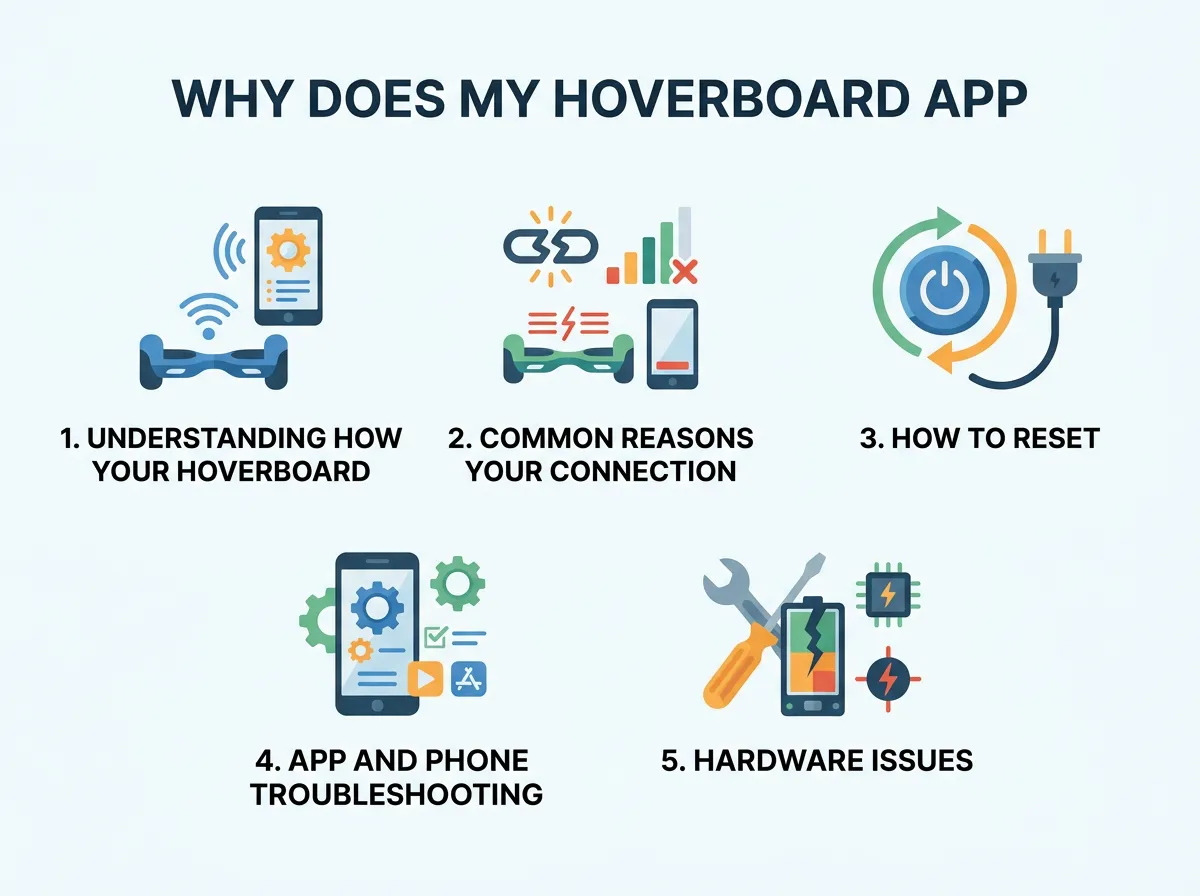
Why Does My Hoverboard App Keep Disconnecting? — key points at a glance
Low Hoverboard Battery Power
When your hoverboard battery drops below a certain level, it enters a power-saving mode. To keep you riding safely, the board will turn off non-essential features. The Bluetooth module is often the first thing to go. If your battery is low, the chip will simply stop sending signals. Always make sure your board is fully charged before you start troubleshooting.
Phone Battery Saving Modes
Just like your board, your phone wants to save power. If your phone battery is low, it might put background apps to sleep. If you put your phone in your pocket and the screen turns off, your phone’s operating system might close the hoverboard app to save juice. You can easily fix this by turning off battery optimization for your specific hoverboard app in your phone settings.
Bluetooth Signal Interference
Are you riding near smart homes, power lines, or busy streets? Wireless signals are everywhere. If there are too many active Bluetooth devices or Wi-Fi routers nearby, they can crowd the airwaves. This noise makes it hard for your phone to hear your hoverboard. If you notice the app drops in the exact same spot every day, wireless interference is likely the cause.
How to Reset and Recalibrate Your Board
Sometimes, the internal computer of your hoverboard gets confused. It might get stuck in a loop and stop sending out a clean Bluetooth signal. When this happens, a system reset is the best medicine. This process is safe and only takes a minute of your time.
Why Calibration Matters
Calibration aligns the internal gyroscopes. It ensures the board knows exactly when it is flat and level. A well-calibrated board runs smoother. It also sends cleaner data to your app. If you need a detailed guide on this step, you can learn how to reset or balance your hoverboard easily at home. This simple fix solves a surprising number of wireless connection glitches.
The Quick Calibration Step-by-Step
To calibrate your board, start by turning it off. Place it on a flat, even floor. Make sure both footpads are perfectly level with each other. Press and hold the power button for about ten seconds. You will hear a beep, and the LED lights will start flashing. Keep holding until the lights stop flashing or the board turns off. Turn the board back on, and try connecting your app again.
App and Phone Troubleshooting Steps
If resetting the board did not work, the issue might lie within your mobile device. Phones update their software constantly, and sometimes these updates break compatibility with older apps. Here are three quick things you can try on your phone.
Clear the App Cache
As you use your hoverboard app, it stores temporary files. Over time, these files can become corrupt. Go to your phone’s settings, find your apps list, and select your hoverboard app. Tap on storage, and then tap “Clear Cache.” This wipes out the temporary junk files without deleting your saved settings. Restart the app and see if the connection stays strong.
Forget and Re-Pair the Device
Sometimes the digital handshake we talked about gets old. You need to force your phone to forget the board. Go to your phone’s Bluetooth settings menu. Find your hoverboard in the list of saved devices. Tap the gear icon or the “i” icon next to it, and select “Forget This Device.” Turn your Bluetooth off and back on. Open your hoverboard app and search for the board to create a fresh, clean connection.
Disable Battery Optimization
Both Android and iOS devices have smart systems that put apps to sleep. To keep your app active, you must exempt it from these limits. Go to your phone battery settings and look for “Battery Optimization” or “Background App Refresh.” Find your hoverboard app and set it to “Don’t Optimize” or “Allow Background Activity.” This keeps the link alive even when your phone screen is completely black.
Hardware Issues with the Bluetooth Module
If you have tried all the software steps and your app still drops, you might have a hardware problem. This is more common if you ride on rough dirt paths, jump off curbs, or if your board has taken a hard fall recently.
Loose Internal Wires
Inside your hoverboard, the Bluetooth chip is connected to the main motherboard by small wires. Rough rides can shake these wires loose. If the wire is loose, it will connect and disconnect as you vibrate down the road. If you suspect this is the case, you may want to look into hoverboard Bluetooth connection problems caused by physical damage. Fixing this usually requires opening the outer shell of the board.
Water Damage
Most hoverboards are water-resistant, but they are not waterproof. Riding through deep puddles or leaving your board out in the rain can let moisture seep inside. Water can easily short out the tiny Bluetooth receiver. If your board got wet before the connection issues started, let it dry in a warm, dry room for at least 48 hours before turning it on again.
Conclusion
Why Does My Hoverboard App Keep Disconnecting? As we have seen, the answer usually comes down to simple battery issues, local signal interference, or small software glitches. By keeping your board fully charged, clearing your app cache, and calibrating your gyroscopes, you can solve most connection drops on your own. Keep your phone close to your board while you ride, and avoid crowded wireless areas if you can. With these easy tips, you can enjoy a seamless, music-filled, and safe ride every single time you step onto your hoverboard.
Frequently Asked Questions
Why does my hoverboard lose Bluetooth connection when the battery is half full?
Many hoverboard brands use low-quality batteries that suffer from voltage drops. When the battery drops to 50 percent, the voltage may dip low enough to shut down the power-hungry Bluetooth module to keep the motors running. Always try to keep your board charged above 50 percent for the best wireless performance.
Will a soft reset of my phone fix the hoverboard app disconnection issue?
Yes, restarting your phone clears out temporary memory and resets the wireless radios. This simple step often solves minor software bugs that prevent your phone from maintaining a steady link with your hoverboard.
Can other Bluetooth devices in my pocket interfere with my hoverboard app?
Yes, carrying other active Bluetooth devices like smartwatches or wireless earbuds can crowd your phone’s wireless receiver. If you experience frequent drops, try turning off Bluetooth on your other accessories while riding your hoverboard.
Why does my hoverboard app disconnect when my phone screen turns off?
Your phone’s operating system likely shuts down background apps to save battery power. To fix this, go to your phone’s settings and disable battery optimization for your hoverboard app so it can run freely in the background.
How do I know if my hoverboard’s Bluetooth chip is physically broken?
If your phone cannot detect the hoverboard at all, or if the connection drops even when the phone is touching the board, the internal chip might be damaged. This usually happens after a hard crash or exposure to water.
Does calibrating my hoverboard help fix app connection drops?
Yes, calibrating resets the main computer chip on the board. This clears out system errors that might be causing the Bluetooth transmitter to freeze or send weak signals to your smartphone.
