


Your hoverboard beeps when you step on it because it needs calibration, has a low battery, or is carrying too much weight. This noise is an automatic safety alarm designed to prevent falls and protect the inner sensors. You can easily fix most beeping issues by resetting the board on a flat surface or giving it a full charge.
Imagine this simple scene. The sun is shining bright outside. You grab your hoverboard and place it gently on the sidewalk. You are excited to glide down the street and enjoy the fresh air. You place your first foot onto the rubber pad. Then, you step up with your second foot. But instead of a smooth, silent glide, you hear a loud, sharp noise. It keeps beeping. It will not stop. Your board feels shaky, and the fun is gone in a second.
This loud noise can make you feel worried. You might think that your expensive ride is broken forever. You might ask yourself, “Why Does My Hoverboard Beep When I Step on It?” Do not worry. This is one of the most common issues that riders face. It happens to beginners and experts alike.
Your hoverboard is not ruined. The beep is actually a very helpful tool. It is the only way your board can talk to you. It is trying to tell you that something is slightly off. In this guide, we will look at why your board makes this sound. We will also show you how to fix it in just a few simple steps.
Key Takeaways
- Sensor Alignment: Most beeping is caused by sensors that have lost their balance and need a quick reset.
- Battery Alert: A low battery cannot run the self-balancing system, which triggers an alarm when you stand on it.
- Weight Limit: Exceeding the model’s weight limit puts strain on the motors and causes a safety warning.
- Foot Placement: Uneven weight distribution on the footpads can confuse the pressure sensors.
- Terrain Check: Hoverboards will beep if you try to mount them on a steep slope or uneven grass.
- Easy Fixes: You can resolve the vast majority of beeping issues at home without any special tools.
📑 Table of Contents
Understanding Your Hoverboard’s Language
Your hoverboard is a smart machine. It contains many tiny electronic parts that work together. When you stand on the board, these parts must coordinate perfectly to keep you upright. If even one part is slightly confused, the board gets nervous.
The Role of the Gyroscope
The gyroscope is the brain of your hoverboard. It senses how you shift your weight. It tells the electric motors how fast to spin and in which direction. If the gyroscope loses its track of what is “flat,” it gets confused. When you step on the board, it cannot balance you safely. It sends a signal to the speaker to beep. This is a warning to protect you from a nasty fall.
Why Safety Comes First
Manufacturers build safety systems into every board. These systems monitor speed, battery health, and tilt angles. If any of these values go outside the safe zone, the alarm triggers. To understand these sounds better, you can read this guide on understanding hoverboard noises. The beep is not there to annoy you. It is there to act as your digital guardian angel.
The Top Reasons for the Beeping Noise
Let us look at the most common reasons why your hoverboard is making that noise. Most of the time, the issue falls into one of these four categories.
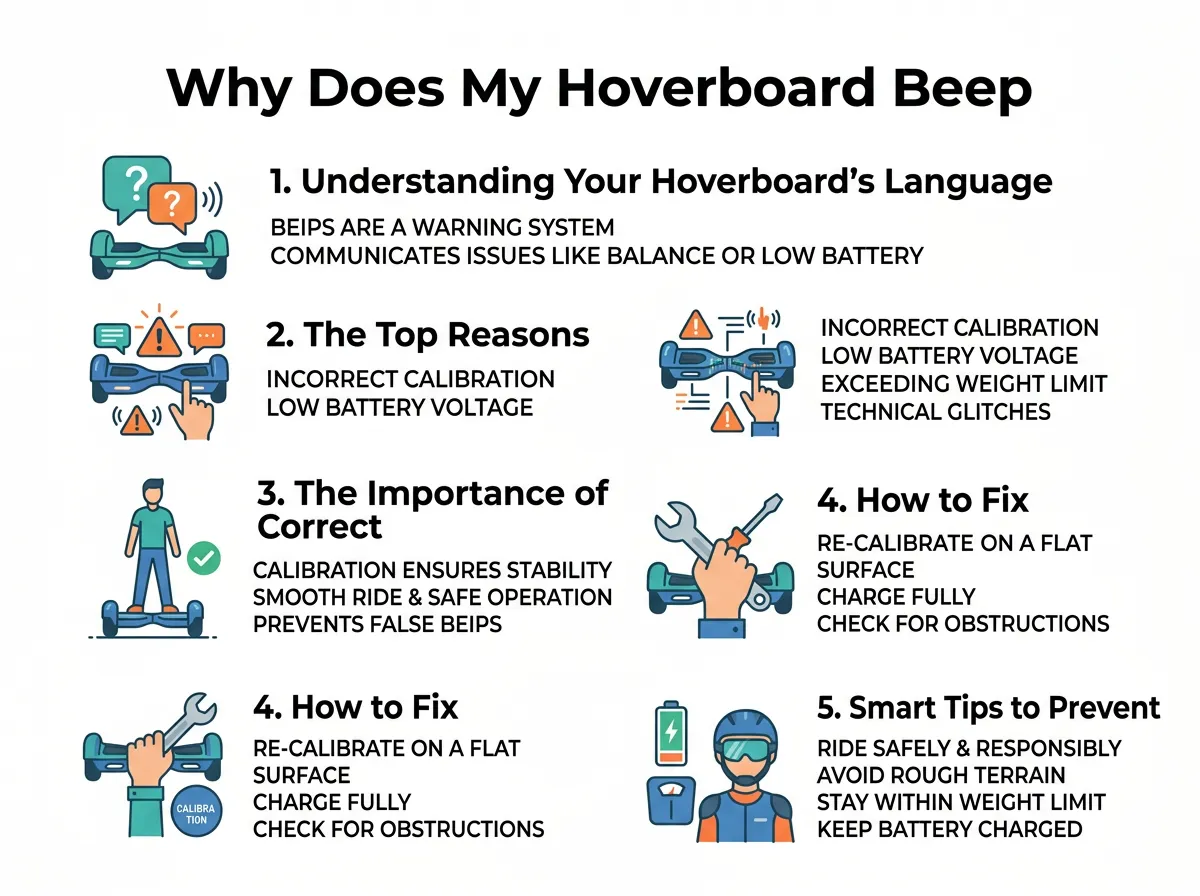
Why Does My Hoverboard Beep When I Step on It? — key points at a glance
Your Board Needs Calibration
This is the number one cause of hoverboard noise. Over time, as you ride over bumps, curbs, and cracks, the sensors lose their alignment. They forget where the center point is. When you step on the board, it thinks you are tilted at a dangerous angle, even if you are standing on a perfectly flat floor. It starts to beep to tell you that it cannot find its balance.
Low Battery Warnings
A weak battery cannot supply enough power to keep the heavy motors running. If your battery level drops too low, the self-balancing feature stops working. Many models will beep the very second you step on them if the battery is below ten percent. You can find more details about these battery signals on this manufacturer support page. It is the board’s way of asking for a recharge before it shuts down completely.
Exceeding the Weight Limit
Every hoverboard model has a specific weight limit. Some smaller boards are built only for young children. Other larger models can support heavy adults. If a rider who is too heavy steps onto the board, the motors must work too hard. The pressure pads detect too much weight and sound the alarm to prevent damage to the frame and motors.
Riding on Uneven Surfaces
Hoverboards love flat, smooth ground. They do not like thick grass, gravel, or steep driveways. If you try to step onto your board while it is resting on a slope, it will beep immediately. The tilt sensors detect that the starting angle is too steep for a safe ride.
The Importance of Correct Foot Placement
How you step onto your hoverboard plays a huge role in how it behaves. If you are still asking, “Why Does My Hoverboard Beep When I Step on It?” the issue might simply be your mounting style.
Stepping On One Foot at a Time
When you place your first foot down, you activate the pressure sensor on that side. The board immediately tries to balance that half. If you hesitate and wait too long to put your second foot down, the board will begin to shake and spin. This delay triggers the safety beep. You must step on quickly, smoothly, and with confidence.
Finding the Sweet Spot
Under the rubber foot pads are physical switches. If your feet are too close to the middle axle, or if they hang too far off the outer edges, you will not press these switches correctly. Make sure your feet are spread wide. They should sit right in the center of the rubber grip pads. This ensures that your weight is spread evenly over the internal sensors.
How to Fix a Beeping Hoverboard (Step-by-Step)
Now that we know the causes, let us look at the solutions. You can perform most of these fixes at home in less than five minutes.
The Easy Calibration Reset
This is the magic trick that fixes about ninety percent of all beeping issues. It resets the internal gyroscopes to zero. Follow these simple steps:
- Step 1: Turn off your hoverboard completely. Do not just leave it in standby mode.
- Step 2: Place the board on a very flat, hard surface. A hardwood floor or tile floor is best. Avoid carpets.
- Step 3: Make sure both halves of the board are perfectly level and aligned with each other.
- Step 4: Press and hold the power button down. Do not let go. Keep holding it for about ten seconds.
- Step 5: You will see the LED lights flash. You will also hear a loud beep. Keep holding the button.
- Step 6: Once the lights stop flashing or start a steady pattern, release the power button.
- Step 7: Turn the board off to save the new settings.
- Step 8: Turn the board back on. Your hoverboard is now calibrated!
If you want to see other ways to handle this process, check out this guide on how to fix a hoverboard keep beeping issue easily.
Checking the Battery Connections
If calibration does not stop the noise, plug your hoverboard into the charger. Watch the light on the charger brick. If the light is green, your battery is full. If it is red, it is charging. Let the board charge completely until the light turns green. Then, try stepping on it again. If it still beeps, your battery may be old and unable to hold a proper charge.
Smart Tips to Prevent Future Beeping
You do not want to deal with this annoying sound every time you go for a ride. Here are some easy habits to keep your hoverboard running quietly.
Do Not Overcharge the Battery
It is tempting to leave your hoverboard plugged in overnight. However, this can degrade the battery cells over time. Unplug the charger once the indicator light turns green. This keeps the battery healthy and strong.
Avoid Wet Conditions
Hoverboards are electric machines. Water is their worst enemy. Avoid riding through puddles or in the rain. Moisture can seep into the foot sensors and trigger permanent short circuits that cause constant beeping.
Conclusion
It is never fun when your favorite ride starts making noise. When you ask, “Why Does My Hoverboard Beep When I Step on It?” remember that it is just your board’s way of keeping you safe. It is usually just a simple cry for help because of a low battery, bad foot placement, or a minor sensor glitch.
By using the quick calibration steps in this guide, you can solve the issue yourself. This saves you time, money, and stress. Now, grab your helmet, calibrate your board, and get back to enjoying a smooth, silent ride!
Frequently Asked Questions
Why is my hoverboard beeping and flashing a red light?
A flashing red light paired with a beep usually means your battery is critically low. Plug your board into its charger and wait for the light on the charger block to turn green before riding again.
Can I ride my hoverboard while it is beeping?
No, you should never ride your hoverboard while it is beeping. The beep is a safety warning that indicates the self-balancing system is not working correctly, which puts you at a high risk of falling.
How do I know if my hoverboard is calibrated correctly?
When calibrated correctly, the hoverboard will remain perfectly level when you turn it on and will not shake or beep when you stand on it with both feet.
Does a hoverboard beep if you go too fast?
Yes, most hoverboards have a built-in speed limiter. If you exceed the maximum safe speed, the board will beep continuously to warn you to slow down.
Why does my hoverboard shake and beep when I step off?
This happens when one of the pressure sensors under the footpads gets stuck in the “down” position. Make sure the rubber pads are clean and not wedged under the plastic frame.
How long does a hoverboard battery last before it needs replacing?
With normal use, a standard hoverboard battery lasts between one to two years. If your board beeps immediately after a full charge, it is likely time to replace the battery pack.
