


If your hoverboard is tipping forward, the most common cause is a system that needs to be recalibrated. Other frequent issues include a poor riding stance, stuck footpad sensors, or a low battery. Most of these problems can be fixed quickly at home with a simple manual reset.
Picture this. You step onto your hoverboard, ready for a fun ride down the street. You press your feet down, but instead of gliding smoothly, the board dips sharply. It feels like you are about to fall flat on your face. You quickly step off, try again, and the exact same thing happens. This is a very common issue that can make riding feel scary and unsafe.
When your self-balancing board behaves this way, it can be frustrating. You might start to wonder if your expensive toy is completely broken. Luckily, this is a very common issue that is usually easy to fix. In most cases, you do not need to buy a new board or pay for costly repairs.
In this guide, we will look at why this issue happens. We will explain how the board balances itself. Then, we will walk you through easy steps to solve the problem. Let us get your hoverboard back in perfect shape so you can ride with confidence again.
Key Takeaways
- Calibration is key: A simple system reset will fix most tipping issues by teaching the gyroscopes what flat looks like.
- Stance matters: Leaning your body too far forward or placing your feet poorly can trick the board.
- Sensor checks: Dirt or damage under the footpads can cause the pressure switches to get stuck in a forward tilt.
- Battery level: Low battery power can cause the board to lose balance and dip forward unexpectedly.
- Hardware damage: Cracked shells or broken internal parts from crashes can throw off the board’s balance.
📑 Table of Contents
Understanding How Your Hoverboard Balances
To fix the issue, it helps to know how these machines work. A hoverboard is a smart piece of technology. It relies on several parts working together to keep you upright. If just one of these parts gets confused, the whole ride can feel unstable.
The Role of the Gyroscope
Inside your hoverboard, there are tiny sensors called gyroscopes. These sensors detect changes in pitch, roll, and yaw. They tell the internal computer how much you are tilting. When you lean forward, the gyroscopes detect the angle. The computer then tells the wheels to spin forward to keep you from falling. If you ask yourself, “Why does my hoverboard tip forward?”, the answer often lies in these tiny sensors.
How Sensors Read Your Weight
Under the rubber footpads on your board, there are pressure switches. When you step on the board, your weight pushes these switches down. This tells the board that a rider is present. The board then starts to balance itself. If your feet are not in the right spot, the switches cannot read your weight correctly. This can cause the board to tilt or shake.
The Main Reasons for Forward Tipping
Now that you know how the board works, let us look at the main causes of the tilt. Identifying the root cause is the first step toward a quick fix.
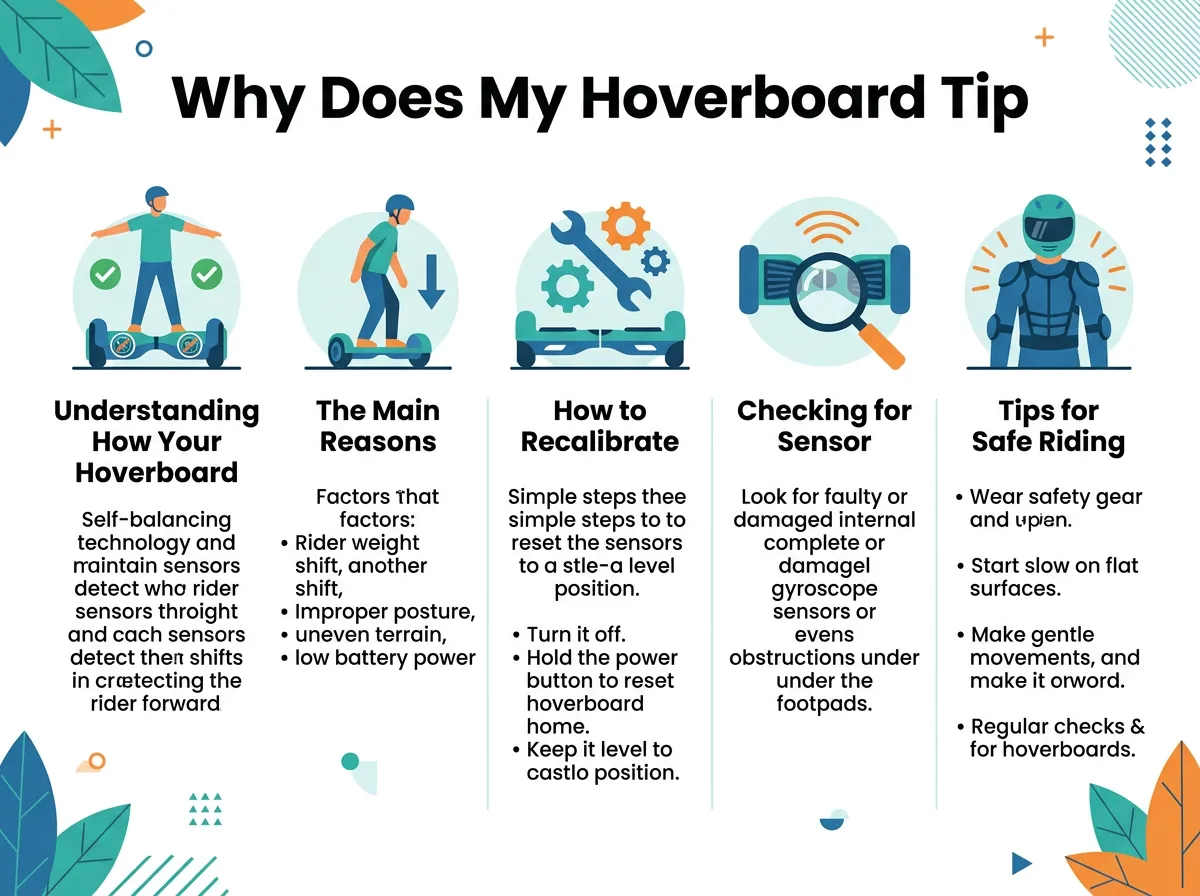
Why Does My Hoverboard Tip Forward? — key points at a glance
Out-of-Sync Calibration
By far, the most common reason is that the board has lost its calibration. Over time, bumps, crashes, and rough riding can confuse the gyroscopes. The board forgets what “flat” actually feels like. It might think that a forward tilt is the level starting point. If you want to dive deeper into this issue, you can read more about leaning forward troubleshooting to understand how different models react.
Poor Foot Placement and Stance
Sometimes, the board is fine, but the rider is causing the issue. If you stand too close to the front edge of the footpads, you put too much weight on your toes. This naturally causes the board to dip. Beginner riders often lean their whole body forward instead of just shifting their weight. This bad posture makes it hard for the gyroscopes to keep up.
Low Battery or Power Issues
When a hoverboard battery gets very low, it cannot supply enough power to the motors. The self-balancing system needs a lot of energy to keep you upright. If the battery is weak, the board may tilt forward because it lacks the power to push back against your weight. You might notice this happening more often toward the end of your ride.
How to Recalibrate Your Hoverboard
If you are struggling with a board that dips, do not worry. A simple reset is usually all it takes. This is the first thing you should try when dealing with common hoverboard problems.
Step-by-Step Reset Guide
You do not need any special tools to reset your board. Just follow these easy steps:
- Turn off the board: Make sure your hoverboard is completely powered down.
- Level the pads: Place the board on a flat, even surface, like a hardwood floor. Make sure both footpads are perfectly level with each other and parallel to the ground.
- Hold the power button: Press and hold the power button down for about 5 to 10 seconds.
- Watch for lights: Keep holding the button until you see the LED lights flash or hear a beeping sound. This means the board is in calibration mode.
- Release and wait: Release the button and let the board sit still for about 30 seconds while it saves the new settings.
- Restart the board: Turn the board off, then turn it back on. Your board is now ready to ride!
This process is very simple. If you need specific tips for your brand, you can learn how to recalibrate my hoverboard on official support pages. It takes less than two minutes and solves the vast majority of balance issues.
What to Do If the Reset Fails
Sometimes, a single reset does not work. If your board still tilts, try the process again. Make sure the surface you are using is completely flat. Even a tiny tilt in your floor can affect the calibration. If it fails after three tries, the issue is likely hardware-related rather than a simple software glitch.
Checking for Sensor and Hardware Problems
If calibration did not help, it is time to look a little closer at the physical parts of your board. Dirt, moisture, or hard impacts can damage the internal components.
Sticky Footpads and Pressure Switches
Dirt and small pebbles can easily get lodged under the rubber footpads. When this happens, they can physically hold the pressure switches down. The board thinks you are still stepping on it or leaning forward. Try lifting the rubber pads gently and cleaning out any debris with a soft brush. Ensure the rubber moves freely up and down when you press it with your hand.
Internal Gyroscope Damage
If you have had a few bad crashes, the delicate gyroscope chips inside the board might be damaged or loose. If a chip is loose, it cannot send accurate data to the main computer. You might notice the board dipping suddenly or spinning in circles on its own. Fixing this usually requires opening the outer shell to inspect the motherboard and sensor boards.
Tips for Safe Riding and Maintenance
Preventing a problem is always better than fixing one. With some simple habits, you can keep your hoverboard from tipping forward in the future.
Smooth Mounting Techniques
When you step onto your hoverboard, try to place your feet quickly and firmly. Do not hesitate or wiggle your toes. Place your first foot flat near the outer edge of the pad. Step up with your second foot immediately. Keep your knees slightly bent to absorb bumps. This relaxed stance makes it much easier for the board to balance your weight.
Regular Maintenance Habits
To keep your board in top shape, adopt these easy habits:
- Avoid water: Most hoverboards are not waterproof. Moisture can ruin the sensitive sensors inside.
- Keep it clean: Wipe down your board after riding in dusty or muddy areas.
- Check the tires: Make sure both tires are clean and spin freely without catching on the plastic shell.
- Store it fully charged: Do not leave your board with a completely dead battery for long periods, as this can ruin the battery health.
When to Seek Professional Help
Most of the time, a quick reset or cleaning will get you rolling again. However, some issues cannot be fixed at home. If you have tried recalibrating several times and your board still dips, you may have a faulty motherboard or gyroscope. If your board is still under warranty, contact the manufacturer. Trying to open the casing yourself can void your warranty, so always check the paperwork first. If the warranty is expired, look for a local repair shop that specializes in personal electric vehicles.
In conclusion, a dipping hoverboard is a very common issue that is usually easy to resolve. In most cases, a quick calibration on a flat floor is all it takes to get back to a safe and smooth ride. By keeping your board clean, maintaining the battery, and riding with good posture, you can enjoy your hoverboard for a long time to come.
Frequently Asked Questions
Why does my hoverboard tip forward when I try to mount it?
This usually happens because the gyroscopes are out of calibration and do not know where the level point is. It can also happen if you step onto the board too slowly or place your feet too close to the front edge. Try performing a quick system reset on a flat surface to fix this issue.
How do I know if my hoverboard gyroscopes are broken?
If your hoverboard continues to tilt forward after multiple calibration attempts, the gyroscopes may be damaged. Other signs include the board shaking violently, spinning in circles on its own, or refusing to balance at all. In these cases, you may need to replace the internal sensor boards.
Can a low battery cause my hoverboard to tilt forward?
Yes, a low battery can definitely cause your hoverboard to tilt forward. When the battery level is low, the motors do not get enough power to balance your body weight. The board will often dip forward or beep to warn you to get off safely.
Is it safe to ride a hoverboard that is leaning forward?
No, it is not safe to ride a hoverboard that is leaning forward. Riding an unbalanced board increases your risk of falling off and getting hurt. You should always step off the board immediately and calibrate it before riding again.
How often should I calibrate my hoverboard?
You do not need to calibrate your hoverboard on a set schedule. You should only calibrate it when you notice balance issues, such as tilting, shaking, or drifting to one side. It is also a good idea to reset it after a hard crash or a long period of storage.
Why is only one side of my hoverboard dipping forward?
If only one side is dipping, the gyroscope sensor on that specific side is likely out of sync or damaged. It could also mean that the pressure switch under that footpad is stuck. Try cleaning under the rubber pad first, and then perform a full system calibration.
