


If your hoverboard is unresponsive, the most common culprit is a dead battery, a loose internal wire, or misaligned sensors that need a quick recalibration. Most of these issues can be fixed at home in just a few simple steps. By checking your charger, resetting the board, or tightening loose connections, you can get back to riding in no time.
You step onto your hoverboard. You are ready to glide down the street. You press your foot down. But nothing happens. The board sits still. The lights do not shine. It feels like a heavy piece of plastic. This is a very frustrating moment. You want to ride, but you cannot. Many riders face this exact issue. It is a common problem for beginners and experts alike. You might feel stuck and confused.
Have you ever asked yourself, why is my hoverboard unresponsive? If so, you are not alone. These two-wheeled boards are complex toys. They rely on batteries, wires, and sensors to work. When one tiny part fails, the whole board stops. This guide will help you solve this mystery. We will cover the most common reasons for a dead board. We will look at batteries, wires, and sensors. You will learn simple tricks to fix your ride at home. Let us get your board moving again!
Key Takeaways
- Battery issues: A faulty charger or dead battery is the most common reason for an unresponsive board.
- Recalibration: Resetting the sensors solves most balance and power issues.
- Loose wires: Bumps and drops can unplug internal cables that need to be reconnected.
- Water damage: Moisture can short out the board, requiring it to dry completely before use.
- Component replacement: If the motherboard or gyroscopes fail, you can replace them with a simple repair kit.
📑 Table of Contents
Why Is My Hoverboard Unresponsive? Let’s Check the Battery First
Your board needs power to move. Without power, it is just a paperweight. When you wonder, why is my hoverboard unresponsive, you should first look at the simplest parts. The battery is the heart of your ride. If the battery is dead, the board will not turn on.
Checking the Charger Light
Look at your charger brick. It has a small LED light. Plug the charger into the wall. The light should turn green. Now, plug the other end into your board. Does the light turn red? A red light means the battery is taking in power. If the light stays green, the battery might be full. But it could also mean the battery is dead. A bad battery cannot hold a charge. If your charger light flashes, you may have a bad port. Check the pins inside the charging port. They should be straight and clean. This is a big clue when asking why is my hoverboard unresponsive.
Battery Depletion and Lifespan
Hoverboard batteries do not last forever. They wear out after a few hundred charges. You might ask, why is my hoverboard unresponsive after a long charge? It could be a drained battery. If you leave the board empty for months, the battery dies. It goes into a deep sleep. A sleeping battery cannot wake up. You will need to buy a new one. Always charge your board at least once a month. This keeps the battery healthy and happy.
Recalibrating Your Board to Fix Balance Issues
Sometimes the board has power but still will not move. It might beep or blink. If you ask why is my hoverboard unresponsive, calibration is often the cure. The sensors inside get confused over time. They forget what flat ground feels like. Learning why is my hoverboard unresponsive helps you fix it fast.
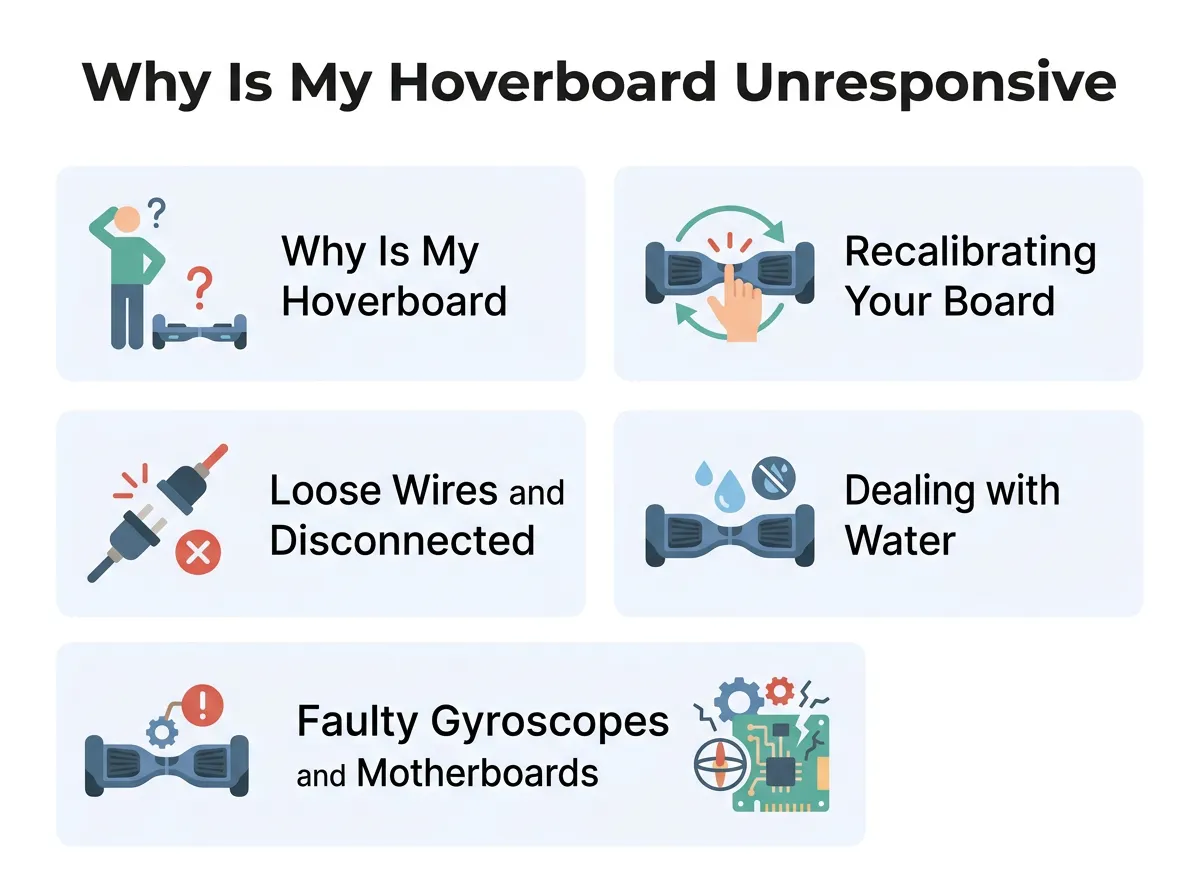
Why Is My Hoverboard Unresponsive? — key points at a glance
When to Recalibrate Your Board
You should reset your board if it shakes. You should reset it if one side dips too low. If the red light blinks in the middle, try a reset. Do not let this make you ask why is my hoverboard unresponsive. A quick reset only takes one minute. It aligns the sensors with the ground. It is the easiest fix you can try.
Step-by-Step Reset Guide
First, turn off your board. Put it on a very flat floor. Make sure the two halves are perfectly level with each other. Now, press and hold the power button. Hold it down for ten seconds. The lights will start to flash. You might hear a loud beep. Keep holding until the flashing stops. Release the power button. Turn the board off. Now, turn it back on. Your board is now reset. To learn more about this process, you can read how to recalibrate my hoverboard to fix balance issues quickly. This simple fix solves most common sensor errors.
Loose Wires and Disconnected Cables
Hoverboards take a lot of bumps. You jump off curbs. You hit cracks in the dirt. These vibrations can shake things loose. A disconnected plug explains why is my hoverboard unresponsive.
Opening the Shell Safely
You can check the wires yourself. First, turn off the board and unplug the charger. Flip the board over. You will see many small screws. Use a Phillips screwdriver to remove them. Keep the screws in a small cup so you do not lose them. Lift the plastic shell off very gently. Be careful not to pull the wires attached to the shell. This guides you in finding out why is my hoverboard unresponsive.
Spotting the Loose Connector
Look inside at the colorful wires. You will see red, black, yellow, and blue wires. They connect the battery to the brain of the board. Check every clip. Give them a gentle tug. If a plug slips out, push it back in. It should click into place. If you still ask why is my hoverboard unresponsive, check the main clips. For a complete look at these steps, you can read how to fix a hoverboard with loose internal cables. Secure wires mean a safe and active board. Put the cover back on and test it.
Dealing with Water and Moisture Damage
Water and electric toys do not mix. Even a small puddle can cause big trouble. Water is another reason why is my hoverboard unresponsive.
Water Damage Symptoms
Did you ride through wet grass? Did you get caught in a rain shower? If so, water might be inside. The board may beep constantly. It might turn on by itself. Or it might not turn on at most times. Moisture keeps things from working and leaves you asking why is my hoverboard unresponsive. It shorts out the tiny paths on the circuit boards.
The Drying and Recovery Method
If your board gets wet, turn it off immediately. Do not try to charge it. Charging a wet board will ruin it forever. Open the plastic shell as shown before. Wipe away any water you see with a soft dry cloth. You can use a hair dryer on a cool setting. Do not use hot air, as hot air melts plastic. Leave the board open in a warm room for two days. Let the air dry it completely. Once it is dry, put it back together.
Faulty Gyroscopes and Motherboards
If the battery is good and the wires are tight, the brain might be sick. The hoverboard has a main motherboard and two small gyroscope boards. A bad motherboard is a key answer to why is my hoverboard unresponsive.
Understanding Sensor Behavior
The gyroscopes sit under your feet. They sense when you lean forward or back. They send this data to the main board. If only one side works, you will ask why is my hoverboard unresponsive. This often means one gyroscope is broken. You can learn about common hoverboard problems and how to fix them to see if your gyroscope needs a swap. When these sensors fail, they cannot tell the motor to spin.
Knowing When to Replace Parts
Sometimes, you must buy new parts. You can buy a hoverboard repair kit online. These kits have a new motherboard and two new gyroscopes. It is best to change them all at the same time. This keeps everything matching. Replacing these boards is like giving your toy a new brain. It is cheaper than buying a whole new hoverboard.
Practical Safety Tips for Hoverboard Maintenance
Prevention is always better than repair. A little care keeps your board running well. Preventing future issues helps you avoid asking why is my hoverboard unresponsive.
Safe Charging Habits
Never leave your board on the charger overnight. This overcharges the battery. It makes the battery hot and weak. Unplug the charger once the light turns green. Do not charge the board right after riding. Let it cool down for fifteen minutes first. This is a simple step to stop asking why is my hoverboard unresponsive.
Proper Storage Tips
Store your board in a dry place. Do not leave it in a cold garage during winter. Cold temperatures ruin lithium batteries. Keep it at room temperature. Clean off dirt and dust after every ride. A clean board is a happy board.
Conclusion
An unresponsive hoverboard can ruin your day. But you do not have to throw it away. Most issues have simple fixes. Check your battery first. Try a quick reset to align the sensors. Look inside for loose plugs. Keep your board dry and clean. Now you know the answers to why is my hoverboard unresponsive. With these tips, you can fix your board and ride safely again. Have fun gliding!
Frequently Asked Questions
Why does my hoverboard not turn on even when plugged in?
If your board does not turn on while plugged in, the battery is likely completely dead or disconnected. It could also mean the charging port is damaged. Check the charger light to see if it changes color when connected.
How do I know if my hoverboard motherboard is broken?
A broken motherboard often causes the board to beep constantly or display a flashing red light. The board may also refuse to balance or turn on at all. If a reset does not fix these issues, the motherboard likely needs to be replaced.
Can I ride my hoverboard in the rain?
No, you should never ride your hoverboard in the rain or through deep puddles. Most hoverboards are not waterproof and water will easily damage the internal circuits. Always keep your board dry to prevent short circuits.
How long does a hoverboard battery typically last?
A standard hoverboard battery lasts between one and two years with regular use. To extend its lifespan, avoid overcharging it and never let it sit completely empty for long periods. Store it at room temperature for the best results.
Why is only one side of my hoverboard working?
If only one side of your board works, the gyroscope sensor on the unresponsive side is likely faulty or disconnected. You should first try to recalibrate the board to see if it fixes the issue. If the reset fails, you may need to plug in a loose cable or replace that gyroscope.
Is it safe to leave a hoverboard charging overnight?
No, it is not safe to leave your hoverboard charging overnight. Overcharging can overheat the lithium-ion battery, which reduces its lifespan and can create a fire hazard. Always unplug the charger as soon as the indicator light turns green.
