


If your hoverboard won’t turn on, the issue is usually a dead or faulty battery, a loose internal wire, or a blown motherboard. You can often fix this by checking the charger connection, resetting the battery plug, or calibrating the board. Understanding these basic components will help you safely troubleshoot and resolve the problem at home.
Imagine this. The sun is shining outside. You grab your helmet. You are ready to zoom down the sidewalk. You step up to your hoverboard. You press the power button. Nothing happens. No beep. No flashing lights. Just total silence. It is a major letdown. Many riders wonder, why won’t my hoverboard turn on, when they first experience this sudden problem.
Do not worry just yet. Your board is likely not garbage. Most of the time, this issue has a simple fix. In this guide, we will walk you through the top reasons for a dead board. We will show you how to check the battery. We will look at the charger. We will even guide you through checking the internal wires safely. Let us get your board back on the road.
Key Takeaways
- Battery Issues: A completely drained or dead lithium-ion battery is the most common reason a hoverboard will not boot up.
- Charger Diagnostics: The LED light on your charger brick can help you quickly determine if the power outlet or the charger itself is faulty.
- Loose Connections: Constant vibrations from riding can easily loosen internal cables, especially the main battery wire.
- System Calibration: A simple board reset can clear minor system glitches and restore power to your device.
- Motherboard Failures: Overheating or water damage can burn out the main circuit board, which will require a full replacement kit.
📑 Table of Contents
The Power Source: Checking the Battery
The battery is the heart of your ride. If the heart has no power, the board will not wake up. To answer why won’t my hoverboard turn on, we must look at the battery first. Very often, the battery is either dead, depleted, or disconnected.
The Battery is Completely Dead
First, think about how long the board sat in storage. Lithium-ion batteries do not like to sit empty. If you left your board in a closet for months, the battery voltage may have dropped too low. When this happens, a standard charger cannot revive it. You might need to buy a replacement battery pack to fix this.
The Infamous Wet Battery
Second, water is a major enemy. Did you ride through puddles or wet grass? Water can easily seep inside the plastic shell. It ruins the battery protective circuits. If you suspect water damage, do not try to turn the board on. This can cause a short circuit. Let it dry in a warm room for a few days first. Why won’t my hoverboard turn on after getting wet? The water likely shorted the main fuse.
Charger and Port Problems
Sometimes the issue is not the board at all. The problem might be the tool you use to power it up. If you are asking why won’t my hoverboard turn on, you must look closely at your charger. You can learn more about charger issues on this helpful hoverboard guide.
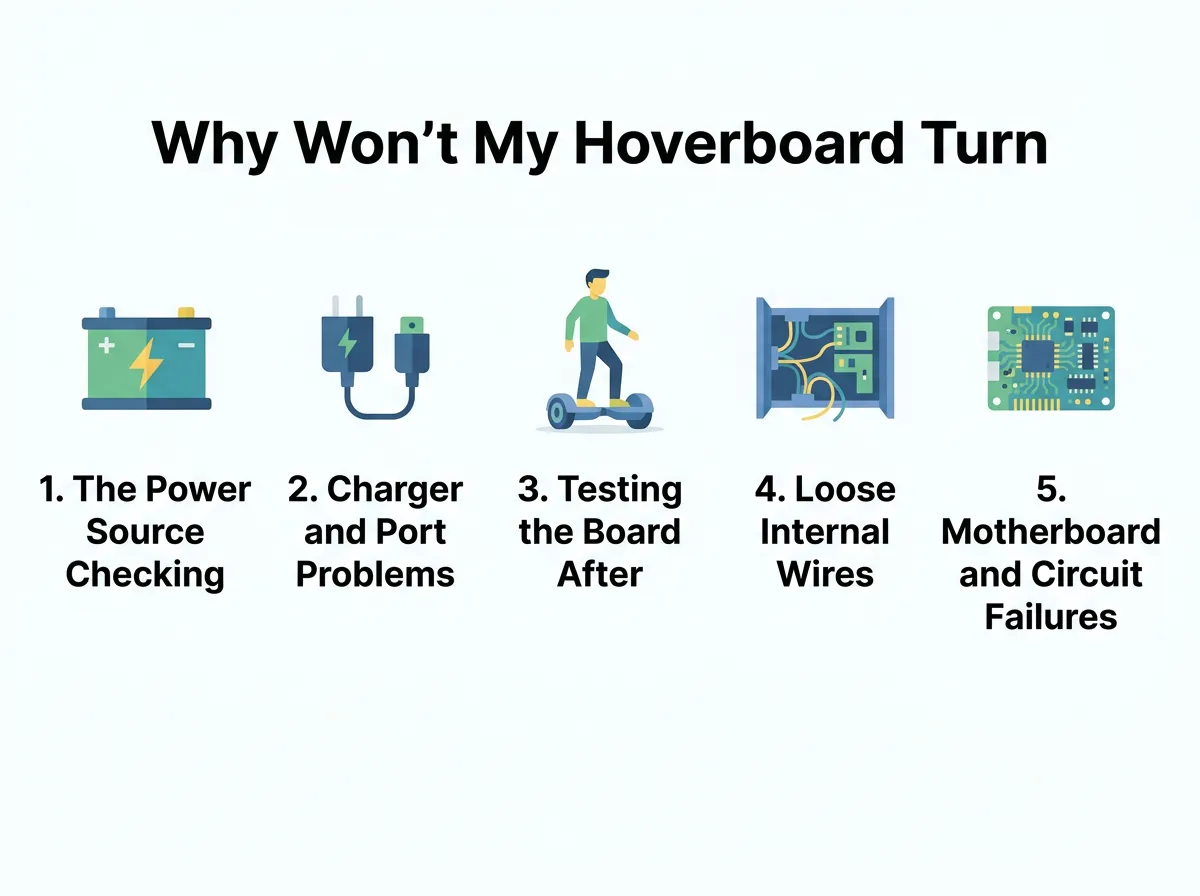
Why Won’t My Hoverboard Turn On? — key points at a glance
Checking the Charger Light Codes
First, check the small light on the charger brick. This LED light is a great diagnostic tool. When you plug the charger into the wall, the light should turn green. This means the outlet is working. Now, plug the other end into your hoverboard.
If the light stays green, the battery is either full or not receiving power. If the light turns red, the battery is charging. If the light does not turn on at all, your charger is likely broken. Try a new charger to see if that fixes the issue. If you keep asking why won’t my hoverboard turn on, the issue is often the charger plug.
Inspecting the Charging Port Pins
Next, look inside the charging port on the board. You will see three small metal pins. Are any of these pins bent or pushed back? If they are, the charger cannot make a good connection. You can use small pliers to gently straighten them. Make sure the board is unplugged when you do this!
Testing the Board After Charging
A common puzzle is when a board refuses to start right after a full charge. You might wonder, why won’t my hoverboard turn on after charging? This is a specific issue that points to a few distinct areas. For a deeper look at this situation, check out this charging troubleshooting guide. This is a key step when figuring out why won’t my hoverboard turn on.
The Battery Will Not Hold a Charge
When you unplug the charger, the board should turn on instantly. If it only works while plugged in, your battery is dead. It can no longer hold a charge. This means the battery cells are worn out. You will need to buy a new battery pack.
Clearing the Charger Lockout
Another trick is to try a system reset right after charging. Sometimes the internal computer gets confused. It locks up to protect itself from power surges. We will explain how to perform a full system reset in a later section.
Loose Internal Wires and Cables
Hoverboards go through a lot of abuse. They bump into curbs. They drop off ledges. They vibrate constantly. All of this shaking can loosen the parts inside. If you ask yourself, why won’t my hoverboard turn on, loose wires could be the answer. You can find common physical fixes in this guide on common hoverboard problems.
So, why won’t my hoverboard turn on if the battery is fine? The answer is often inside the shell. To check the wires, you must open the bottom shell. This sounds scary, but it is quite simple. You will need a basic Phillips screwdriver. Unplug the hoverboard first. Turn the board upside down on a flat surface.
How to Check the Main Power Cable
Remove all the small screws from the bottom casing. Keep the screws in a safe bowl. Lift the plastic cover off very slowly. You do not want to pull on the wires attached to it.
Now, look for the main power wire. This is usually a thick red and black wire. It connects the battery to the motherboard. Make sure the yellow plug is pushed tightly together. If it is loose, plug it in firmly. This simple fix solves the problem most of the time!
Motherboard and Circuit Failures
If the battery is good and the wires are tight, we must look at the brain. The motherboard controls everything. If the brain is damaged, you will ask, why won’t my hoverboard turn on? You can read more about total component failures on this hoverboard repair resource. This is another big reason why won’t my hoverboard turn on.
Signs of a Blown Motherboard
How does a motherboard break? The most common cause is overheating. If you ride up steep hills for too long, the board works too hard. The chips on the board can melt or burn. You might smell a burnt plastic odor when you open the casing.
Look closely at the green circuit boards. Do you see any black marks? Do you see any melted solder? If you do, the motherboard is blown. You will need to order a replacement motherboard kit. These kits usually come with the main board and two gyro boards.
How to Perform a System Calibration
Before you buy any new parts, try a calibration. This is like rebooting your home computer. It resets the sensors and clears minor software bugs. It is free and takes just a minute. This test helps rule out software bugs when you ask why won’t my hoverboard turn on.
Step-by-Step Reset Guide
First, place your hoverboard on a completely flat floor. Ensure both foot pedals are level with each other. This step is very important. If they are tilted, the calibration will be wrong.
Second, press and hold the power button down. Do not let go. Keep holding it for about ten seconds. You will hear a loud beep. The LED lights on the board will start to flash.
Third, let go of the power button. Keep the board still. Let the lights flash for another ten seconds. This allows the computer to calibrate the balance sensors.
Finally, press the power button once to turn the board off. Now, press it again to turn it on. Your hoverboard should boot up normally. If this works, you just saved yourself some money!
Conclusion
A dead hoverboard is no fun. But now you know the answer to why won’t my hoverboard turn on. In most cases, it is a simple fix. Start with the easiest steps. Check your charger light first. Then try a simple system calibration. If those steps fail, do not be afraid to look inside. Check for loose power plugs and damaged wires. If the battery or motherboard is dead, you can easily buy replacements online. With a little patience, you will be back to riding in no time. Stay safe and enjoy your ride!
Frequently Asked Questions
Why does my hoverboard only turn on when plugged into the charger?
This issue means your hoverboard battery is completely dead and cannot hold a charge anymore. The board is running directly off the wall outlet power instead. You will need to purchase and install a replacement battery pack to fix this problem.
How do I know if my hoverboard charger is broken?
Check the LED light on the charger brick when it is plugged into the wall. If the light does not turn on at all, or if it flashes red and green rapidly, the charger is broken. A working charger should show a solid green light when unplugged from the board, and solid red when charging.
Is it safe to open my hoverboard to check the wires?
Yes, it is safe as long as you unplug the charger from the wall and ensure the hoverboard power is turned off first. Use a standard screwdriver to remove the bottom plastic cover and handle the internal wires gently. Avoid touching the circuit boards with metal tools while the battery is connected.
Why won’t my hoverboard turn on after riding through water?
Water can easily bypass the plastic outer shell and cause a short circuit on the motherboard or battery protection board. If your board got wet, do not try to turn it on. Open the casing, disconnect the battery, and let all components dry completely in a warm room for at least 48 hours before testing it again.
How much does it cost to replace a hoverboard battery?
A replacement hoverboard battery typically costs between thirty and sixty dollars depending on the brand and capacity. They are very easy to install at home by simply unplugging the old battery and plugging in the new one. Always make sure to buy a certified safe battery pack.
Can a system reset fix a hoverboard that won’t turn on?
A system reset can sometimes resolve minor system lockups and software glitches that prevent the board from starting. To try this, hold the power button down for ten seconds until the lights flash. However, if the board has no power at all and shows no lights, a reset will not work, and you must check the physical connections.
