


If your hoverboard is beeping constantly, it is usually a warning sign that something is wrong. This annoying noise is most often caused by a simple calibration issue, a low battery, or riding on a surface that is too steep. Fortunately, you can easily fix most of these issues at home by resetting the board or plugging it in to charge.
Imagine rolling down your driveway on a beautiful, sunny afternoon. The sun is shining, and you feel like you are flying. Suddenly, a loud, sharp sound ruins the fun. Your board starts to make a high-pitched sound that just will not stop. It vibrates under your feet. You step off, but the noise continues. You might feel frustrated or even a bit scared. Is it going to blow up? Is it broken forever?
This is a very common problem for riders of all ages. Many new owners run into this issue during their first week. You find yourself asking, Why Does My Hoverboard Beep Continuously? It is a great question, and the answer is usually very simple. Your self-balancing scooter is trying to tell you something. It is not necessarily broken; it is just using its voice to get your attention.
In this beginner-friendly guide, we will break down the mystery of the noisy board. We will look at the most common causes, from simple balance issues to battery problems. We will also show you how to fix these issues at home in just a few minutes. You do not need to be a tech wizard to get your board back to normal. Let us dive in and find out what that noise means!
Key Takeaways
- Calibration is key: A misaligned board is the most common reason for constant beeping.
- Low battery warnings: The board will beep to warn you when power drops below a safe level.
- Safety speed limits: Going too fast triggers an alarm to keep you from falling off.
- Incline alerts: Riding on steep hills stresses the motor and sets off a warning sound.
- Hardware errors: Blinking red lights alongside beeping often mean a loose wire or bad gyroscope.
- Easy reset: A simple system recalibration solves about ninety percent of all beeping issues.
📑 Table of Contents
Understanding the Beep: A Safety Feature, Not a Glitch
Why Your Board Talks to You
Your self-balancing scooter does not have a screen. It cannot send you a text message when something goes wrong. Instead, it uses lights and sounds to talk to you. The beep is actually a safety feature. It is designed to keep you safe from falls and injuries. When the board senses a problem, it alerts you. This is much better than having the board shut off while you are riding, which would send you flying onto the concrete.
The Difference Between Quick Beeps and Constant Beeps
Sometimes, your board will give a short beep. This might happen when you turn it on or step on it. A short beep is normal. It means the board is ready to go. But when you ask, Why Does My Hoverboard Beep Continuously? you are dealing with a different issue. A constant beep means there is an active error. The board will often refuse to balance until you solve the problem. It is the board’s way of going into “safe mode.”
The Main Culprit: Calibration Issues
What is Calibration?
Your board relies on tiny sensors called gyroscopes. These sensors detect how you shift your weight. They help the board stay flat and balanced. Over time, these sensors can lose track of what “flat” actually means. This often happens after a crash, a hard jump, or a long ride on bumpy grass. When the sensors are confused, the board will beep to warn you. It feels off-balance, and it wants you to fix it before you try to ride again.
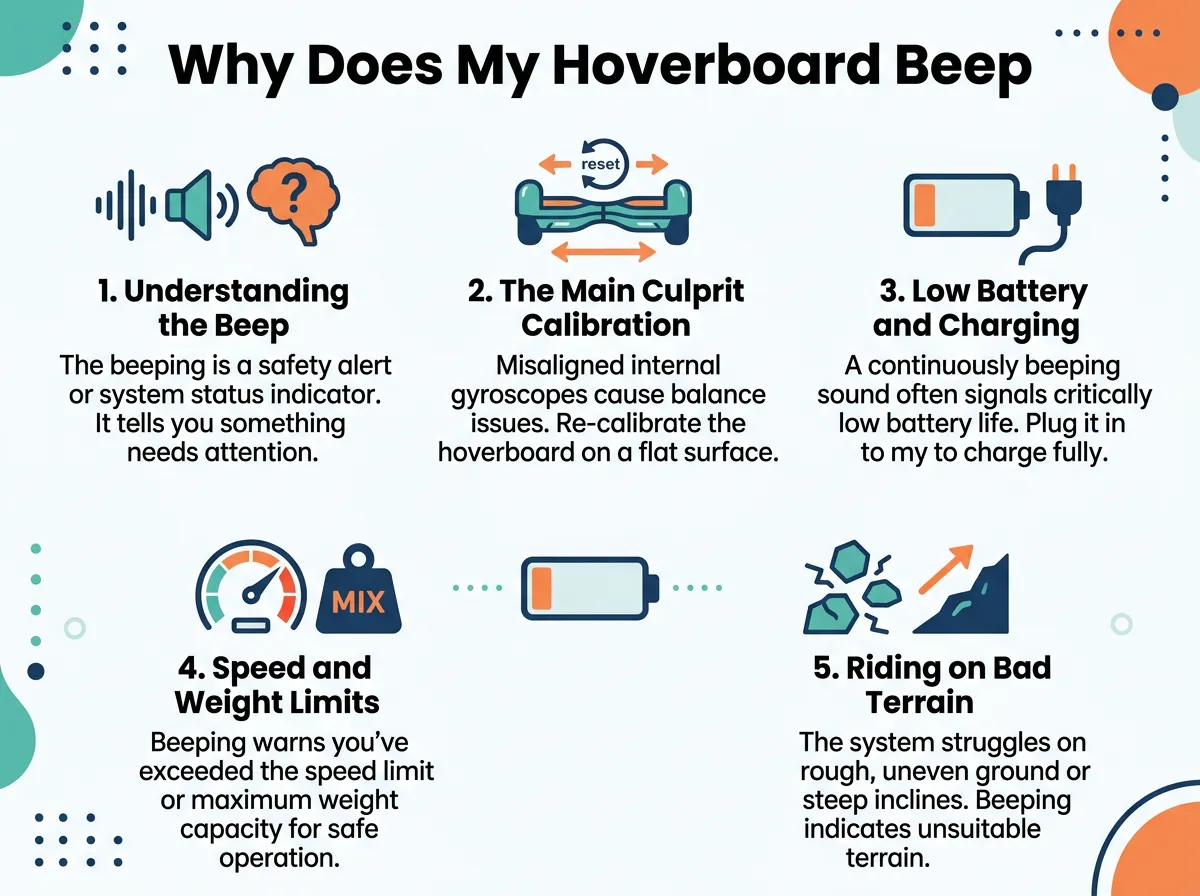
Why Does My Hoverboard Beep Continuously? — key points at a glance
How to Calibrate Your Board
The good news is that calibrating your board is very easy. It is the number one fix for a noisy board. You do not need any special tools. Just follow these simple steps to perform a manual reset:
- First, turn off your board completely. Make sure the power light is off.
- Next, place the board on a flat, level surface. A hard tile or wood floor is best. Do not do this on a thick carpet.
- Align both footpads so they are perfectly level with each other and parallel to the ground.
- Now, press and hold the power button down. Keep holding it for about ten seconds.
- You will see the lights on the board start to flash. You might also hear a beep.
- Keep holding the button until the flashing stops or stabilizes.
- Release the power button and turn the board off.
- Turn the board back on. The sensors are now reset.
Many riders find that this simple reset stops the noise instantly. To learn more about this process, you can read how to fix a hoverboard keep beeping issue with quick calibration steps.
Low Battery and Charging Warnings
Knowing When to Plug It In
Another very common cause of constant noise is a low battery. These boards need a lot of power to balance your weight. When the battery level drops below a certain point, the board is no longer safe to ride. It will beep loudly to tell you to step off. If you keep riding, the board might shut off suddenly. This can cause a nasty fall. Always listen to the battery alarm and get off the board right away.
Charging Issues and Battery Health
Sometimes, the board might beep even when you think it is charged. This can happen if the battery is getting old and cannot hold a charge. It can also happen if the charger is broken. Make sure you always use the official charger that came with your board. If your board beeps the moment you step on it after a full charge, the battery pack might need to be replaced. For further details on battery troubleshooting, you can check out the guide on My hoverboard is beeping for your specific model.
Speed and Weight Limits: Pushing the Boundaries
Going Too Fast
Are you a speed demon? If so, your board might be beeping because you are pushing it too hard. Most boards have a top speed limit. This is usually between six and ten miles per hour. When you reach this speed, the board will start to beep. This is a warning to slow down. If you keep accelerating, the motor will cut out to protect itself. Always respect the speed alarm. It is there to save your skin.
Exceeding the Weight Limit
Every board has a maximum weight limit. This is often around 220 pounds for standard boards, but smaller kids’ boards have lower limits. If a rider is too heavy, the motors have to work too hard. The board will beep continuously to warn you that the load is too high. If the board beeps only when a specific person rides it, weight might be the issue. Make sure to check your owner’s manual for the exact weight limit of your model.
Riding on Bad Terrain or Steep Hills
Slope Limitations
Most self-balancing boards are designed for flat surfaces. They can handle small inclines, but steep hills are a different story. If you try to go up a steep hill, the motors will strain. The board will beep to tell you that the slope is too steep. This is a common topic in online communities, where riders discuss understanding those irritating noises while climbing steep paths. If your board starts to beep on a hill, simply turn around and ride on flat ground.
Bumpy and Uneven Surfaces
Riding on grass, gravel, or cracked sidewalks can also trigger the alarm. The sensors have to work extra hard to keep you balanced on rough ground. If the wheels slip or lose contact with the floor, the board will beep. Try to stick to smooth pavement, especially when you are still learning. This keeps the sensors happy and the ride smooth.
Internal Hardware Failures (The Red Light Warning)
Checking the Indicator Lights
If you have calibrated your board and charged the battery, but the beeping will not stop, you might have a hardware problem. Look down at the center of the board. Do you see a blinking red light? The number of blinks can tell you what is wrong. For example, one blink might mean a loose wire, while multiple blinks might mean a bad motherboard. If you see a solid red light, the system has a major fault. You can find detailed explanations of these light codes on community repair pages like Both indicator lights are red and won’t stop beeping on repair forums.
Loose Wires and Wet Components
Hoverboards have a lot of wires inside. If you ride off curbs or crash into walls, these wires can wiggle loose. A loose cable to the wheel motor or gyroscope will cause a constant beep. Also, water is a major enemy of these boards. If you ride through a puddle, water can get inside the shell. This ruins the circuit boards and causes errors. Always keep your board dry and store it indoors.
Conclusion
In summary, a beeping hoverboard is not a disaster. It is simply your board trying to keep you safe. Most of the time, the fix is quick and free. You can usually stop the noise by calibrating the board or plugging it in to charge. Always remember to ride safely, stay within speed limits, and keep your board on smooth, flat ground. With a little care and patience, you can solve the mystery of Why Does My Hoverboard Beep Continuously? and get back to enjoying your ride. Happy gliding!
Frequently Asked Questions
Why does my hoverboard beep when I go fast?
This is a built-in safety speed alarm. The board beeps to warn you that you are reaching its maximum speed limit. Slow down slightly, and the beeping will stop automatically.
Can I ride my hoverboard while it is beeping?
No, you should never ride a hoverboard that is beeping continuously. The beep is a warning that the board is not balanced or is about to shut down, which could cause you to fall.
How do I know if my hoverboard battery is bad?
If your board is fully charged but starts beeping and turns off after just a few minutes of use, the battery is likely dead. You will need to replace the battery pack to fix this issue.
Will water damage cause my hoverboard to beep?
Yes, water inside the hoverboard can short out the sensors and circuit boards. This often results in continuous beeping and flashing red lights. Always keep your board away from puddles and rain.
How often should I calibrate my hoverboard?
You only need to calibrate your hoverboard when it starts acting up, pulling to one side, or beeping. However, doing a quick calibration after a hard crash is always a good idea.
Why is my hoverboard red light blinking?
A blinking red light usually indicates an internal hardware error or a loose wire connection. Count the number of blinks in a row to determine the specific error code for your model.
